Matrix Group International

Tag: Content Management

  • What is the Best Content Management System For an Association Website?

    What is the Best Content Management System For an Association Website?

    We get a lot of RFP (Requests for Proposals) for association and nonprofit website redesigns. Often, one focus of the RFP is the technology that will power the new website. These RFPs have giant lists of requirements related to how content will be authored, formatted and published. 

    We often get asked this question: 

    What is the best content management system (CMS) for association websites?

    The answer (you guessed it) is always gonna be, “it depends.” Depends on what?, you might ask. 

    The dirty little secret of website development today is that nearly all content management systems in the market will meet nearly all of any organization’s requirements. While this wasn’t the case 10 or 15 years ago, this class of software has matured a lot and nearly all will allow you to:

    • Add items to recurring collections of content
    • Author uniquely designed pages
    • Easily add formatting, images, and video to pages
    • Categorize content
    • Manage workflow
    • Schedule and embargo content
    • Create public and protected content
    • Consume content via APIs or imports
    • Optimized website content for Internet search engines

    So how does an association decide between content management systems? 

    Here are some ways that we’ve helped our clients choose a system that’s right for them.

    • Understand the development capabilities of your staff. Some CMS systems have friendlier drag and drop authoring systems, while others require a bit or a lot of knowledge of CSS (cascading style sheets).
    • Does your IT department require a specific tech stack? We’ve run into IT departments that prefer a Microsoft tech stack, while others prefer open source. Most of our clients don’t have a preference, but your organization may, so it’s best to check with those in the know.
    • Your staff may prefer certain features or interfaces. Just as people are drawn to specific models and makes of cars (and yet, they all take us where we need to go), some staff may be turned off by some systems that have a very tech user interface, while others will love it. I guess this is why some people prefer the Apple design style, while others like Google.
    • Budget is often a consideration. While we find that implementation costs are largely similar between systems (because the implementation work is quite similar between systems), licensing and hosting costs can vary widely between systems. Open source systems don’t have licensing fees, and hosting in a Linux environment is less expensive than hosting in a Microsoft environment.
    • Does your tech ecosystem require a specific tech stack? This doesn’t happen as often anymore, but sometimes, we run into projects where third party partners require a Microsoft tech stack. Examples are when a vendor requires SAML authentication, or SOAP for single sign on.

    As a company, we do website implementations in WordPress, which is an open source content management system, and Sitefinity, which is a Microsoft.NET based system. Matrix Group designers say that they design sites with no consideration for the CMS that will ultimately power their designs. Our front-end developers say there are, of course, differences between how you implement a site in WordPress or Sitefinity, BUT they can make both systems do exactly what they designers and information architects envisioned.

    And yes, we implement sites in other systems, and the art and science behind why a specific system is chosen will ultimately depend on functional requirements, design requirements, user interface preferences, and budget considerations. 

    Looking for a new system for your association or wondering what else is out there? Perhaps you’re wondering if your current system was implemented properly. We’d love to hear from you!

  • Set 2023 Up for Success: 7 Easy Upgrades to Make

    Set 2023 Up for Success: 7 Easy Upgrades to Make

    Looking for a few easy upgrades that are light on the budget but will start you off strong in 2023? Matrix Group Creative Director Alex Pineda and Lead Front-End Developer Jaime Quiroz have suggestions for a few simple upgrades and updates you can make that will improve your user experience, give you more accurate data, and help you better serve your members.

    1. Pick one template that you use often, and update it

    We live in an era where new and fresh is not just preferred but expected. Keep your brand and assets fresh by auditing and updating one or more of your most-used templates. This could be a template for your: newsletter, PowerPoint presentations, meeting pages, PDFs, press releases, or social media posts. Little tweaks like this can make a big difference, and good designers should be able to do this work fairly quickly. 

    2. Refresh the most visited page on your website. 

    Google loves it when you update your pages, and your users do, too! Take a look at your most visited page, and ask yourself: 

    • What images could we replace to make this page more high-impact? 
    • What can we reduce to increase clarity on this page? 
    • Is the page too cluttered; what can we do to make it simpler? 
    • What is the goal of the page? Is there a clear flow to the call-to-action to meet that goal?
    • Why is this page so popular? What other content can we feature that is connected to the popularity of this page?
    • Is there any industry jargon on the page that needs to be reworded? 

    Even updating two or three little things can make a big impact! 

    Not sure which page is your most-visited page? Take a look at your analytics. If you’re not sure how to do that and need help, maybe now is also a good time to invest in some Analytics training. Speaking of Analytics…. 

    3. Upgrade to Google Analytics 4 

    Google Analytics logo on laptop screen

    If you haven’t upgraded to Google Analytics 4 (GA4), you need to upgrade as soon as possible! Google is sunsetting Universal Analytics on July 1, 2023. Due to the new data model in GA4, you won’t be able to move your data from UA to GA4 and data between UA and GA4 won’t be comparable. You need to start collecting your data in GA4 yesterday to have the comparative reports you’ll need next year. (Psst, if you need help getting GA4 installed on your site or want training on the new interface, we can help!)

    If you already have GA4 installed on your site (bravo!) we recommend investing in one Google Data Studio custom report. Google Data Studio lets you create beautiful dashboard reports that aggregate data and reports so you can see and understand your data more clearly. 

    4. Update link text and button text on your website to improve accessibility and usability. 

    It’s important to make your link text and button text as descriptive as possible on your website. This is important for usability, but even more important for accessibility. People who use screen readers (e.g., people who are blind or low vision) need descriptive links or button text so that they know how to execute an action. For example, a link that says Click here is not useful to screen readers; “Register now” or “Read our annual report” is more helpful. 

    The icing on the cake: this practice is also great for search engine optimization. When you link the whole phrase, your sites gives Google and other search engines better clues about what your content, page, and links are about; this can help boost your authority and ranking. 

    5. Take your most important PDF and turn it into an HTML page.

    Why? For so many reasons. Search engines can’t tell from a PDF what your content is really all about because all of the text is treated equally; PDF pages are lacking H tags that provide a hierarchy for what the page is all about. In addition, PDFs are not good for accessibility, they’re not mobile friendly, and they’re not easy to update. Yes, you have more design control with a PDF, but you need to consider all of the other factors at play. Converting your most important PDFs to HTML pages will drastically improve usability, accessibility, and SEO.

     If you can’t do away with the PDF completely, a great option is to convert what you can to an HTML page, and still make the PDF version available. A great example of this is ERISA Industry Committee’s Policy Priorities document that they turned into a web page, while still making the PDF available. See ERIC’s Policy Priorities web page here

    6. Increase security by using and requiring 2-factor authentication

    If you haven’t already, we beg of you: install 2-factor authentication for EVERYTHING that you can, and update your security policy to require it. Yes, it can create a minor inconvenience – maybe add 15 seconds to a log-in process – but those few seconds might be the very thing that saves your organization from being completely compromised, which would cost you a lot more time. 

    7. Improve your search by adding 10 more best bets

    For your top 10 most searched queries on your site, are your users getting to where they need to go? One way to make sure they get where they want to go, or where you want them to go, is to update your best bets to serve better results. Best bets, or featured results, tell your search engine that for specific keywords or phrases, you want X and Y pages to be at the top. For example, if someone types the word “awards” into your site search, they might get a jillion results, but what they probably want is your awards landing page, so set up a best bet for the awards landing page. Start by looking at your search analytics, determining the top 10-15 searched words or phrases, and adding best bets for those words and phrases. This is a quick and easy thing to do, but has the potential to drastically improve your users’ experience with your site. 

    BONUS: Update your 404 page

    Your 404 page is a great place to have a little fun on your website, and provides a low-stakes opportunity to show a little personality and reinforce your branding in a new and different way. For example, FMI – The Food Industry Association’s 404 page says “Clean up on Aisle 4!” something often said in their grocery store members’ day-to-day. At Matrix Group we’re big Star Wars fans, so check this out: https://matrixgroup-wp-new.matrixdev.net/whoops 

    If you have some extra budget left to spend in 2022 or are looking for quick wins for the start of 2023, we hope these suggestions help! If you want to dive deeper into any of these ideas, you can watch the recording of the webinar we held last week on this topic or reach out to our team, who would be happy to continue the conversation. 

    Remember, little things add up and can make a big impact! 

    What projects are you planning to tackle in 2023, big or small?

  • Web Design Can and Should Be CMS-Agnostic (and why we love WordPress more and more)

    Web Design Can and Should Be CMS-Agnostic (and why we love WordPress more and more)

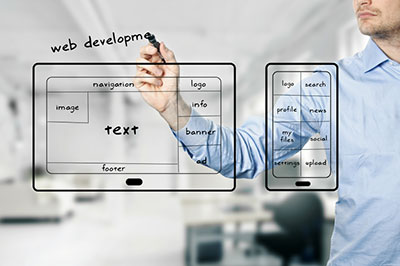
    webdev_smHere at Matrix Group, we use a variety of platforms and frameworks to build client applications. On the content management system (CMS) side, we really like Sitefinity and WordPress for building websites, although we have worked with other platforms, including DNN, Expression Engine, and Kentico. WordPress has come a long way in recent years, and we’re doing more and more with it. We love its flexibility, extensibility, and clean code, to name just a few things.

    During a client meeting the other day, I was pitching doing a magazine website in WordPress. The client was surprised and said, “WordPress, the blogging CMS? Isn’t that too simple for our needs?” I explained that no, WordPress has come a long way, it powers so much of the web these days, and it is perfectly capable of the complex functionality she needs. She countered with, “So show me a site that you did in WordPress that doesn’t look like a WordPress site.”

    So I did. I showed her Endocrine News, the magazine of the Endocrine Society, the website for e-discovery firm eTera Consulting, and a convention site for the National Electrical Contractors Association.

    But then I got curious. Does my front-end team design differently based on the CMS platform? I asked my Creative Director and Senior Designer, “Do you take CMS into consideration when creating designs?”

    The response: “Heck no, half the time, we don’t even know the platform that will be used.”

    So then I asked my Lead Front-End Developer, “Does the CMS platform affect what we can and can’t do?”

    The response: “Nope. Some things are easier in WordPress, other things in Sitefinity. Just depends.”

    I know I’m involved in many Information Architecture projects, and I no longer wonder if a platform can do something I’m envisioning in a wireframe.

    I hadn’t really thought about it but it appears we are now CMS-agnostic when it comes to designing the front-end of our websites. Does that mean every CMS can do everything? Probably, at least in the arena we play in. But we definitely express favorites, and choice of platform can affect HOW a specific requirement is implemented, as well as price and timeline.

    Makes me think of a wise client who said to me some time ago, “Joanna, I don’t care what system you use to build my site, as long as it does what I want, it’s easy to use, and you can maintain it easily.”

  • Why It’s Important to Keep Your CMS Upgraded

    Why It’s Important to Keep Your CMS Upgraded

    Time to upgradeMost of us are accustomed to the idea that we have to keep the content of our websites updated on a regular basis. If we don’t add fresh content regularly, people and search engines won’t feel compelled to come as often. But few of us think about updating the backend systems that power our websites.

    Any modern website these days is powered by some type of content management system (CMS). At Matrix Group, we like platforms like Sitefinity and WordPress. Every single proposal to clients includes a line item for CMS upgrades. Clients sometimes push back and say, “But Joanna, I just paid good money to implement x CMS and it’s working exactly the way we want it to. Why do we need to upgrade?” Here’s what I counter with:

    • You get access to new features. CMS companies stay in business by continually making their products better. With a CMS, no single customer pays all the freight for enhancements. With each upgrade, you get new features and functionality that perhaps you were waiting for or never imagined possible. For example, a recent Sitefinity upgrade included the ability to create sub-folders for uploads, thereby making it easier to manage images, files, etc. A small but super valuable enhancement!
    • Upgrades often include bug fixes and security patches. None of us would think of NOT upgrading Windows on a regular basis to protect our systems against hackers and crashes. Why would you you treat your website any differently, especially given its public-facing nature?
    • Staying on the upgrade path makes future upgrades easier. This sounds like a not so compelling reason to upgrade but the truth is, if you know you’re sticking with a particular system, it’s best to stay relatively current. Otherwise, a future upgrade could be nearly impossible or ridiculously expensive. Why? Most companies will write scripts that let you upgrade from the previous 1 or 2 versions. If you get to be 6 or 10 versions behind, there’s no simple way to jump versions because the database or programming are so different.

    When you do upgrade, do take the time to familiarize yourself with the new version’s new features, bug fixes and changes. Ask your vendor how you can take advantage of new functionality so that the upgrade becomes even more of an investment in the future. And talk to your vendor about making sure that your site is configured and customized to be upgrade-friendly. I’ve seen websites that couldn’t be upgraded without a lot of money because they had been customized in a way that made upgrades hard or expensive or both. And if your vendor isn’t talking to you about upgrades, be sure to ask why.

    Happy upgrading!