Matrix Group International

Author: Joanna Pineda

  • Should You Convert Your Conference to a Virtual Conference? TLDR: Yes

    Should You Convert Your Conference to a Virtual Conference? TLDR: Yes

    Woman on laptop with headphonesAll Spring, one client conference after another was cancelled or rescheduled. A few clients converted their conferences to a series of Zoom meetings.

    With some states opening up, is there a chance that conferences will come back in the Fall, if not the summer? For organizations that have conferences coming up, should you wait or go ahead and plan to go virtual?

    All the signs are pointing to a prolonged lockdown across the country. We think it’s only prudent to plan for a virtual meeting or a hybrid event now and in the foreseeable future. Why?

    You won’t have the same number of people at an in person event anyway. Even if states start allowing conferences, there’s no doubt that attendees will have to distance, and many people will opt to stay away, which both point to fewer attendees at your next conference. So your choice will be to go 100% virtual, or create a hybrid event where a few people attend in person, and the rest attend online.

    You’ll need time to create an immersive, engaging virtual conference. As one client put it, “a web page that links to a bunch of Zoom meetings does not equal a conference.” It will take time to research vendors, work with your presenters and exhibitors, and design experiences that are different but (almost?) equally engaging and satisfying.

    Holding a conference during a pandemic is a giant pain. Have you seen the CDC guidelines for mass gatherings? Right now, the CDC recommends that gatherings of more than 250 people be cancelled or postponed. If a local area does allow a conference, the distancing, sanitizing and procedures necessary will double (more likely quadruple) the workload for meeting staff.

    Employers will likely limit staff travel. As an employer, I have a responsibility to keep my staff safe. So for the foreseeable future, I won’t allow attendance at in person meetings, air travel, or hotel stays. It’s just not worth the risk to the staff and to the company. I know I’m not alone. My Amazon rep says office staff are not required to report back to the office until October. My sister-in-law says Google has already told their staff to plan on staying home through the end of the year.

    So meeting planners, what’s your plan B? Plan B should be a virtual or hybrid meeting. Start planning now.

    Looking for a custom tailored virtual meeting platform that can take your virtual conference to the next level, providing your attendees and exhibitors with a comprehensive, hand crafted experience? We’d love to show you a demo of BeSpeake, our new Virtual Meeting Platform. Let’s get it scheduled!


  • Navigating Your Responsibilities as a Leader During COVID-19 Crisis

    Navigating Your Responsibilities as a Leader During COVID-19 Crisis

    CEO Joanna Pineda on video conferenceThere’s no question that this COVID-19 pandemic is proving to be a test of leadership. As a CEO of Matrix Group, I have responsibilities to my employees, my clients, my clients’ customers, my employees’ families, and certainly our own family.

    Many of you know that I’m a member of Vistage, which is the world’s largest executive coaching organization. My group of 16 CEOs (run by trained coach Peter Schwartz) has been meeting regularly to help us navigate this crisis. As Pete says, “CEOs bring the weather,” meaning we can bring sunshine and energy to any situation, or we can dampen spirits and projects with our attitude and energy level.

    So what’s working for me and my family?

    Work From Home Extended to All Staff

    My leadership team decided early to send everyone home. It’s been three weeks and I’m hoping that this decision will keep everyone healthy. Of course, it helps that last year, when we moved to our new office, CTO Maki Kato proclaimed that we would no longer have a server room. So the remaining on-premise services went into the cloud or moved to a SaaS (software as a service) platform. Even our office admin can work from home because our phone system allows her to answer and route calls from home, and our accounting system is in the cloud.

    Asynchronous Work

    Expecting staff to work the same hours is just not realistic these days. Many of us are home with kids, so I made the decision to allow asynchronous work. Since we have good task management systems and good oversight, our productivity has not gone down. While it’s exhausting for parents to work and school/oversee their kids, at least they can relax knowing that it’s okay to say “I’ll be offline for a couple of hours because little Johnny is having a meltdown and we are going outside for a couple of hours.”

    More Frequent Staff and Family Meetings

    I do a daily huddle with my husband and kids, a daily huddle with my biz dev team, a weekly huddle with my Directors, and a weekly huddle with all staff. These check-ins are more frequent than they used to be, but they’re allowing me to keep tabs on how folks are doing emotionally and physically, and determine who might need extra support. We start every meeting with a Matrix Group fundamental and ask if anyone would like to check in and tell us how they’re feeling. Note that we start with feelings, not tasks.

    Business as Usual, When Possible

    To the extent possible, we are working as if it’s business as usual. We are blessed and grateful that our work has been largely unaffected. Our clients need us to continue work on their websites, database and mobile apps; update their websites, keep communications flowing to their members, and provide back-up for sick staff. So while we’re working, we try to block out the terrible things happening outside our homes, because we can and because we must.

    One of my DEVs said that he sometimes almost forgets we’re in lockdown until the Instacart delivery guy comes around and he’s wearing a mask. I hope that by keeping our spirits up AND staying home, we are doing our part to stay healthy and not spread this sickness.

    Sharing Zoom, Making More Calls

    I’ve always been a telephone gal. I like to connect with people via phone. These days, I’m making more phone calls, to people I rarely call, or haven’t called in decades. It lightens my heart. I’ve also allowed my staff to use our Zoom accounts to organize Zoom meetups for their own families, friends and clubs. Janna is doing a virtual knitting group meetup every week. And last night, I think there was a meeting of werewolves.

    I don’t have time for a new hobby, extra baking, puzzles, or a TV marathon. But I do have time for some phone or Zoom calls, and my Duolingo streak (I’m learning Italian and practicing my French) continues!

    Preparing for the Worst

    My friend Heinan Landa wisely told me that I need to prepare for the time when people I know start getting sick or even start dying. How will I support a family member? A sick employee? The sick parent of an employee? How do we keep working going so that the company stays productive? How do I do this with compassion and understanding? I don’t have the answers but I’m working on it.

    What are YOU doing to help your company and family weather this storm? Please share. And be well.


  • How To Turn Your Webinars into Interactive, Virtual Meetings

    How To Turn Your Webinars into Interactive, Virtual Meetings

    virtual meeting man and womanOver the past couple of weeks, client after client has cancelled meetings, tradeshows and conferences. They’re scrambling to find out if they can reschedule events or create an online experience worth good money for.

    For most of our association clients, their meetings are either in person events or live/on demand webinars. Since most organizations already know how to put on a webinar, here are our tips for making them more interactive, more engaging, and worth paying for (many of our clients don’t charge for their webinars).

    Deepen the Learning

    It’s hard to impart a whole lot of learning in a 45- or 60-minute webinar. But you can pack more learning in if you ask more of your attendees. Send them articles to read and videos to watch ahead of time. Let them know that the webinar will be advanced and your presenters will expect some level of knowledge. This way, your speakers can present at a higher level and impart more knowledge.

    Add Interactions

    I’m not always a fan of real-time comments during a presentation. They’re distracting to attendees and presenters. But you can add interactivity by weaving in polls and Q&A into your webinars. These interactions make the online event more interesting, more fun, and often provide insight into the audience’s demographics and needs.

    Create A Micro-Community

    You can further the learning by encouraging conversations with your speakers and attendees. Ask attendees if it’s okay to share their names with other attendees. Create a limited-time Facebook discussion around the presentation. Host a Twitter chat around the topic. Create a blog, populate it with content related to the webinar and ask for comments.

    If you incorporate some of these ideas into your webinars, your attendees will get more than the hour’s worth of content, and hopefully, they’ll come away with a deeper sense of connection with the content and your organization. Good luck and please do share your experiences!


    Looking for a custom tailored virtual meeting platform that can take your virtual conference to the next level, providing your attendees and exhibitors with a comprehensive, hand crafted experience? We’d love to show you a demo of BeSpeake, our new Virtual Meeting Platform. Let’s get it scheduled!


  • Don’t Pile on the Tech Debt by Developing in an Old Platform

    Don’t Pile on the Tech Debt by Developing in an Old Platform

    I blogged recently about the dreaded tech debt. I blogged about how to identify it and describe it. We all know that tech debt sucks!

    But what do we do about the tech debt we’ve got and how do we prevent it from happening in the future?

    My number one piece of advice is to STOP piling on the tech debt by continuing to develop in your old software or platform. Think you’re not doing it? Here are some examples:

    1. You have an old version of your content management system. You don’t have budget to upgrade to the latest version, but you really need new functionality that won’t cost very much to implement, so you go ahead and approve the work. Why this is bad: When it comes time to upgrade your CMS, this new functionality will likely need to be redeveloped, thereby adding to the upgrade cost.
    2. You have an old version of your membership database and it’s not in your budget to upgrade this year. You need to bring a new Learning Management System ( LMS) online and you want to implement single sign-on between the membership database and the LMS, so you approve the project to integrate with the old membership database. Why this is bad: You’re probably not using the latest SSO protocols, and you’ll need to upgrade the SSO when you upgrade your membership database.

    I know that in the real world, we can’t keep everything upgraded. But we should be upgrading and maintaining our mission-critical systems since they are the most dynamic and most used.

    Make 2020 the year you burn down that tech debt!

  • How Matrix Group Ended up with Four Addresses In One Year

    How Matrix Group Ended up with Four Addresses In One Year

    Clients, Partners and Friends, the Matrix Group address is changing. Again. We are imposing upon you, once more, to change your records so that correspondence, checks and everything else arrive at the proper place.

    Here’s the complicated story of how our one move generated three address changes.

    For 10 years, our address was 2711 Jefferson Davis Highway, Suite 1200, Arlington, VA 22202. It was sometimes confusing to find us because while the building was on Jeff Davis, you couldn’t enter our building from Jeff Davis. Our entrance was on Clark Street.

    Last June 2019, Alexandria changed Jeff Davis to Richmond Highway, but only in Alexandria, so we weren’t affected. Sort of. GPS maps went haywire. Google couldn’t find 2711 Jefferson Davis Highway in Arlington, only in Richmond, VA.  BUT the post office would only deliver to Jeff Davis. That was fun directing clients to enter a different address into their phones when they came to visit.

    Last July 2019, we moved down the street to 2611 Jefferson Davis Highway. Never mind that this building wasn’t even on Jefferson Davis Highway. We changed our address on everything digital BUT we knew that political winds were likely going to necessitate a change to Jeff Davis, so we did not print new letterhead, business cards, etc.

    Then in October 2019, Arlington County finally changed Jeff Davis to Richmond Highway. Some GPS maps still couldn’t find us because our building is really on South Clark Street. In fact, typing 2611 South Clark Street usually worked better in Google maps. Yuck. We changed our email signatures, website, proposals, intranet, extranet, yada, yada. But we still didn’t print anything because our landlord said more change was coming.

    Fast forward to January 2020. Arlington County, at the request of our landlord, approved a request to change our address to 2611 South Clark Street. Finally, something that made sense! Sort of. While Google maps recognizes 2611 South Clark, retailers like Amazon and Best Buy still do not. So when I bought new TVs for the office, I had them delivered to 2611 Richmond Highway. Oh, and Amazon is still delivering to 2611 Jefferson Davis Highway.

    It will likely take a few months before the post office, Google maps and all retailers recognize our new address, but I think we can now print new business cards. Oh heck, maybe we’ll eliminate our physical address from our cards altogether!

    Bottom line: Please update your records. Matrix Group is located at 2611 South Clark Street, Suite 330, Arlington, VA 22202. Come see us. We have an amazing office and we love having visitors!

  • What is Tech Debt and What Should You Do About It?

    What is Tech Debt and What Should You Do About It?

    A couple of weeks ago, I did a webinar on Tech Debt with my CTO, Maki Kato, and MatrixMaxx AMS Product Manager, Tanya Kennedy-Luminati, and was also recently featured in an AssociationsNow article on the topic. What exactly is tech debt?

    Wikipedia says Tech Debt “reflects the implied cost of additional rework caused by choosing an easy (limited) solution now instead of using a better approach that would take longer.”

    I say tech debt happens when: 

    • You rush a solution
    • You don’t understand what you’re really trying to accomplish
    • You allow your tech to get too old
    • Your tech no longer meets the requirements of your organization today

    Examples of tech debt include:

    • The membership database that never really met the needs of your meetings department, even at launch
    • The really old version of WordPress that’s hanging out somewhere, just waiting to be hacked
    • The software that you stopped paying support for, and now it’s four versions behind, and it will cost a fortune to upgrade and you may have to start fresh
    • The custom application that is running on an old version of Windows and SQL Server. The app still works but it’s now on an unsupported version of Windows.

    Does this sound like your organization? If so, you might have tech debt!

    During the webinar, Maki, Tanya and I talked about how the first step to addressing your tech debt is identifying and fully describing it. So before your next budget cycle:

    • Inventory your software and systems. 
    • Describe them. 
    • Find out the versions. 
    • Are they working? 
    • Do they meet your needs?

    Even if you are not in a position to do something about the tech debt immediately, you will know what’s out there and you can start prioritizing the list and budgeting for solutions.

    In future blog posts, we’ll talk about ways to remediate and avoid tech debt. Stay tuned!


  • How Your Digital Marketing Should Change in 2020

    How Your Digital Marketing Should Change in 2020

    Your website, social media pages, videos, email newsletters, email campaigns – they’re all elements of your digital marketing toolbox. It’s the start of a new year. How should your digital marketing change in 2020? I queried my staff and here’s what we came up with:

    Experiment With a Mix of Short- and Long-Form Content

    Is short content better for social shares? Is long content better for SEO? If you’re not being intentional about the topic AND length of your posts, you should be. Here’s a great analysis of short- vs. long-from content from CopyHackers. TLDR summary: Great, long content is incredibly difficult to write, so shorter is probably better for most organizations, but you need to be intentional AND test your content with your audiences.

    Video on All Of Your Social Media Pages

    Facebook, Twitter Instagram and LinkedIn LOVE video. According to Animoto, video is consumers’ favorite type of content on social media. Facebook and LinkedIn prioritize posts with video. If you’re not posting original video (as opposed to embedding a YouTube link) on social media, what are you waiting for?

    Podcasts Are Huge and Growing in Popularity

    There’s no doubt about it: podcasts are hot! According to Podcast Insights, 51% (144 million) of the US population has listened to a podcast – up from 44% in 2018 (Infinite Dial 19), and 16 million people in the US are “avid podcast fans” (Nielsen Q1 2018). Podcasts give you the ability to reach your audiences in a new way, they allow you to share serialized content in a convenient way, and they are easier to produce than video. Could this be the year you launch a podcast?

    Expect Some Turmoil In Your Communities During This Election Year

    Nearly every association and nonprofit will say they are nonpartisan. BUT politics has infiltrated every aspect of our lives. Just in case comments and conversations about the economy, healthcare, trade, or the environment (name your topic) turn rancorous in your communities, be sure you are prepared with monitoring and policies. What will you do if an online discussion about manufacturing best practices turns into a nasty exchange about trade with China? Be prepared!

    Focus on Storytelling for Authentic Content

    I’m rewatching The West Wing and I’m struck by how effectively the show uses storytelling to frame policy positions. Storytelling is effective because stories create connections with real people and they create memories. Here’s a great post from Brandignity about the advantages of using storytelling in marketing.

    Create Personalized Prospect Cultivation Funnels

    We’ve all done this: signed up for a white paper and then gotten endless, automated follow ups from a random company. This is marketing automation gone bad. Marketing automation will only work when your emails and landing pages are thoughtful and personalized for each member, customer or prospect.

    Coordinate Your Platforms Better

    No one web page, email or social post will cause the conversions you need, whether it’s membership signup, meeting registration, publication sale or advocacy involvement. So it’s time to really deepen your awareness of all the marketing channels you own and how they work with one another. No longer can you have the meetings team sending out emails that the web and marketing teams don’t know about. An editorial calendar is a good start. Charting user journeys through your systems is another.

    How will your digital marketing evolve in 2020?

  • Leadership Lessons From Star Wars

    Leadership Lessons From Star Wars

    Joanna in her Jedi hoodie and Maki in a Supreme Leader sweatshirt at the Star Wars Episode IX opening night.

    It’s no secret that I’m a huge Star Wars fan. Yeah, sure, maybe there was an episode (or two) that wasn’t as great, but by and large, I’ve loved everything about the franchise. I’ve also read a lot about how George Lucas was highly influenced by Joseph Campbell’s mythical framework during the making of Episode IV: A New Hope. Star Wars is not science fiction. It’s space drama and space mythology.

    Last night, I got to watch Star Wars Episode IX: The Rise of Skywalker. Prior to opening night, I rewatched a bunch of the older movies and wondered if there are life lessons for me, as CEO of Matrix Group. Here’s what I came up with:

    No Culture Lasts Forever, Unattended

    Culture must be nurtured and renewed on a regular basis. During the life of the Star Wars franchise, we’ve seen republics and empires rise and fall. I’ve been thinking a lot about how my company, Matrix Group is now 20 years old. About every five years, we have to undergo a shift (in technology, structure, process, you name it) in order to keep the company feeling fresh, youthful and invigorated. Sometimes, this process has been painful. Other times, it’s been just what we needed. After 20 years, I now try to direct this process and make it as intentional as possible so that our culture never feels stale, lumbering or forced.

    Not Everyone Needs to be a Jedi

    The Jedis might be the rock stars, but everyone plays a role in making a galaxy great. While watching The Last Jedi this week, I thought about how Luke Skywalker was the guy who gave the Resistance hope and was responsible for some amazing theatrics, but every woman and man in the Resistance, down to the janitor and the plane mechanic had an important role to play. Knowing this, I try to be grateful to everyone in my company because while the senior consultants and designers get the high praise for their strategies and designs, lots of people work to get a website or mobile app launched, including the guy who ordered pizza during a Thursday night launch.

    Laughter Gets You Through a Lot of Stuff

    Sometimes, laughter and some campy jokes are what will get you through a project. There’s a scene in The Last Jedi where Luke and Leia reunite after Luke’s long absence. Luke looks like he’s goign to apologize for going missing or for whatever the heck he did to create Kyle Ren. Leia says, “I know what you’re going to say: You’ve changed your hair.” It’s so wonderfully campy and so Star Wars. There are times during long strategy meetings, extended launches, or problem-solving meetings where we’re all strung out and what we really need is a good laugh. Which is why we booked a whole theater to see The Rise of Skywalker. December is usually a busy time for us, with lots of launches and people out because of the holidays. But you know, you gotta come together, laugh at some campy Star Wars jokes and share a common experience.

    I’m sure this is only one of about a zillion blog posts about life lessons from Star Wars, but there are my life lessons from Star Wars. What are your life lessons from this amazing movie franchise? And what did you think of the Episode IX?

  • 2019 Top Techie Holiday Gift Ideas from Matrix Group

    2019 Top Techie Holiday Gift Ideas from Matrix Group

    Looking for the perfect gift for the techie (or not so techie) in your life? Here are some holiday gift ideas from the staff of Matrix Group.

    • The Ring Fit for Nintendo Switch. It uses a video game to get you active.
    • ShiftCam is a multi-lens case for your iPhone that allows you to take pictures like a pro, without having to carry around a bunch of extra attachments.
    •  Turn any device into a smart device with this smart plug. Works with Alexa and Google.
    • Everykey is a Bluetooth device that uses military grade security to secure your passwords and unlock your devices. Just connect to your compatible devices viaBluetooth, and Everykey unlocks your phone, laptop, tablet, and other devices when you are physically nearby and locks them back down when you walk away. And if your Everykey is lost or stolen, you can deactivate it instantly through the Everykey App, or by calling their service directly.  It also works for websites.
    •  Speaking of security, do you entire family a favor and sign up for LastPass family. Then spend Christmas morning setting up everyone’s password manager. It’s a pain to get all of your passwords loaded up, BUT once they’re in, you will save loads of time because the LastPass browser plugin will pre-populate your usernames and passwords. Even better, you can create the hardest passwords and sleep easy, knowing you don’t have to remember them AND they’re secure!
    • P4 are wearable language translation earbuds that work with the dedicated Aibuds iOS app to translate 36 languages in real time.
    • Check out the ultra modern, but retro looking keyboards and mice!
    • A levitating turntable, because why not?
    • Some Matrix Group staff swear the Roku is the best streaming device ever!
    • Williams-Sonoma has a whole collection of Star Wars themed bakeware and cookware. I want the Darth Vader instant Pot!
    • If you’ve got the cash AND the space, how about an Avengers-themed arcade machine?
    • I love these LED and NeoPixel gifts from Adafruit!
    • When my family went out of the country for Thanksgiving, my husband and I didn’t bring our laptops, but we did bring a really nice Chromebook. I can do almost everything through a browser these days!
    • How about a Cricut for the crafter in your life? This thing will cut almost anything!  Gosh, even I want one of these!

    If you buy something cool this season, please post a comment with a pic. And if you’ve got an idea, I’d love to hear it!  Happy Holidays!

  • Matrix Group’s Favorite Tech Tools for Staff Productivity

    Matrix Group’s Favorite Tech Tools for Staff Productivity

    hand with tool coming out of laptopLast week, a group of Matrix Group staff hosted a Tech Talk on our favorite tech tools. The Tech Talk was inspired by a conversation with a client who wanted to know more about Slack, one of our favorite tech tools.

    At Matrix Group, we use a lot of tech tools to do our work, stay organized, stay productive. Here are some of our favorites:

    Password Managers

    We handle hundreds of passwords for our clients. It would be downright irresponsible not to have a way to manage these passwords, so we use Secret Server from Thycotic. The rule is: the minute you get a new password, you enter the credentials into Secret Server. And if a client happened to email you the info (we ask them not to, but you know how it goes), we immediately delete every email that contains the info. With Secret Server, we have multiple access levels, a great search, and an audit trail.

    For personal passwords, we like LastPass and Dashlane. It’s work to get it set up, but once the majority of your passwords are in, the convenience of passwords auto-populating and syncing across devices is life changing.

    Speaking of passwords, we sang the praises of two-factor authentication. At the enterprise level, we use Duo and love that we get a push whenever we’re trying to log into a service or website that requires two-factor. Jaime said it best when he said, “I sleep at night knowing that even if the bad guys got my username and password to something, they still wouldn’t be able to hack my accounts because they wouldn’t have access to my second factor, which could be a code or a swipe in an app.”

    Slack

    Slack is a collaboration tool on steroids. To call it instant messaging isn’t quite right.

    • We use it for instant messaging, document sharing, group chats, group calls, and screen sharing. Maki’s IT team uses Slack for their team meetings and screen sharing with staff.
    • We have governance around when to use and when not to use.
    • We’ve integrated with some of our other tools, e.g., Google docs and Jira.
    • We have a channel for every client and functional team to promote collaboration.
    • We allow a bit of fun through emojis, funny gifs and our watercooler channel.

    Did I mention that we seriously love Slack?

    Document Management Through G Suite

    About a year ago, we migrated our file server to Google Drive and never looked back. We love having access to all of our files, from anywhere, on any device. And since our Google Drive is protected with two-factor authentication, we’re confident that our data is as secure as it can be.

    • We have team and client folders.
    • When creating a document, we don’t save to our personal drives. We saved to the proper directory in the shared drives.
    • Everything goes into Drive: contracts, proposals, project specifications, user personas, site maps — everything!

    Document collaboration has been a dream in Google docs and Google slides. On a regular basis, four of us will work on a presentation together and get so much done because we could all access the document at the same time.

    Zoom

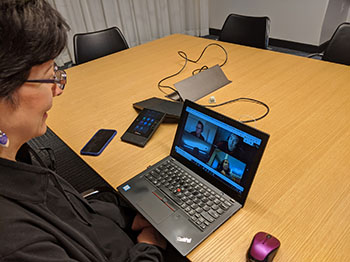
    Zoom has fundamentally changed our meetings with clients and remote staff. Although we had Webex before, Zoom is just easier to use, the recordings are easier to download, and it integrates nicely with our new conference room.

    Zoiper

    When we moved to our new office, I asked staff if they wanted a physical phone handset. Very few people raised their hands, so we didn’t buy any. Instead, we gave staff who wanted a phone a license to Zoiper and a Bluetooth handset. This way, staff can make and take calls from their own extension from anywhere, as long as they have their laptop turned on. This means staff who are working from home, at a conference, or at a coffee shop are easily available via their extension.

    And for the folks who don’t have Zoiper? Turns out most staff members don’t really take or make business calls on their own. They are either in a meeting in a conference room (all of our conference rooms have nice speaker phones) or they are with a project manager who has a Bluetooth speakerphone. For the rare times we need to call specific staff members, we use Slack.

    Brave Web Browser

    Jaime sang the praises of Brave, a fast, lightweight and privacy-obsessed web browser. Brave blocks trackers, which means you won’t get tracked by Google Analytics, advertising networks, heat mapping trackers, email trackers. Not so great for marketers, but great for you!

    We talked about many tech tools we love, but these were the most important. How about you? What are YOUR favorite tech tools? How are they changing your work and your say?