Matrix Group International

Category: Design and Information Architecture

  • How Designing a Home is Like Designing a Website

    How Designing a Home is Like Designing a Website

    Colleen Stone's dogs
    Colleen brought her dogs, Charli and Anya, to the Friday Forum. These cutie pies are on the Stone House Board of Directors

    I had the pleasure of welcoming Colleen Stone, Principal at Stone House , to Matrix Group last week. I invited Colleen to come in and do a Friday Forum (lunch and learn) for my staff because while my team was working with Colleen on her website, I was struck by how similar her process is to ours. She designs homes, we design websites. We both make it a priority to get to know our customers and create something beautiful and extremely user-friendly. I called Colleen an Information Architect for home design. Here were my key takeaways from Colleen’s presentation.

    Renovating a home is a big decision

    • Most people don’t renovate to sell. They renovate to make it better.
    • Renovations usually involve pain and suffering so do what you can to make the process less stressful
    • Renovating a home is intimate. You need to know the who, why, what and when of the home.

    When gathering requirements

    Gathering requirements is critical element of every design job. Here’s her formula for success:

    • Set the tone for the first meeting by making the client comfortable. She brings dogs and instead of doing an interview, she has a conversation.
    • You  need to gather data, i.e., how many bedrooms, bathrooms, etc. but most importantly, you need to develop a communication pattern with the client. This is the most important aspect of the project because this sets the foundation for getting to where the client wants to be.
    • Listen really hard, don’t do so much talking.
    • Ask questions in a random order. People give more honest answers if they don’t just go down the checklist. They will answer from their heart.
    • Walk the home with your client and talk about what works and what is not working.

    Each family has a culture and a style

    Colleen says that some designers develop a signature style; their customers want that signature style in their homes. Other designers strive to create something that is unique for each client. Colleen is part of the latter group. She believes:

    • Each family has a cultural and style. Some families are formal, some are more casual.
    • Your job as a designer is to figure out the elements of your client’s culture and identify what they don’t know and see.
    • The design part of the job means translating that culture into the design of a home.

    Good designers educate their clients

    Colleen believes that good designers devote 50% of their time with clients to education. Clients have to make umpteen million decisions and they can’t make umpteen million good decisions unless they are educated. When a client asks for something that, in your opinion, isn’t a good idea:

    • Sometimes, you educate them on why it’s bad.
    • Sometimes, you take their bad idea and turn it into a good idea.
    • Sometimes, you just flat out tell them it’s a bad idea.
    • Sometimes, clients surprise you and you learn something in the process.

    Putting yourself in your clients’ shoes

    I asked Colleen about techniques she uses to really get to know here clients. My favorite tidbits:

    • When designing a kitchen,  Colleen asks her clients to cook for her so she can see the flow of the cooking, especially if there are multiple people cooking together.
    • Colleen strives to create beautiful, graceful living spaces so that you can see elegant views from every vantage point, as you move through a house. Colleen asks clients how they move through the house, when the kids get home, where the traffic jams happen, etc.
    • In apartments, the biggest issue is always storage. She looks for practical and pretty storage solutions since most apartments usually don’t provide adequate storage.

    I’m looking at the work of architects and interior designers in a whole, new light thanks to Colleen. Be sure to check out samples of Colleen’s work on her website.

  • What Does It Mean to Have an Interactive Website?

    What Does It Mean to Have an Interactive Website?

    Man touch virtual screen iconsNot so long ago, clients and prospects would call me and say, “Joanna, I want my website to be more interactive.” They wanted to move beyond a website that just had a lot of text to one where visitors could fill out online forms, make purchases online, register for meetings, etc. Today, I would say that an interactive website is one where:

    Visitors can perform transactions via an online form. It’s 2013, we shouldn’t be asking our customers to download, print, fill out and mail/fax PDF forms.

    Visitors can submit stories, photos, videos, comments, blogs. yada, yada. The most popular websites in the world are ones where users provide all the content. Shouldn’t YOU be harnessing the knowledge and experiences of your members?

    Visitors can interact with the information and services that you offer. Let’s face it, interactive features like calculators, clickable maps and interactive timelines encourage exploration and suck us in because we get to control the experience and we’re rewarded with a little more data as we click, zoom, pan and swipe.

    The content and experience is personalized based on demographics and history. I remember when Amazon first started offering recommendations; it was creepy. Today, I welcome the recommendations because they’re usually spot and they encourage us to explore authors, music and games that we would otherwise never be exposed to.

    There is context-sensitive, user-friendly help. This help could take the form of a live chat feature, pop-up help screens and a helpful glossary.

    Earlier this week, Matrix Group Creative Director Alex Pineda and I did a webinar on the “5 things you can do to make your website more interactive” and we touched on the tips and trends above. After conducting hundreds of user interviews, watching people test websites and hearing what users have to say about their wants and needs, it’s clear that the top websites are personalized and encourage exploration through a rich, immersive experience. Creating this type of experience is quite a challenge but it’s what our visitors want and expect.

  • Why Are Infographics So Hot?

    Why Are Infographics So Hot?

    Version 13.2 of MatrixMaxx was released last week and it had several notable, new features related to visualization. The first is an infographics builder that lets clients chart meeting registrations against membership data and individual demographics. For example, a client might chart meeting registrations by member type, job level and job function. The second is a dynamic mapping feature that lets clients take a data set and map it. Let’s take the meeting example again. Clients can now push a button to see the spread of meeting attendees across the US.

    Maxx Infographics

    Why this emphasis on visualization?

    I believe that in this age of big data, we’re drowning in statistics and reports, but we’re starved for insight and trends (sorry for the mixed metaphor). Our CRM (customer relationship management) and AMS (association management software) systems are tracking all kinds of demographic data and transaction history but what are we really learning about our customers?

    If I have a list of 1,200 meeting attendees, organized by last name, company or state, I have a roster. A report that gives me total attendees by state will show me where my attendees are coming from. If I plot that data on a map, I might learn that most of my attendees are coming from the coasts or the southern states. Now imagine if I took the same list and plotted it against industry, type of business, job level or number of plants, what would I learn that isn’t at all obvious from looking a list of attendees?

    Ever notice how your boss or your Board is always asking for charts and graphs? It’s usually because they’re cold on an issue and summary data, along with visualizations, can give them the 20,000 foot view they need to make strategic decisions.

    Here are some example of amazing visualizations that tell a great story:

    My prediction: infographics and visualization tools will continue to grow and dominate our thinking and analysis.

  • Just Like a House, Your Website Needs Cleaning and Organizing Every Week

    My husband and I bought a new house last summer. It’s taken us over a year to get every single box unpacked, find a home for everything we own, decorate, and put in the finishing touches that make a house a home. We’re not done but I’m definitely losing steam. Maki is sick of hanging pictures, the boys’ rooms look nice but they’re missing wall shelves and curtains, and and the garage is in much better shape but we still can’t park both cars inside.

    Here’s the rub: the house looks good, it’s functional, and we don’t *really* have to do much more. So it’s tempting to just live with what we have even though we could make the house so much better.

    So it goes with a website redesign. I’ve blogged in the past about how a website redesign is a lot like moving to a new house. After a move, you have endless tweaks, you can’t decorate all at once, and you get a whole lot done when you throw a party. Somewhere along the way, you lose steam.

    And when you lose steam, you start throwing content on the home page to make everyone happy, you start adding endless items to the navigation, you start tossing content into the generic Resources bucket, you stop updating the branding area, and you stop making the effort to make every page look interesting with images and formatting. After a year or two of this, you get sick of how badly organized the site is, you think the content sucks and you decide to embark on a full redesign.

    Here are my top tips for preventing your website from becoming cluttered and disorganized.

    Resolve to do some dusting and cleaning every week. Set aside time every week to review content, refresh content, delete old content, and archive things you no longer need on the site.

    If necessary, hire a cleaning service. Sometimes, we need professional help to keep our homes habitable. And think of how much cleaning you do before the cleaning lady comes! Hiring an outside consultant does much the same thing. You end up thinking about your website and you work with the vendor to keep it tidy and organized.

    Purge on a regular basis. Remember the closet rule? If you haven’t worn it in a year, toss. Same with your content.  If specific content is no longer current, if nobody is accessing it or your organization can’t commit to keeping it updated, best to just remove it from the site.

    Find a proper home for all new content and services. It’s inevitable that after launching your website, your organization will launch new services. Don’t just put it on the home page or stick in Resources. Find a proper home for it so that it’s findable now and in the future.

    Finish the decorating. When I bought a condo after grad school, I painted every wall and door except the door to the master bathroom. I didn’t get to it within the first few months when I was doing my heavy decorating. Well guess what? That door stayed unpainted for 5 years. If your website has unfinished elements, resolve to finish them in the new year. Perhaps you have a newsletter that needs to be redesigned, maybe you want to have a unique image in every header, or you want video bios for all the leadership. Don’t wait and don’t lose steam. Create a schedule and get it done.

    Update your decor and organizing system regularly. Instead of waiting 3 or 4 years to re-organize your site or update the design, resolve to do a review every six months. Analyze your analytics and make pages more findable. Optimize your site search. Create the new dropdown menus that include all of your new content.

    I have a friend who moves every 10 years. I am now coming to the conclusion that her house gets more cluttered every year until she *has* to move and when she does move, she declutters, re-organizes and purges. Don’t be like my friend. Do your cleaning, decluttering and redecorating a little at a time, every week, and keep your site fresh and organized. It will be less work, cost less money and your visitors will appreciate the time you’re taking to give them a clean and streamlined experience.

  • How TheMatrixFiles Blog Became Responsive

    How TheMatrixFiles Blog Became Responsive

    Last week, Matrix Group launched a redesigned version of this blog, TheMatrixFiles.net. Why redesign my blog? I wanted to update the layout and colors, I wanted each post to be more social, and, most importantly, I wanted the site to be responsive.

    Responsive web design is “an approach to web design in which a site is crafted to provide an optimal viewing experience—easy reading and navigation with a minimum of resizing, panning, and scrolling—across a wide range of devices” including widescreen monitors, standard monitors, tablet computers and smartphones.

    Although my team has developed many responsive sites for clients, it’s always interesting and fascinating to implement a new design philosophy for your own firm. Here’s what I learned:

    The widescreen size is the most fun to design for because of all the available real estate. When viewing this blog on a widescreen, high resolution monitor, you get two columns of content in the right rail. At this screen size, the site displays my tags, my recent bookmarks on Delicious, the most popular posts on this blog, etc. I love how the site fills the screen and uses the available real estate.

    Designing for a standard monitor is a lot like designing for a tablet in landscape mode. We collapsed the right rail to a single column and the widgets are set to NOT display content. If you click on the +, the navigation slides down to display the content.

    Designing for a smartphone is the most challenging. You don’t have a lot of real estate, visitors use their fingers to navigate so you need large buttons and touch areas, and the text has to be readable without pinching. We had several lively discussions about what information to display on the smartphone display. We realized by analyzing our Google Analytics reports that people who visit the blog on a smartphone really just want to read the latest blog post. So we wanted to make it super easy to simply read the latest blog post and be done.

    You have to test, test, test your responsive pages. Be prepared to spend countless hours testing and tweaking. For example, you might find subtle differences between brands and models of phones.

    Monitor your usage reports. Currently, about 10% of the traffic on my blog comes from mobile devices. If history serves as a guide, this number will grow quite a bit in the next year for two reasons: mobile traffic is increasing in general but, more importantly, when visitors are rewarded with a mobile-optimized website, they tend to come back on a mobile device. I’ll be sure to report on this in the next few months.

    I’d love to know what you think of the redesigned TheMatrixFiles website. Which device do YOU prefer to use when visiting blogs? Do you feel that we succeeded in creating a mobile-friendly experience with this blog?

  • What’s In a Brand?

    Many of my clients are rebranding. I think there’s something in the air. Clients are changing their names, updating logos, creating new palettes, and revisiting collateral styles.

    But what does it mean to rebrand? Matrix Group Alex Pineda is obsessed with branding. He spends a lot of time thinking about logos, colors, typography, imagery, and user experience. Alex says that the sum of your customers’ experiences, over time, with your company, represent your brand and your brand promise. In the end, your name, logo and collateral may represent the design component of your brand but it’s the customer experience that helps you win, lose or retain customers.

    Every time your customer visits your website, receives an invoice, and reads an e-mail from you, that’s your brand. How your organization answers the phone, completes a project, resolves a problems, sends a useful e-mail, or ignores a complaint, that’s your brand.

    Alex also maintains that the design aspect of your brand should be consistent with the user experience. Think about the Apple brand. Apple promises a clean, simple, user-friendly experience. The logo is simple and spare. The website is simple and sleek. The language on the website and e-mails is friendly, free of tech jargon. When you visit an Apple store, the employees are friendly and it’s easy to get in and out of the store. All of that represents the Apple brand. Everything is consistent – by design.

    Changing your logo and colors doesn’t mean you’ve rebranded. What was it about the old brand that wasn’t working and that you now want to change? What are you doing to change the customer experience and your internal staff culture so that they match the promise of the new brand?

    Want to learn more? Alex recently did a Matrix Minute with me on branding. Check it out.

  • The iPad Scales Websites So They All Display at the Same Resolution and Look Great

    The iPad Scales Websites So They All Display at the Same Resolution and Look Great

    I love my iPads (I have an iPad1, iPad 2 and my 3 is on the way). I think most iPad owners feel the same way. I’ve owned an iPad for nearly two years but it wasn’t until recently that I realized just why websites look so good on this device. The iPad automatically scales pages up and down so that they display at the full resolution of the iPad. Let me explain.

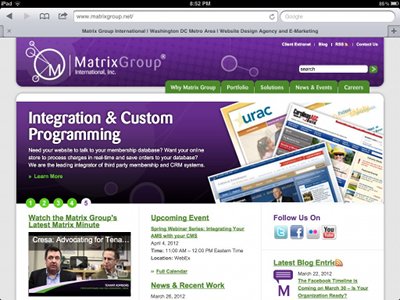
    As Web designers, we’re used to thinking in terms of pixels. At Matrix Group, we normally design sites for a 1024 pixel width resolution. This means that on a 1024 resolution monitor, the website fills the screen. On a widescreen or higher resolution monitor, the website is centered and there is space to the right and left of the page. Check out the Matrix Group website on my widescreen monitor.

    In fact, most websites look like this on my widescreen monitor at home and laptop at work. But on an iPad, most sites look like this:

    This is the Matrix Group home page on an iPad in portrait mode.


    This is the Matrix Group home page on an iPad in landscape mode.

    What I love about scaling is that I’m making the most of the real estate on the tablet and most sites are fairly readable, without a lot of pinching and zooming.  I’m told that there are ways to prevent this automatic scaling on an iPad but I don’t really see why a web designer would do so.

    Next week, after I get a chance to play with my iPad 3, I’ll blog about how the new version supports high resolution images and how we web designers can start creating images that fit the type and resolution of the device. Very cool stuff!


  • The Facebook Timeline is Coming on March 30 – Is Your Organization Ready?

    The Facebook Timeline is Coming on March 30 – Is Your Organization Ready?

    The much awaited Facebook timeline for brands is coming. On March 30, whether you like it or not, your organization’s Facebook page will convert to the new timeline format. Here’s what’s new:

    • It’s All About the Timeline. Facebook says the big, huge deal is the timeline. Facebook will automatically show a timeline on the right side of your page that shows previous months and years. Your fans will be able to click on a month or year and see updates and posts from that time period. Here’s the HUGE DEAL: you can customize the timeline to show events in your organization’s history pre-Facebook. For example, the New York Times’ timeline goes all the way to the 1800s!
    • Brand Image. Your new brand page will have a large cover photo at the top of the page. Instead of a tiny logo and a few photos, your brand page can and will feature a large branding image that you can design yourself. Coca-Cola’s brand image has images from their current advertising campaign, showing happy people of course.
    • Posts and Conversations. The rest of the page is divided into 2 columns to represent the passage of time AND separate your posts from conversations and messages. In the right column, you’ll see messages to your company, posts about you, etc.
    • No More Left Navigation. Many brand pages had multiple tabs along the left rail for their various apps like photos, videos, donation, yada, yada. In the new timeline page, your top 4 tabs will be visible; visitors will have to click to see all of your apps.
    • Messages Between Brands and Users. Finally! Brands and their fans can now have private conversations!
    • Featured Content. The old Facebook pages displayed all posts equally – you had an image, a title and a blurb. The new timeline page lets you feature content at the top of the page. Featured content is bigger and takes up 2 columns for added impact.

    Screen shot of the new Matrix Group  Facebook Timeline Page

    So how can you prepare for the new Facebook timeline? Here are our recommendations:

    • Preview your new Facebook page NOW. Don’t wait until March 29 to figure out what your new page will look like. Start looking at it now and making adjustments.
    • Create a cover photo that communicates your brand.  Use the period between now and March 30 to create the image and test it. You may need to make some adjustments. You can test how your cover photo looks by clicking the preview tab at the top of your page. BTW, only admins can see the preview.
    • Review your Facebook strategy. What kinds of posts will you feature? Which apps will be prominent? How will you communicate with your fans?
    • Start featuring posts. Highlight recent posts by hovering over the right hand corner of the post and clicking on the star. You can also remove it by clicking on the star.  If you want to promote a past post, you can actually move it up by hovering on the right hand corner of the post, clicking on the pencil tab in and selecting pin to top.
    • Check your insights page regularly. As a marketer, the Facebook insights leave me wanting for more, but there is more and better data now available, including who recently “liked” the page and recent comments.

    Are you ready for the new Facebook timeline pages? What’s your strategy for taking advantage of the new format and features?

  • Your New Website Isn’t Done, It Probably Needs Tweaking

    My family moved into our new house last July and guess what? We’re not done with the unpacking and decorating. Yes, the new house is worlds better than our old house, all the furniture is in place, we have stuff on the walls, and most of the boxes are gone, but we’re not done and it’s taken months of tweaking to make the house fabulous.

    Our move reminds me of every single website launch at Matrix Group. When a Project Manager reports that he or she will be done with a project when it launches, I warn that there could be weeks of tweaks and that we should just expect it. Here’s why:

    Sometime, you just don’t don’t know where to put something until you’ve lived with it a while. I wish I could say that our information architecture process is perfect and we account for every piece of content, but it’s not and we don’t. Clients often have to live with a site for a few days or weeks before they figure out where everything should go. In the meantime, content doesn’t go up or it gets stored under some generic navigation called Resources. I feel like Resources is like our garage; there’s a lot of great stuff in there but it’s hard to find what you’re looking for and you know you need a better organization system.

    The little tweaks can make all the difference in the world. The new master bathroom in our house is wonderful but it had a few problems. You had to walk inside to reach the light switch and the towel bar was several feet away from the shower. We were unhappy from the beginning but we didn’t know what we wanted or how to fix the problem. Then one day, my husband came home with a wireless outlet that he attached to the wall. Voila! We can now turn on the light before entering the bathroom! And a hook added to the wall just outside the shower solved the towel problem. Same with a website. We often need a few days or weeks of real users road testing the site before we can make the slight improvements to the flows and paths that make the site really great. For one client, we added a Google map link to a calendar application; it was amazing how much happiness 2 lines of code created.

    You can’t finish decorating right away. Our new house is laid out in a very similar manner to the old house but nearly everything had to be re-arranged. Bookshelves got moved around the house, we re-arranged the closets, and the living room is completely different, even though the dimensions are the same and we didn’t buy new furniture. With website redesigns, small changes to the navigation sometimes means a total rework of the content and CMS. And clients often can’t conceive of how to “dress up” pages with images and formatting until they are live.

    You’ll get more done if you throw a party. My mom always says that if you want your house to look good, throw a party. You’ll get the boxes unpacked, the pictures hung and the furniture arranged – just in time. When a client picks the launch date for their website, we ask if they will be unveiling the site at a conference or event. I love having a deadline tied to a conference because conferences don’t move, which means everyone hustle to get things done and it’s amazing how much content gets written right before the event and launch.

    Anticipate the tweaks. At Matrix Group, we know that it takes time for clients to get comfortable with the new site, use its new functions and figure out what’s working and not working. Leslie Blum from Carolinas AGC calls them “iron outs” and she’s right on. It generally takes between 2-4 weeks to get the help text just right, all the new content loaded, and the integration use cases all worked out. So rather than fight the tweaks, we anticipate them and plan for them in our schedule. I will caution, however, that tweaking past 30 days can get counter-productive. You run the risk of the team losing steam and experiencing launch fatigue.

    In the last 30 days, we’ve launched new sites for the Ironworkers, the American Society of Addiction Medicine and the Washington Building Congress. Although the sites look great, we’re still tweaking. 🙂


  • Why Every Website Needs a Taxonomy

    Why Every Website Needs a Taxonomy

    Remember the days when the web was new and we spent hours surfing and checking out random sites? Yeah, neither do I because that was soooo long ago. These days, I spend time on e-mail, the Matrix Group corporate intranet, my favorite news sites, Google reader, and sites linked from my favorite e-mail newsletters. When I’m looking for a resource on the web, I rely on Google or Bing. Or, if I’m familiar with a specific website, I go there for specific subject matter information.

    This pattern is validated by user interviews and surveys that Matrix Group conducts for clients when doing a redesign. People visit websites because they need something; they don’t just randomly visit or navigate a site aimlessly hoping to find something useful. But here’s the rub: users rarely know exactly what they need. What they do know is that they need help with a specific topic or problem.

    For example, a contractor might be facing an OSHA inspection so she visits her trade association website looking for resources on prepping for an OSHA inspection. She doesn’t know if she needs a book, a CD, a checklist, a webinar, white paper or consultant. All she knows is that she’s got 48 hours to prepare and she needs help fast.

    But think about it. Jane contractor needs help re: OSHA inspections, but the website she’s visiting is organized by Events, Publications, Newsletters, etc. What she would love is to be able to find everything offered by her association that will help her with the upcoming inspection. A search is useful, but it might return too many results, and it’s often not curated. How does she know which search result will be most valuable?

    This is where taxonomy comes in. If you’re one of my clients, you know that I am a taxonomy fanatic and I won’t let clients get away with NOT having taxonomy on their sites. A taxonomy is a fancy word for a classification system. At Matrix Group, we work with clients to develop a set of categories or topics that reflect members’ needs and special interests. Then we integrate that taxonomy into the content management system (CMS) and the association management software (AMS) so that everything can be categorized: news items, newsletter articles, magazine stories, meetings, webinars, publications, even supplier members.

    Here are some great examples of taxonomy at work.

    Leadership and staff of the American College of Sports Medicine know that members of the public visit the ACSM website looking for information on specific topics, e.g., exercise for women. So we implemented a taxonomy that lets the staff categorize everything on the website. The result is a topic index that lets the public view ACSM positions, brochures, fact sheets, books, news, events and outside resources. Today, a website visitor does not need to know what kind of service he needs, he can simply click on a topic to find everything offered by the association on that topic.

    The Association of Small Foundations did something similar when we helped them create the Tools and Resources portion of their site. ASF knows that their members call, e-mail and visit the website when they need something, and that something is often related to a known set of issues associated with running a foundation with zero or few staff members. If a member needs help with governance, he can browse the Boards and Governance category and find resources on Building Your Board, Board Roles, Board Policing and Running the Board. These resources include articles, sample policies, FAQs, upcoming seminars, publications for sale, and a consultants. In ASF’s case, members and the public can browse the topics, but only members can access the protected content.

    Now you see why I love taxonomies. Taxonomies connect people to content and let them more easily find the information and resources they need.

    How about you? How are you using taxonomy on your site? Got any good examples of taxonomy in action on a website or app?