Matrix Group International

Category: Design and Information Architecture

  • How Do You Compete with Free?

    How Do You Compete with Free?

    I love Audible, the audiobook app owned by Amazon. I have a monthly subscription because listening to audiobooks with my sons has transformed car rides, plane rides and folding laundry.

    I usually have extra credits available because it takes us forever to listen to an 8-hour book in 15-minute chunks. But this summer’s trips have made me burn through my credits as we listened to the entire Percy Jackson series.

    Tonight, as I faced a mountain of laundry and with no Audible credits available until later this week, I had a conundrum:

    Listen to something again, buy more credits, or borrow an audiobook from the library?

    I decided free was the best solution for tonight. I love the Overdrive app that lets me borrow ebooks from my local Alexandria library. But I had never borrowed an audiobook. How hard could it be? Turns out, very.

    I did a search and found a bunch of great audiobooks available to borrow, even though Crazy Rich Asians has a waiting list a mile long. I downloaded The Wishing Spell with no issues. Trouble was, I could not figure out HOW to listen to it via the Overdrive app. There’s not an easy and obvious play button. I turned to Google. I was directed to try Overdrive Listen, which I couldn’t find in the app or the app store. I tried the website, I verified my account on my computer and iPad. Still no luck. I kept trying.

    After about 20 minutes, I gave up. I bought something on Audible and I will likely stick with Audible in the future. Because even though my local library has audiobooks, Audible makes it sooooo easy and such a wonderful experience to listen to audiobooks.

    In his book, The Inevitable, Kevin Kelly says most content these days is free, if you are willing to spend the time looking for it.

    If content is free, where’s the value?

    In the case of Audible, the value lies in the user experience. It’s so easy to log in to Amazon, find an audiobook and pay for it. Within a second, the book is on my phone and iPad. Within a minute, I can be listening. If I start listening on my phone and then switch to my iPad, Audible knows and lets me jump to the right spot. In this case, even though I could have gotten the same audiobook for free, I chose to pay for the user experience.

    How do YOU compete with free?

  • The Life Changing Magic of Tidying Your Website: Keep Only What You Love

    The Life Changing Magic of Tidying Your Website: Keep Only What You Love

    I’ve blogged in the past about Marie Kondo’s best-selling book, The Life Changing Magic of Tidying Up. Last year, my husband and I set about tidying our house, with great success. While I wouldn’t exactly call my house neat and sparse, I am definitely more in control of the clutter.

    So what’s all this got to do with your website?

    Marie Kondo’s number one rule for deciding whether to keep something is pretty simple: Does it spark joy? In other words, does that article of clothing, book, or memento spark joy and love?

    I think we can apply the same rule to the content on our websites. The next time you conduct a redesign, or engage in an inventory of your content, ask yourself this about each page and document:
    • Is this content signature content, or content that one should find at the top of a search results page?
    • Is this content that members most want to find?
    • Is this content valuable?
    • Is this content of interest to lots of people? or your most important audiences?
    If the answer is no to specific content, consider removing it from your site — forever. Removing clutter from your site has all kinds of benefits:
    • Your navigation will be easier to navigate
    • Your search will return fewer, higher quality results

    If you find that you just can’t part with content, move it to an offline archive. Monitor the amount of traffic to the old URL and track requests for the archived data. Just like the dress you haven’t worn in x months or years, once a certain amount of time has passed, you should consider that content permanently removed from your site. Remember that 20% of your website pages will drive 80% of overall traffic, so why not focus most of your attention on that 20% and make it great?

    Just as our homes suffer from clutter, so too, do our websites suffer from digital clutter. Make 2018 the year your clear your website of unnecessary content that just doesn’t spark joy.


  • Lessons from a CIO on Work, Senior Staff Engagement and the Permission-Based Economy

    Lessons from a CIO on Work, Senior Staff Engagement and the Permission-Based Economy

    At AMS Fest a couple of weeks ago, I got a chance to sit down with Reggie Henry, Chief Information and Engagement Officer at the American Society of Association Executives (ASAE).

    I always ask Reggie “what’s new?” and “what are you thinking about?” Reggie *never* fails to impress me his insights and curiosity. Here are some of the things he’s been pondering lately:

    We need to change how we work. Reggie says there isn’t a shortage of tools out there to facilitate work and collaboration, but we’re still too focused on the tools themselves, whether it’s Microsoft Word, or Slack or Skype. Instead, he says the tools should be secondary to the goals and the work, which is why he loves Office 365.

    He gave me a tour of how ASAE uses Office 365 and it’s breathtaking. Every team has projects and each project has notes, conversations, reports and so much more. Staff work within each project to share information, ask questions, author documents, etc. They make great use of Teams, Planner and Delve and I have to admit to being really jealous!

    Senior staff need to use the tools. Reggie says organizations are innovating and investing in fabulous tools and systems, but senior staff are not using them and that’s a mistake. Senior staff need to show their staff that they, too, are interested in the tools, that they are part of the conversations, and willing to try new things.
     

    Be wiling to forget what we know to design the future. Reggie and I talked about how “experts” are often the enemy of innovation because experts think something can’t be done, what can go wrong, what has gone wrong, etc. But how many awesome things have happened because someone didn’t believe it couldn’t be done? I’m thinking about the fabulous badge builder that a junior staff person created in MatrixMaxx. He asked his Product Manager what her dream functionality was and then he just did it.

    How prepared are you for the permission-based economy? We’re moving toward the day when organizations need to get permission for nearly everything they do with member and customer data, from location services, to cookies, to purchase history, to demographics. Is your organization ready to handle this level of granularity in your handling, storage and use of your customer data?

    Many thanks to Reggie for his insights!

  • What Employees Want From Office Space: Flexibility

    What Employees Want From Office Space: Flexibility

    About a year ago, I was facing a big office space decision. Do we stay in our current office or move? Keep the current space design or blow it out? Our landlord paid for a fancy architect to come up with new layouts and designs. In the end, we decided to stay in place, sign a short lease and use a modest budget to think about what the next generation Matrix Group office space should look like.

    I held meetings with staff, we visited other offices, and we scoured design magazines and blogs. After a year of discussions and moving furniture around, here is what we’ve learned:

    It’s not about offices, workstations or open space. It’s about flexibility. Turns out most of my staff like being in an open, airy area. BUT, on a regular basis, they want the option to work from home, be isolated so they can concentrate without interruption, or crash on a project with 2-3 other team members. It’s not unusual to find the IT team huddled in one of our huddle spaces during a launch. Or the new biz team meeting in Tatooine (one of our conference rooms) when crashing on a proposal.

    Small meeting rooms can meet a lot of needs. Previously, we had two small meeting rooms and one large one. The large room is used infrequently – a few times a month when we have staff meetings and for large meetings. We replaced the finicky projectors with large TVs and Chromecasts and never looked back. We use the small conference rooms for group calls with clients, troubleshooting teams, and as isolation rooms for people who need quiet time.

    Good design and lack of clutter are inspiring. Over time, office space just degrades. We accumulate junk, the walls get dinged, and stuff gets dingy. It’s so important to step back and give the office a fresh look. In our case, we didn’t have budget for a complete overhaul, so we cleaned the carpets, repainted some walls, bought some new lobby furniture and came up with new artwork for the walls. We also encouraged the staff to declutter their spaces; it’s amazing how much stuff I tossed just from my own office! When I walk around the office, I can feel the breathing room we created just by tossing a lot of junk we had stopped noticing!

    Rethinking how we communicate. On any given day, I have staff working from home or working in a location other than their desk. So how does the poor receptionist find people when they get a call? How do I find someone I need to consult on a project? In our case, Slack has been a godsend and a game changer. Using Slack, we can communicate directly with other staff. Even better, we have Slack channels for each client and each team (e.g., the MatrixMaxx team or the new biz team) so we can easily collaborate, share, and keep each other updated. The expectation is that all staff stay on Slack if they’re working. So it doesn’t matter if you’re working in the kitchen or Tatooine; you will respond if you get a Slack message. Most of us have Slack on our phones as well, so it’s easy to respond to quick questions. Yes, Slack has reduced the amount of in-staff email we send out.

    I’m almost done with the my office redo and the new wall stickers and artwork are coming next week. So stay tuned for a blog post with before and after photos. I’m loving our office and loving the conversations we continue to have about next generation office space.

    How about you? Do you love your office space? What’s working? What do you wish you could have and do?
  • Why Your CEO Needs to Attend Your Redesign Meeting

    Why Your CEO Needs to Attend Your Redesign Meeting

    I attend a lot of kickoff meetings. For  redesigns, mobile apps, custom databases, you name it.


    The best kickoff meetings are the ones where the CEO, Executive Director, the EVP or President attend, participate actively and provide insight. Why?
    • When the top person in the organization attends a meeting, staff know that meeting is important. Staff show up and pay attention.
    • The CEO usually has a good read on who the organization’s target audiences are and what they need. This perspective usually comes from their frequent interactions with members, partners, sponsors, the media, and Capitol Hill.
    • The top person is also usually the top spokesperson for the organization, they can best articulate the brand, mission and voice. 
    If your CEO opts not to attend, telling you he or she trusts your judgment, still ask for a 20 minute meeting. Ask him or her to rank target audiences and describe what success looks like for your project. Any decent CEO will give you 20 minutes and his or her insight will be an invaluable road map to success.
  • Members Want Curation and Insight from Their Associations – Part One

    Members Want Curation and Insight from Their Associations – Part One

    One of the best parts of my job is conducting user interviews. Nearly every Matrix Group project starts with a User Persona exercise where we interview staff to glean their most important target audiences. Then a team of Matrix Group staff interview people in each group. Whenever I can, I help conduct these interviews because I like doing them and I learn so much about what members and non-members want, their pain points, their challenges, and what ultimately motivates them to act.

    Over the past year, across industries and professions, across trade association and professional societies, here’s what people have told us:

    • Surfing to find out what’s new is dead. It doesn’t happen anymore. Any web surfing is done to meet a specific need.
    • People are overwhelmed with data and information. When they Google, they get too many results. They find their association home pages too cluttered.
    • Members wants their associations to keep them up to date on important trends and give them insight into the future.
    • Members want fewer emails, shorter emails, less cluttered web pages.

    Over and over again, we heard, “Our association needs to tell us what we should be paying attention to. I don’t want the same news I can get elsewhere. Tell me the 5 or 6 most important things I should be doing, reading, attending.”

    Even if Matrix didn’t do interviews for you this past year, I bet your members would say much the same things. And if your members are hungry for curation and insight, what are YOU going to do about it?

  • Maybe We Should Stop Trying to Generate More Traffic to Government Affairs Web Pages

    Maybe We Should Stop Trying to Generate More Traffic to Government Affairs Web Pages

    STOP_sign_smI attend a lot of redesign kickoff meetings. Clients almost always list as one of their top goals,
    “Increase traffic to the website.” Sounds reasonable, right? Organizations are competing for eyeballs, so traffic means organizations are getting attention and their content is being read and hopefully appreciated.

    Indeed, nearly every client I work with has a government affairs department that laments the low number of visits to the government affairs portion of their site. Indeed, many government affairs departments don’t post much meaningful information on their portions of the website, preferring to communicate with members and legislators via email and phone.

    So during every redesign, we discuss ways to drive members to the government affairs portion of their sites and increase engagement via the web. Again, makes a lot of sense.

    But does it? I’m told that government affairs staff at companies across the US are busy, they travel a lot, they rely on email and phone, and they are demanding. When they need information, support or guidance from their association, they pick up the phone or they send an email. Indeed, across nearly all Matrix Group clients that have a government affairs function, government affairs newsletters get the highest open rates when compared with the regular membership newsletters, journals or magazines. Moreover, they have the highest involvement in committee conference calls on important issues.

    So let’s get this straight: members interested in government affairs call and email, behaviors that are consistent with high engagement. Why are we trying to change this behavior? Is it because email and phone are high touch, labor intensive interactions? Or do we simply believe more traffic is better?

    I think the goal instead should be to get more members involved in government affairs, across the board, in the way they want to interact with the association. Getting more members interested in government affairs will likely mean getting them on the website to learn more about an organization’s issues and positions, which will result in more traffic to the website. BUT, engagement in government affairs will ultimately end up looking like traditional government affairs involvement: via phone, email and events. The challenge then becomes measuring the number of people involved with government affairs, measuring their level of involvement and getting to know them so as to move them across the continuum toward more active engagement.

    In the end, if an association has high government affairs involvement from the membership and those interactions don’t involve the website much, we should be okay with that.

  • Does Your Website Need a Redesign or Refresh?

    Does Your Website Need a Redesign or Refresh?

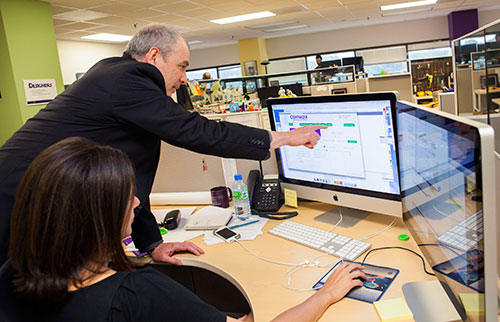
    Woman setting before Mac screens, man reaching in front of her to point at something on screenA couple of weeks ago, I attended a meeting with a client who was interested in redesigning their website. “Why?” I asked. The site looks pretty good, the site is mobile-friendly, and the analytics are pretty good. So what’s driving the desire for a redesign?

    The answer: They wanted to make a few changes to the home page, the content throughout the site, and a bunch of the photos. Even though a redesign would have brought Matrix Group a large project, I recommended a website refresh, not a redesign.

    When should a website be redesigned? It’s always going to to depend on the circumstances, but I recommend a full redesign when:

    • The organization is going through a rebranding because of a name change, shift in focus, drastic changes in programs and services or rethinking of its mission and market position.
    • The organization feels that the website no longer represents the organization.
    • The navigation doesn’t have any bearing on what the organization stands for.
    • The design doesn’t reflect who the organization is today.
    • The organization wants to update a large percentage of the content.

    When should a website refresh be done? Again, it’s going to depend, but I recommend a refresh when:

    • The organization is largely the same: same mission, same values, same general program offerings.
    • The website largely works, but it could use some tweaks to the navigation, the images need updating, and the content needs to be refreshed.
    • There are key pieces of the site that don’t work, but they’re not necessarily related to the overall site. For example, many prospects come to us saying that their site search is broken or they need a new member directory or store.

    Sometimes, a client wants to redesign because they hate their CMS and want to move to something different. With a CMS migration, it makes sense not to just to migrate the exact site. Since we’ll be touching every page, it makes sense to ask if it’s also time to rethink navigation, design, integrations and search.

    Matrix Group recently refreshed portions of our website. The analytics on the home page weren’t where we wanted them to be, so we challenged ourselves to update just the home page. It worked. I was also not happy with our Careers landing page. Since we are always looking for the best people, it made sense to redesign just that landing page. During all this, we didn’t do a redesign. We were largely happy with the overall design, navigation, color palette and tone of the content.

    I happen to think it’s important to tweak and refresh your website regularly, at least annually. In fact, some clients do such a good job of evolving their sites that redesigns may be a thing of the past for them.

    What are YOU doing this year? A redesign or a refresh?

  • Web Design Can and Should Be CMS-Agnostic (and why we love WordPress more and more)

    Web Design Can and Should Be CMS-Agnostic (and why we love WordPress more and more)

    webdev_smHere at Matrix Group, we use a variety of platforms and frameworks to build client applications. On the content management system (CMS) side, we really like Sitefinity and WordPress for building websites, although we have worked with other platforms, including DNN, Expression Engine, and Kentico. WordPress has come a long way in recent years, and we’re doing more and more with it. We love its flexibility, extensibility, and clean code, to name just a few things.

    During a client meeting the other day, I was pitching doing a magazine website in WordPress. The client was surprised and said, “WordPress, the blogging CMS? Isn’t that too simple for our needs?” I explained that no, WordPress has come a long way, it powers so much of the web these days, and it is perfectly capable of the complex functionality she needs. She countered with, “So show me a site that you did in WordPress that doesn’t look like a WordPress site.”

    So I did. I showed her Endocrine News, the magazine of the Endocrine Society, the website for e-discovery firm eTera Consulting, and a convention site for the National Electrical Contractors Association.

    But then I got curious. Does my front-end team design differently based on the CMS platform? I asked my Creative Director and Senior Designer, “Do you take CMS into consideration when creating designs?”

    The response: “Heck no, half the time, we don’t even know the platform that will be used.”

    So then I asked my Lead Front-End Developer, “Does the CMS platform affect what we can and can’t do?”

    The response: “Nope. Some things are easier in WordPress, other things in Sitefinity. Just depends.”

    I know I’m involved in many Information Architecture projects, and I no longer wonder if a platform can do something I’m envisioning in a wireframe.

    I hadn’t really thought about it but it appears we are now CMS-agnostic when it comes to designing the front-end of our websites. Does that mean every CMS can do everything? Probably, at least in the arena we play in. But we definitely express favorites, and choice of platform can affect HOW a specific requirement is implemented, as well as price and timeline.

    Makes me think of a wise client who said to me some time ago, “Joanna, I don’t care what system you use to build my site, as long as it does what I want, it’s easy to use, and you can maintain it easily.”

  • Data-Driven Decision-Making Through Analytics

    Data-Driven Decision-Making Through Analytics

    Data-Driven Decision-Making Through Analytics | www.TheMatriXFiles.netA couple of weeks ago, I had the pleasure of moderating a discussion with Tim Martin and Jessica Katz of the Carnegie Endowment for International Peace. Tim is Digital Director and Jessica is Web Manager & Developer at Carnegie.

    Carnegie has a well-developed analytics program, the organization respects data, and Tim and Jessica are committed to using analytics to guide their work. Some highlights from the webinar:

    You’ve Got to Understand Your Goals. Tim and Jessica are adamant that you must first understand what your organization is trying to achieve and what constitutes success before embarking on an analytics initiative. For Carnegie, it’s all about getting people to read their publications: op-eds, commentary, analysis, etc. Carnegie isn’t trying to get people to join, donate or register, it’s all about reading the articles so in their analytics, they look at what drives people to the site, where they are coming from, what they are reading, how far down the page they’re scrolling, etc.

    Most Visitors Go Direct to Content. Carnegie refers to their visitors as converted or unconverted. Converted visitors have signed up for something, they have provided an email, they have opted in to receive something. It turns out that for converted visitors, they don’t come to the website to surf randomly. Converted visitors rely on email and social media to direct their surfing and, what’s more, they go direct to content. Yep, they pretty much bypass the home page. Even the search engines drive visitors directly to articles and NOT the home page.

    The Home Page is for the Unconverted. So who goes to the home page? The unconverted or the persons who want to know more about Carnegie, what it does, and what it represents. For this audience, the goals are to: educate them about Carnegie and get them to convert. But here’s the really big thing: by reducing the call to action, they vastly simplified the home page and created an elegant and bold home page that consists of about a half dozen stories with dramatic imagery. The home page is no longer the newsy page it used to be and that frankly looked like sister and competitor organizations. The bold home page invites exploration and conversion.

    Optimize What’s Important. Since article pages are what the site is all about, Tim and Jessica are constantly looking for ways to optimize their article pages. Here’s a sample article page about Ukraine. Everything from the summary at the top, to the Comment and Share button, are researched and optimized. Every detail is intentional.

    Go Beyond Yay! Traffic! Most organizations are content to look at their analytics, see that their traffic is growing, and never go beyond that. Tim and Jessica recommend mining GA to find out where people are coming from, what they searched for, etc. Jessica recalls doing a deep dive into a spike in traffic that resulted from a mention in a Polish newspaper. Careful cultivation of the newspaper and other organizations in Eastern Europe have resulted in a new digital series and healthy traffic growth from that part of the world.

    Start with Event Tracking. Tim and Jessica closed the webinar by talking about how it’s taken time for the organization to get where they are today. It’s taken careful setup of the custom variable and reports and thoughtful cultivation of Carnegie experts and senior leadership. If your organization is just starting out, they recommend setting up Event Tracking, which is a method available in the Google Analytics (GA) tracking code (we recommend Tag Manager) that you can use to record user interactions with website elements. For example, you can track PDF downloads, clicks on related articles, clicks on the Print button, scrolls down lengthy pages, etc.

    Check out the Carnegie Endowment website to see the fruits of all this intentional and well-researched design and development.

    How about you? How are you using analytics to guide your decision-making? What do YOU wish you could track? What’s working? Please share!