Matrix Group International

Category: Budgeting and Planning

  • Lessons from a CIO on Work, Senior Staff Engagement and the Permission-Based Economy

    Lessons from a CIO on Work, Senior Staff Engagement and the Permission-Based Economy

    At AMS Fest a couple of weeks ago, I got a chance to sit down with Reggie Henry, Chief Information and Engagement Officer at the American Society of Association Executives (ASAE).

    I always ask Reggie “what’s new?” and “what are you thinking about?” Reggie *never* fails to impress me his insights and curiosity. Here are some of the things he’s been pondering lately:

    We need to change how we work. Reggie says there isn’t a shortage of tools out there to facilitate work and collaboration, but we’re still too focused on the tools themselves, whether it’s Microsoft Word, or Slack or Skype. Instead, he says the tools should be secondary to the goals and the work, which is why he loves Office 365.

    He gave me a tour of how ASAE uses Office 365 and it’s breathtaking. Every team has projects and each project has notes, conversations, reports and so much more. Staff work within each project to share information, ask questions, author documents, etc. They make great use of Teams, Planner and Delve and I have to admit to being really jealous!

    Senior staff need to use the tools. Reggie says organizations are innovating and investing in fabulous tools and systems, but senior staff are not using them and that’s a mistake. Senior staff need to show their staff that they, too, are interested in the tools, that they are part of the conversations, and willing to try new things.
     

    Be wiling to forget what we know to design the future. Reggie and I talked about how “experts” are often the enemy of innovation because experts think something can’t be done, what can go wrong, what has gone wrong, etc. But how many awesome things have happened because someone didn’t believe it couldn’t be done? I’m thinking about the fabulous badge builder that a junior staff person created in MatrixMaxx. He asked his Product Manager what her dream functionality was and then he just did it.

    How prepared are you for the permission-based economy? We’re moving toward the day when organizations need to get permission for nearly everything they do with member and customer data, from location services, to cookies, to purchase history, to demographics. Is your organization ready to handle this level of granularity in your handling, storage and use of your customer data?

    Many thanks to Reggie for his insights!

  • What Does Digital Transformation Mean for an Association or Non-Profit?

    What Does Digital Transformation Mean for an Association or Non-Profit?

    What does digital transformation mean for an association or non-profit? What does this transformation look like?

    These were two of the questions posed by Teri Carden, Founder of ReviewMyAMS and organizer of AMS Fest 2017, held a couple of weeks ago in Chicago. AMS Fest is a conference devoted to bringing together Association Management Software (AMS) companies and association executives looking for a new system to power their organizations.

    I saw lots of scribbled answers about using data to make better decisions, paying attention to data, having advanced analytics, next generation data maturity, etc.

    To be honest, these answers leave me cold. If an organization has great analytics and uses it to make better decisions, has it been digitally transformed?

    Webster defines transformation as “an act, process, or instance of transforming or being transformed.” The verb transform has multiple meanings:

    1. to change in composition or structure
    2. to change the outward form or appearance of
    3. to change in character or condition

    To transform something, therefore, is to make it new or completely different. If organizations do something different or differently, it has not necessarily been transformed.

    In my mind, an organization has been transformed when it no longer recognizes itself. When it engages in activities and behaviors that would have been unthinkable five years ago. When its decision-making and governance have been upended. When it attracts and retains a different class of members and staff. When members say “I don’t recognize my association.”

    And while a transformation is not necessarily positive, I think the only type of transformation we should concern ourselves with is the kind that is positive – the kind that results in growth, and ushers in a period of self-renewal.

    Data and data analytics no doubt play a huge role in any digital transformation, and even paying attention to data may represent a big change in some organizations. But analytics is only a means to the transformation that many organizations seek and desire today.

  • When Redesigning Your Website, Don’t Confuse Goals with Requirements

    When Redesigning Your Website, Don’t Confuse Goals with Requirements

    I read a lot of RFPs and I attend a lot of website redesign kickoff meetings. The most important questions I ask are, “Why redesign? Why now?”

    I usually get answers like:

    • Our website needs to mobile-friendly
    • The website needs a faceted search
    • Our site search sucks
    • The website isn’t user-friendly

    While these are all perfectly good reasons, I think of these statements as requirements, not goals.

    When Matrix Group is working on a project, we strive to understand the measures of success. If we launch a site that is gorgeous, user-friendly, mobile-friendly and has a great search, will we have been successful? Sure… BUT is the new site generating membership leads, encouraging downloads of research, generating more revenue, raising awareness through better ranking in search, and ultimately bringing in more members and customers?

    Those are the goals we want to ferret out during kickoffs and discovery. How is the new site ultimately supporting the strategic and growth goals of your association?

    In my mind, we won’t know the answer for six to 12 months after launch. That’s scary. It’s so much easier to say the new site is a success because the board loves it and it’s easier to update. But after spending $50,000, $100,000, $150,000 or more and countless staff hours, don’t you want to be able to point to more quantitative results related to your mission and strategic plan?

  • How Google Docs and Google Slides Changed Biz Dev at Matrix Group

    How Google Docs and Google Slides Changed Biz Dev at Matrix Group

    A few years ago, Matrix Group Creative Director Alex Pineda suggested that we ditch PowerPoint and move to Google Slides. The reason? Collaborating on a PPT file is really hard. We used to pass around huge files via email or rely on the network share. Alex came up with a beautiful template and the rest is history.

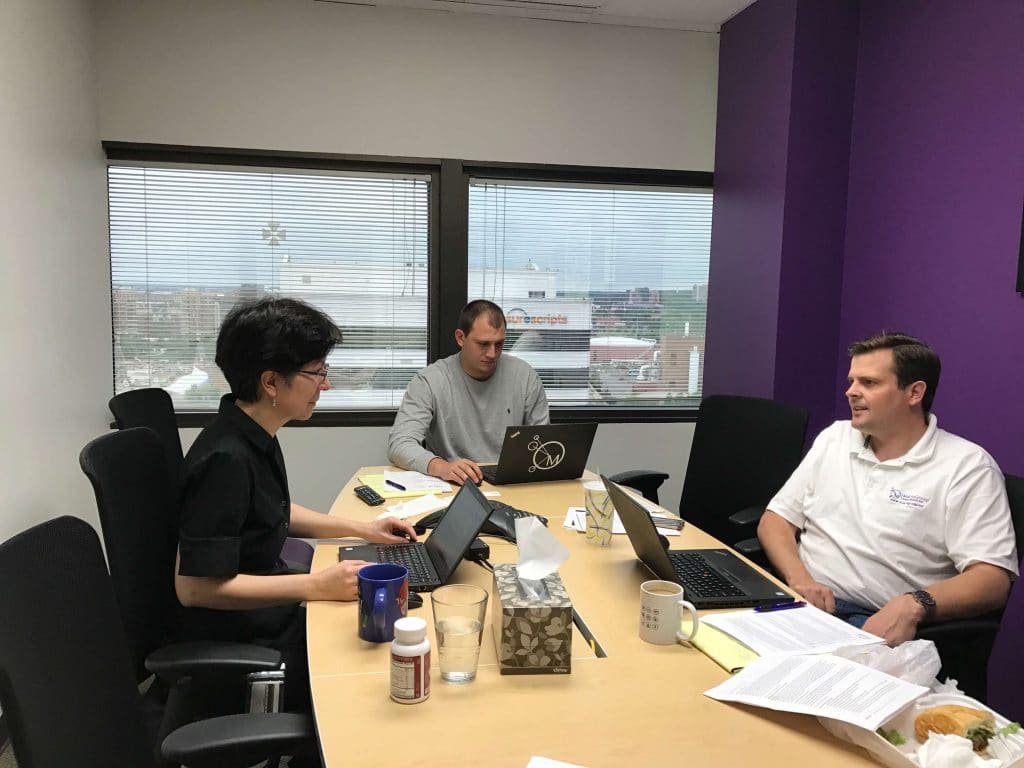
    Today, when the marketing or biz dev team is working on the slides for a webinar or pitch, we all gather in one room (the remote folks call in from home), get on a conference line, share the slides and get to work. It is mind-boggling how awesome this experience is. We’ll talk about a new slide, Leah will create it and Alex will make it beautiful. Or I’ll move slides around while Leah is proofreading. In real-time, at such a low cost – it’s ridiculous. No Sharepoint, no programming.

    18 months ago, we decided to give Google Docs a try for drafting proposals. It was fabulous except for one thing. The Google Docs Table of Contents didn’t have page numbers; I guess Google assumed everyone would be viewing documents online. Ugh, this was a dealbreaker because the new biz team creates PDF files of proposals and sends them on to clients, prospects and consultants.

    Then, about a month ago, we realized that Google Docs now has page numbers in the Table of Contents. We decided to give Docs another try. But when should we try? I don’t know about you, but there’s never really a good time in a busy agency to switch to a new system, especially one for authoring proposals.

    But then we had two weeks (a luxury!) on one proposal and we decided to give it a go. We migrated our proposal language and styles, then Alex got to work. He added more color, added editable graphic elements, updated the default font to be our official font, and created graceful table layouts.

    Last week, five of us worked on the proposal in real-time. I wrote up the solution. Nick updated the bios. Bryan checked to make sure all elements were in place and worked up the timeline and budget. Leah proofed and edited. Alex used his designer’s eye to make the proposal gorgeous. “Yay,” Alex said, “I can finally make our proposals look amazing!” Gosh, even the PDF of the proposal looked great.

    I can honestly say that switching to Google Docs has been life-changing.
    • We are no longer passing around large files.
    • We save so much time because we can work at once on the same document.
    • While there is always a document “owner,” everyone can make a contribution.
    • Slides and proposals are now viewable AND editable from my phone!!!

    I still use Word for contracts and tasks orders because clients and attorneys like to work in Word to track changes. Next week, I’ll talk about how Matrix Group uses Google Docs to write up and collaborate on spec documents. Maybe in the future, I’ll negotiate a contract in Google Docs!

    If you haven’t experienced the life-changing magic of collaborating on a Google Doc or Google Slides, now’s the time! And if you’re already on the bandwagon, please share your experiences!

  • Why Your CEO Needs to Attend Your Redesign Meeting

    Why Your CEO Needs to Attend Your Redesign Meeting

    I attend a lot of kickoff meetings. For  redesigns, mobile apps, custom databases, you name it.


    The best kickoff meetings are the ones where the CEO, Executive Director, the EVP or President attend, participate actively and provide insight. Why?
    • When the top person in the organization attends a meeting, staff know that meeting is important. Staff show up and pay attention.
    • The CEO usually has a good read on who the organization’s target audiences are and what they need. This perspective usually comes from their frequent interactions with members, partners, sponsors, the media, and Capitol Hill.
    • The top person is also usually the top spokesperson for the organization, they can best articulate the brand, mission and voice. 
    If your CEO opts not to attend, telling you he or she trusts your judgment, still ask for a 20 minute meeting. Ask him or her to rank target audiences and describe what success looks like for your project. Any decent CEO will give you 20 minutes and his or her insight will be an invaluable road map to success.
  • How a $35 Device Disrupted an Industry

    How a $35 Device Disrupted an Industry

    A few months ago, the office space committee met to discuss conference rooms at Matrix Group. We have a standing committee that is thinking about the future of work and we decided that we needed more collaborative space, complete with a screen and projector since we’re always looking at wireframes, designs, applications or code.

    It was going to cost a bunch of money to outfit four meeting spaces with screens and projectors. Yuck. Would we have the budget to do it?

    Then one of the committee members said, “Hey, why don’t we just get big TVs and Chromecasts?” A Chromecast is $35 device from Google that lets you stream from your laptop or phone to your TV. I have one at home and we bring it when we go on vacation so that we can stream Netflix to the TV in our hotel room. Could this work in our office setting?

    We did some research. Amazon had 55″ LG TVs for $499 each. Even better, they were on Amazon Prime Now, which meant we could have them delivered within two hours. The Chromecasts were $35 from Best Buy down the street. For less than $2,700 (or the cost of one projector of decent quality), we could outfit all of our collaborative spaces with a large TV and Chromecast.

    So we did a trial run. We spent $550 on a TV and Chromecast and put it in our “war room” – the open space we use when a group of people are launching a site or troubleshooting a problem. The TV and Chromecast worked beautifully! The Chrome browser has the casting capability built-in. And when you cast your desktop, you can stream any application, including other browsers, PowerPoint, anything.

    I gave the trial my blessing and now every meeting space at Matrix Group has a TV and Chromecast. We even added a Chromecast to the projector in our large conference room to make it easier to project, but we kept the large, pull down screen. We also got a Chromecast for our reception area so it’s easier to show PowerPoints and movies in our lobby. Yay! No more wires, a friendly user interface, super reliable casting, and no special software needed. When we have guests who need to project, we just ask them to go to Chrome, cast their desktop, and then go to their browser or PowerPoint presentation; they are always amazed at how easy the process is.

    Total win for Matrix Group, big loss for the projector industry, another industry being disrupted by a small, innovative and inexpensive device.

    I’ll be talking a lot in the next few months about disruption and innovation. No matter what business you’re in, you’re in disruption or about to be disrupted. No company is exempt. So what’s your innovation strategy in the face of disruption?

  • Should You Crowdsource the Session Topics at Your Next Conference?

    Should You Crowdsource the Session Topics at Your Next Conference?

    Teri Carden, Founder of ReviewMyAMS, has a unique take on conference sessions. She crowdsources several of the sessions at AMS Fest. AMS Fest is an event that brings together AMS (association management software) vendors with association executives looking for a new AMS. It’s basically corporate speed dating.

    Teri held AMS Fest events in Chicago and in Washington, DC last year. She accepted proposals to speak at AMS Fest. But she didn’t choose who got to speak and she didn’t pull together a committee to review and vote. Here’s what she did instead:

    • At registration, each attendee got 5 star stickers.
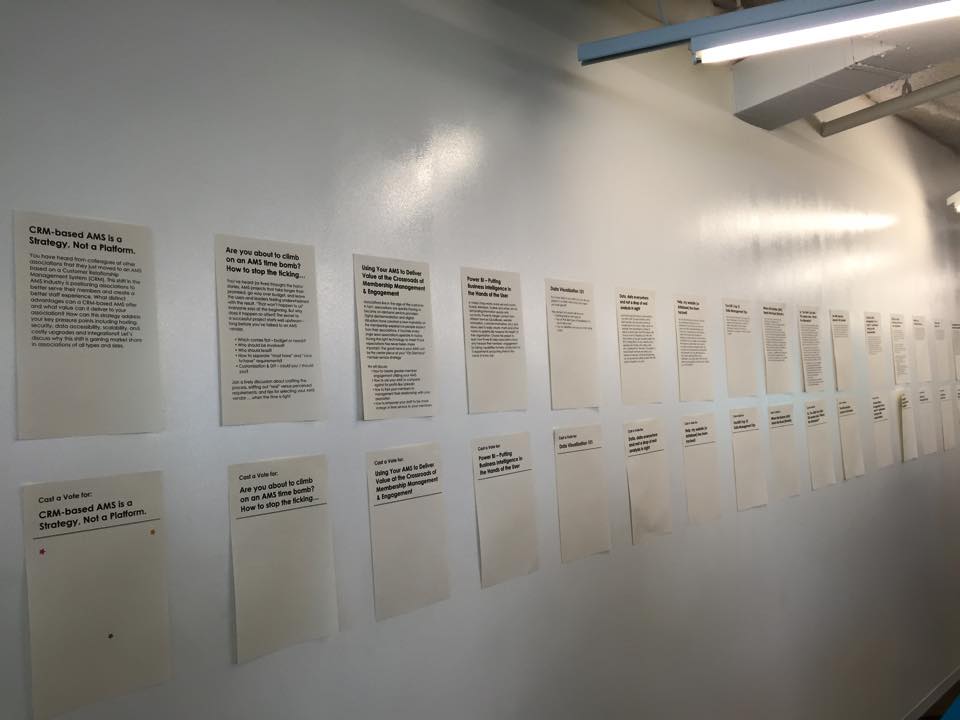
    • The session descriptions and titles of prospective sessions were posted on a long wall without the name of the presenter or presenter’s organization (no popularity contest here!).
    • Each attendee voted with their stickers. Attendees could cast one star vote for the top session of choice, or they could cast up to five votes for the session they really, really wanted to see.
    • The top vote-getters got to present.

    Yup, it meant that some folks who prepared sessions didn’t get to speak BUT it also meant that conference attendees got to hear speakers on topics they really wanted to hear about.

    What if a session was a bust or it got really sales-y? After one particularly sales-y presentation, Teri introduced a sales-o-meter, which allowed her to gauge the audience’s preferences and yank a speaker off the stage. As Teri put it, “My event, my rules, and it’s all about giving the attendees quality, content heavy, sessions. Vendors need to know that there is a time and a place for selling and the crowdsourced sessions aren’t it.”

    Crowdsourcing is not a new concept to associations. Want to start with something simple? You could ask members to recommend and vote on topics. You can ask attendees about their most pressing challenges on your registration form and then source speakers for those topics.

    You might be surprised at what you learn and you’d be gaining valuable insight into what’s keeping members up at night.

  • Make Sure You Have Good Inputs Going Into Your Google Analytics

    Make Sure You Have Good Inputs Going Into Your Google Analytics

    Close up of hands on table, one holding tablet with data visualizations on itI was in a meeting with a client last week and he complained that their Google Analytics (GA) reports just aren’t that useful. I asked why, and he said, “GA tells me the top pages visited on my site and that Google is referring a lot of traffic, and that’s about it.”

    Hmm… I decided to get curious.

    So here’s the deal with GA. If all you do is put the code snippet in your header, you’ll get generic data from GA. But if you give GA better input about where people are coming from and why, you’ll instantly get better GA reports. Here’s how to do that:

    • Never, ever send out a URL without UTM codes.

    UTM stands for Urchin Tracking Module. Urchin is the company that created what is now Google Analytics; Google purchased the company many years ago. A UTM tag is a tracking marker appended to a URL, and is recognized by Google Analytics as a dimension. For example, if you send out a link to a new item on your website in an email newsletter, you could use a UTM code for source = 04-17-2016-newsletter. If anyone clicks on that link, GA will report that traffic as having come from your email newsletter. Voila! All of a sudden, you have better tracking and you know whether or not your email newsletter is generating views on your website. Yes, your blast email provider probably gives you open and click data, but it’s most likely not connected to your overall website analytics reporting. Use this handy URL builder from Google to build data-rich URLs

    • Create redirects for your print URLs.

    So what about your convention brochures? You can’t exactly expect readers to type in a URL that has 100 characters. In this instance, you should create a vanity URL for each print piece (e.g., /2016convention for the brochure and convention 2016 for the postcard) and use your CMS to create a redirect for the actual page, with UTM codes that will attribute traffic to the actual print piece.

    • Use Google Analytics Annotations.

    GA lets you add little notes to your GA reports, attached to specific dates. For example, my marketing team enters annotations every time we send out an email newsletter, post a new event on Facebook, etc. This way, if we see a spike in traffic, we can look to see if that traffic might have been generated by something we did. Of course, we then verify using the Source dimensions in GA.

    • Set up Google Tag Manager.

    Google Tag Manager is an upgrade to Google Analytics and it helps you keeps track of the tags on your website and when they are triggered. For example, Tag Manager will let you track whether and how many people are clicking on the slider in your branding area, the number of downloads of your PDF annual report, etc. The best thing about Tag Manager is that once it’s setup, you don’t need to mess with the CSS on your site again; you then use a Google interface to setup tracking.

    You don’t need to be a developer or a CSS wizard to do the things I mention above. I will be blogging in the future about more advanced things you can do with Google Analytics, enhancements that require some programming. But in in the meantime, if you improve your inputs to Google Analytics, your analytics will be better.

    BTW, Matrix Group has an Analytics practice. If you need some training, help with a specific campaign, or help getting started, give us a call.

  • Why I Traded in My Black Belt for a White Belt

    Why I Traded in My Black Belt for a White Belt

    HapKiDoA couple of weeks ago, I took the plunge and signed up for HapKiDo. HapKiDo is sometimes called the “anti-martial art” because it emphasizes deflection and leverage. HapKiDo techniques use joint locks, strikes and dynamic kicking.

    I’m a black belt in TaeKwonDo. Why embark on another martial art, especially when my TKD journey has just begun and I’m far from expert on the many TKD techniques?  Or, as my husband asks, “Why embark on a whole new journey of pain?”

    The short answer is that I’m curious. The HapKiDo workouts are really intense, the HKD students are really good friends and they have this stance that says “don’t mess with me.” Yeah, I want some of that.

    This isn’t the interesting part of this story.

    What’s more interesting is the story behind my decision to finally sign up. You see, I had been flirting with the idea about six months ago. I took a couple of trial classes, and they were hard, but they were terrific. But I just couldn’t bring myself to sign up. My excuses were myriad and valid to anyone who inquired: “I’m busy enough, the classes are too late, the HKD guys are always injured, yada, yada.”

    But in my quiet moments, when I was honest with myself, those excuses sounded lame. The real reasons were deeper and had more to do with my sense of who I am than with anything else. You see, starting a new martial art means becoming a white belt all over again. It means not knowing anything, making lots of mistakes, looking silly, feeling embarrassed, feeling slow, standing at the end of the line. Was I ready for that? It was going to be uncomfortable and a lot of hard work – who needs that?

    Turns out my martial arts journey parallels my professional journey in many ways. You see, Matrix Group is getting disrupted. A little background: We build fantastic, effective, user-friendly websites, e-commerce sites, customer/member portals, intranets, etc. We’ve been doing this a long time, we’re great at it, you could even say we’re black belts at it, maybe even 2nd- or 3rd-degree black belts. Trouble is, there are about a zillion agencies in the DC area, indeed the country, that look like us. So over the past couple of years, we’ve been undergoing a process of reinvention. Not only have we been asking, “what’s next?” we’ve been working on ways to bake “what’s next?” in to our day-to-day lives. This process has been hard, uncomfortable, even heartbreaking at times. It has meant closing down product lines, saying good-bye to people, and testing out new products and services that will resonate with the company, my staff and our clients.

    In essence, a couple of years ago, we had to become white belts, learn some new skills and get beat up in the process. In the past few years, as we’ve been developing our mobile offerings, we’ve had fits and starts. We’ve changed frameworks, made mistakes, and done things the “wrong” way. But now we’re cruising with mobile. Every website is responsive by default, responsive isn’t taking as much time as it used to and testing is easier. Our mobile app business is booming.

    Being a white belt is hard and frustrating, but it’s also exhilarating. At work and at the dojang (martial arts studio in Korean), I’m learning fast, I’m feeling good, and I’m feeling strong. And it turns out my TKD experience is coming in handy. I have good endurance, I know a lot of the kicks, and I can take a hit. So I’m not exactly  starting from ground zero. And so it goes at work. Our expertise in design, user experience, browsers, database development, and membership databases only benefit us when we build new association membership experiences for a phone. This experience will be a good foundation when we start building virtual reality apps in the next year or so.

    So, what’s my martial arts week like these days? It’s TKD 2-3 times a week (where I’m a black belt and building on what I know) and HKD 2 times a week (where I’m a white belt and everything is new.) It’s a mix that works for me.

    How about you? What will be your white belt experience this year?

  • Why Your Organization Needs a Mobile App Strategy

    Why Your Organization Needs a Mobile App Strategy

    Man holding smartphoneStarting early this year, I have been urging clients to consider a mobile app. Not just a responsive website, which should be a given these days, but native iOS and Android apps.

    Why?

    The reasons have been building up over the past couple of years, but I became convinced because of several things.

    • Earlier this year, Comscore reported that the percentage of mobile-only Internet users in the US is 11.3% of Internet users. Even more significant, mobile-only users now exceed desktop-only users, who now represent only 10.6% of Internet users, down from 19.1% in March 2014. This mobile-only population is used to interacting with the world on a smaller screen and usually with no keyboard.
    • Here’s the statistic from analytics firm Flurry that really surprised me. When people use their phones or tablets, 90% of the time spent represents interactions with apps, NOT a browser. BTW, 17% of time spent is on Facebook (big surprise, right?) and 32% is spent on games.

    These stats support a presentation made by a couple of interns at Matrix Group this summer. These two college-aged women confirmed that they almost NEVER interact with a browser. Instead, they rely on apps.

    And while Gen-X me still gets on my computer at home in the evenings and weekends for everything from email to working on proposals or looking for recipes, my millennial employees tell me they pretty much don’t crack open a laptop outside of work unless they are working. For casual interactions, they rely ONLY on their phones.

    I have to admit that in many cases, native apps are better designed and more focused. I dislike the weather.com website because it’s too cluttered and confusing, but I adore their app. It’s also super easy to just find the app on a phone and click it, versus pulling up a browser, typing a URL and waiting for the site to load. I have a feeling I’m not alone in thinking this, and this is why so many prefer apps to browsers.

    So with 2016 around the corner, I ask you all: What’s your organizations’ mobile app strategy? What audience(s) could you better reach with an app (or two or three)?