Matrix Group International

Tag: Content Strategy

  • When Redesigning Your Website, Don’t Confuse Goals with Requirements

    When Redesigning Your Website, Don’t Confuse Goals with Requirements

    I read a lot of RFPs and I attend a lot of website redesign kickoff meetings. The most important questions I ask are, “Why redesign? Why now?”

    I usually get answers like:

    • Our website needs to mobile-friendly
    • The website needs a faceted search
    • Our site search sucks
    • The website isn’t user-friendly

    While these are all perfectly good reasons, I think of these statements as requirements, not goals.

    When Matrix Group is working on a project, we strive to understand the measures of success. If we launch a site that is gorgeous, user-friendly, mobile-friendly and has a great search, will we have been successful? Sure… BUT is the new site generating membership leads, encouraging downloads of research, generating more revenue, raising awareness through better ranking in search, and ultimately bringing in more members and customers?

    Those are the goals we want to ferret out during kickoffs and discovery. How is the new site ultimately supporting the strategic and growth goals of your association?

    In my mind, we won’t know the answer for six to 12 months after launch. That’s scary. It’s so much easier to say the new site is a success because the board loves it and it’s easier to update. But after spending $50,000, $100,000, $150,000 or more and countless staff hours, don’t you want to be able to point to more quantitative results related to your mission and strategic plan?

  • Why Your CEO Needs to Attend Your Redesign Meeting

    Why Your CEO Needs to Attend Your Redesign Meeting

    I attend a lot of kickoff meetings. For  redesigns, mobile apps, custom databases, you name it.


    The best kickoff meetings are the ones where the CEO, Executive Director, the EVP or President attend, participate actively and provide insight. Why?
    • When the top person in the organization attends a meeting, staff know that meeting is important. Staff show up and pay attention.
    • The CEO usually has a good read on who the organization’s target audiences are and what they need. This perspective usually comes from their frequent interactions with members, partners, sponsors, the media, and Capitol Hill.
    • The top person is also usually the top spokesperson for the organization, they can best articulate the brand, mission and voice. 
    If your CEO opts not to attend, telling you he or she trusts your judgment, still ask for a 20 minute meeting. Ask him or her to rank target audiences and describe what success looks like for your project. Any decent CEO will give you 20 minutes and his or her insight will be an invaluable road map to success.
  • Members Want Curation and Insight from Their Associations – Part One

    Members Want Curation and Insight from Their Associations – Part One

    One of the best parts of my job is conducting user interviews. Nearly every Matrix Group project starts with a User Persona exercise where we interview staff to glean their most important target audiences. Then a team of Matrix Group staff interview people in each group. Whenever I can, I help conduct these interviews because I like doing them and I learn so much about what members and non-members want, their pain points, their challenges, and what ultimately motivates them to act.

    Over the past year, across industries and professions, across trade association and professional societies, here’s what people have told us:

    • Surfing to find out what’s new is dead. It doesn’t happen anymore. Any web surfing is done to meet a specific need.
    • People are overwhelmed with data and information. When they Google, they get too many results. They find their association home pages too cluttered.
    • Members wants their associations to keep them up to date on important trends and give them insight into the future.
    • Members want fewer emails, shorter emails, less cluttered web pages.

    Over and over again, we heard, “Our association needs to tell us what we should be paying attention to. I don’t want the same news I can get elsewhere. Tell me the 5 or 6 most important things I should be doing, reading, attending.”

    Even if Matrix didn’t do interviews for you this past year, I bet your members would say much the same things. And if your members are hungry for curation and insight, what are YOU going to do about it?

  • The Great Banana Bread Experiment: Are People Really Reading Your Emails?

    The Great Banana Bread Experiment: Are People Really Reading Your Emails?

    bread_500pxA couple of weeks ago, I sent out an important message to my entire staff about IT support. We had recently put in some technologies to make it easier for staff to request IT support during business and non-business hours, and some of our procedures had changed. The subject line began with PLEASE READ, and it came directly from me, Joanna Pineda, CEO and the person who signs everyone’s paycheck.

    The email was longish so I decided to do a test. At the very bottom of the email, I wrote:

    “BTW, if you read all the way down to this message, send me an email with the words “banana bread” in the subject line. I’ll bring in banana bread for you next week and for God’s sake, don’t give this away on Slack or any other method. Curious to see how many people will read this message. Cheers.”

    So how many people sent me a banana bread email? Out of 40 people, seven people sent me emails. Seven – that’s it!

    To be fair, the IT team already knew the procedures. And I had discussed the procedures with a few staff before sending the emails.

    kate_bread_smDuring staff meeting last week, I asked everyone if they had: read but not responded, skimmed and not read my banana bread message, or if they didn’t read the message at all. I gave everyone amnesty if they told me the truth. I got these responses:

    • I already know the policies
    • I skimmed the part about the policies to make sure I knew what I needed to know
    • Too long, didn’t read
    • I don’t like banana bread
    • I didn’t see the email

    I conducted a similar experiment a couple of months back when I sent an email to my son’s Cub Scout pack, of which I’m the committee chair. The email contained information about the next pack meeting, an upcoming camping trip… Yada, yada – if you’re a Scout parent, you understand me. At the bottom, I said:

    “Okay, thanks for reading this far. If you got this far, email me and put the word “magnet” in the subject line and I’ll give you a Friends of Scouting magnet at the next meeting.”

    Out of 60 people on the list, three responded. Two said they’d take a magnet and one said, “Magnet – but I don’t need a magnet. What fun!”

    I know this wasn’t a scientific test, and the emails weren’t life or death, but I think these experiments are pretty illustrative of what really happens when we send out emails. We look at our open and click rates and pray that those who opened actually read the message. Are they actually reading your message in its entirety? God, most likely not.

    What are the takeaways here? For starters:

    • Keep your emails short(er)
    • Don’t bury important calls to action at the bottom of your message
    • Test your campaigns

    If you’ve read all the way to the bottom of this blog post, submit a comment on this post using the word SWAG, and I’ll send a Matrix Group pen to the first 25 people. And if you decide to bury an Easter Egg in your next email newsletter, please write the results of your experiment in the comments as well or send me an email.

  • 2015 Top Resolutions for Managing Your Website Better

    2015 Top Resolutions for Managing Your Website Better

    resolutionsI was in the car yesterday and a radio talk show host was already talking about failed New Year resolutions! C’mon, it’s not even the middle of January! Surely we have a few more weeks (and months!) of trying to change behavior before throwing in the towel on failed resolutions.

    Me, I’m resolving to stretch more and eat less sugar. As for my company website and blog, here are my top resolutions. Don’t know if these resolutions will be easier or harder to live up to, but they’re equally important if you’re a marketer.

    1. Update your website more often and according to a schedule. We all get busy and somehow, website updates take a back seat to other things. I have clients who would never NOT publish their monthly magazine, but they routinely get “too busy” to update their website. But your website is arguably more valuable as an information resource to your members, customers and prospects, has a wider reach, accessible to search engines and available 24/7/365 to the whole world (but you already know all this!). Get posting!
    2. If you don’t already have one, create an editorial calendar that maps out topics by platform and week/month. For example, in December, my design team usually blogs about trends for the coming year. Even though we don’t know in January what trends we’ll be blogging about in December, we know that we’ll have at least a couple of posts on the topic. So that topic goes into the calendar and we assign appropriate staff.
    3. Add video to your toolbox. Video continues to rock the web. Pages with video get more views and visitors will spend more time on your site, etc., etc. So what’s stopping you? You don’t need a gigantic budget (although budget always helps!). Create screencast that shows people how to navigate your members-only site or interview senior staff and members about challenges facing your organization, industry or profession. Video adds authenticity to your website more deeply than text and images.
    4. Take your analytics to the next level. I was talking to a client yesterday about a much anticipated microsite they had just launched. He was happily reporting on the usage that the new site was generating, including referrals from their blast email. If you’re not already doing it, you should be checking your usage reports regularly and this data should be guiding your marketing decisions. This year, resolve to integrate your analytics with your CRM so that you know *who* is visiting your website. What percentage of your traffic is coming from members? Primary contacts? New members? What are members interested in doing on?
    5. Get serious about mobile. If your website isn’t responsive, if you’re not thinking about a mobile app, and/or if you’re not looking at your mobile traffic, 2015 is the time to get serious about mobile. Making your website mobile-friendly will generate an explosion of mobile traffic — promise! While you’re at it, make sure your emails are responsive as well since more email is read on a phone than a desktop these days.

    Well there you have it— my top 5 resolutions. Stuff you already know. So just do it.

    What are your resolutions?

  • Answer Customer Questions On Your Website and Reap the SEO Benefits

    Answer Customer Questions On Your Website and Reap the SEO Benefits

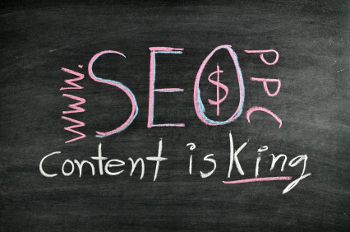
    Content is KingA couple of months ago, I had the pleasure of attending a powerful presentation on content marketing by Marcus Sheridan, CEO of The Sales Lion. His main message: Your customers and potential customers have thousands of questions about your product and industry. Answer those questions through your website and blog!

    Here are some key takeaways from Marcus’ presentation.

    What Makes Us Fall in Love with a Website?

    • Good information
    • Easy to find information
    • Good aesthetic
    • Fresh content
    • Valuable information that saves time and money

    It’s All About the Content

    • Good content keeps visitors on your website because they are getting the information they want and need.
    • Search engines love good, fresh, authentic content. Websites that get updated encourage the search engines to keep coming back.
    • Quality content that gets clicked, shared and linked gives you better search engine rankings.
    • Gone are the days of just talking about ourselves and our companies. Prospects and clients expect and demand rich, quality content that will answer their questions. For free, of course.

    Answer the Questions People Type into Google

    According to Marcus, there is usually a set of questions prospects always ask. These questions are often about price, scope, timeline, quality, comparisons with other products, etc. So why not answer those questions on your website so that prospective customers/members/partners can be educated and the search engines can get busy referring traffic to your site? Some examples:

    • A florist might blog about what types of floral arrangements are appropriate for a wedding/funeral/baby shower/etc., how much one should expect to pay for flowers at a wedding/funeral/baby shower/etc., and how much in advance one needs to place an order.
    • A pediatric orthodontist might have content about when a child needs braces, how much it generally costs, how long treatment takes, the different types of braces, talking to your child about braces, etc.

    If You Invest in Content Marketing

    According to Marcus, investing in content marketing has these benefits:

    • Your company brand and voice will grow
    • Sales cycles will go down
    • Your prospects will solicit fewer competitive bids
    • You will have stronger relationships with clients
    • Certain individuals and talents within your staff will rise and shine
    • Your team will grow stronger through the process of developing such great content

    Marcus says “Content is the greatest sales and trust-building tool in the world. Period. End of story.” I have to agree.


  • What Does It Mean to Have an Interactive Website?

    What Does It Mean to Have an Interactive Website?

    Man touch virtual screen iconsNot so long ago, clients and prospects would call me and say, “Joanna, I want my website to be more interactive.” They wanted to move beyond a website that just had a lot of text to one where visitors could fill out online forms, make purchases online, register for meetings, etc. Today, I would say that an interactive website is one where:

    Visitors can perform transactions via an online form. It’s 2013, we shouldn’t be asking our customers to download, print, fill out and mail/fax PDF forms.

    Visitors can submit stories, photos, videos, comments, blogs. yada, yada. The most popular websites in the world are ones where users provide all the content. Shouldn’t YOU be harnessing the knowledge and experiences of your members?

    Visitors can interact with the information and services that you offer. Let’s face it, interactive features like calculators, clickable maps and interactive timelines encourage exploration and suck us in because we get to control the experience and we’re rewarded with a little more data as we click, zoom, pan and swipe.

    The content and experience is personalized based on demographics and history. I remember when Amazon first started offering recommendations; it was creepy. Today, I welcome the recommendations because they’re usually spot and they encourage us to explore authors, music and games that we would otherwise never be exposed to.

    There is context-sensitive, user-friendly help. This help could take the form of a live chat feature, pop-up help screens and a helpful glossary.

    Earlier this week, Matrix Group Creative Director Alex Pineda and I did a webinar on the “5 things you can do to make your website more interactive” and we touched on the tips and trends above. After conducting hundreds of user interviews, watching people test websites and hearing what users have to say about their wants and needs, it’s clear that the top websites are personalized and encourage exploration through a rich, immersive experience. Creating this type of experience is quite a challenge but it’s what our visitors want and expect.

  • Is Blogging Passe?

    During the Fall and Winter, I meet with many clients to help them formulate their web plans and budgets for the following year. During many of these meetings, I suggested to clients that they consider a leadership blog to raise awareness of their industry’s issues, make leadership more accessible and approachable, and showcase their thought leadership. Surprisingly, a couple of clients recently remarked, “Blogging, isn’t that passe?”

    My initial reaction was “no way!,” but since several clients had made the comment, I decided it was worth doing more research.

    If you google “is blogging passe,” you’ll get nearly 150,000 results, many of them with the exact title of “is blogging passe?” Some of these articles and posts go back as early as 2008. The general thinking goes like this: with the rise in popularity of Facebook and microbloggins platforms like Twitter, putting up and managing a corporate blog is passe. Put another way, since it’s much easier to create short-form content on social networks, long-form content creation (blogging) is dead.

    So is blogging passe? Here’s why I think blogging is not dead. In fact, I think niche blogging with high quality content is more important than ever.

    Casual bloggers have migrated to social networks, leaving the blogosphere to more committed bloggers intent on developing and sharing quality content. When blogging first appeared on the web scene, everyone started blogging. People blogged about their pets, they posted photos, they shared links. This type of casual blogging is now found mainly on Facebook, Instagram, Reddit, Twitter, etc.

    Blogs by experts and thought leaders continue to be very popular. We’re actually seeing that people prefer corporate, association and non-profit blogs to corporate, association and non-profit websites because of the perspective and the voice that come from blogs. Blogs simply feel and sound more human than corporate websites, which is why they often get more traffic than corporate websites. Webbiquity says corporate blogging is more important than ever.

    Producing unique, original and useful content is the only way these days to approach the myriad changes in the search algorithms being put in place by Google and Bing. In other words, the search engines like blogs because they tend to have unique and original content that searchers are looking for.

    Google is about to roll out Author Rank. With Author Rank, Google wants to make it easier for users to find the work of specific writers, and leverage its ability to use authors as an element for ranking pages and sites. Author Rank means you have a blog, you connect it to your Google+ account, you get verified, and your blog content contributes to page rank, which directly affects where your site shows up in Google search results.

    Blogs continue to be a great way to educate your members and customers. I tell clients that blogging requires a greater commitment than Twitter or Facebook, but it provides more benefits. If your organization is not yet blogging, I hope you’ll ignore the hype and consider a timely, niche blog that speaks directly to your target audiences


  • Are You Suffering From Social Media Fatigue?

    Are You Suffering From Social Media Fatigue?

    Tired Woman Asleep In Front of Her KeyboardA friend asked me recently if I’m on Pinterest, the hot, new social network where users “pin” products, places and articles they like to Pinterest and explore the feeds from their friends. Confession: I’m on Pinterest and I have pinned exactly one thing as of this evening: a beautiful photo of Angkor War in Cambodia.

    BTW, I’m not on Banjo, Path, Glancee or Instagram. I’ve abandoned Amplify (which I just learned tonight is shutting down), Bebo and FoodBuzz.

    Yeah, I know, I blog about social media. I’m supposed to try out everything new, but the truth is, I’m suffering from a bit of social media fatigue. I tweet every day (most days anyway), I do a weekly YouTube interview, I blog for Matrix Group once a week, I blog occasionally as a mom, I post to Facebook personally and for Matrix Group, I try to post to my Google+ page, and I write for several other blogs. Today, there simply isn’t room in my schedule for another nifty site.

    I’m not alone. A recent study by JWT Singapore  found that “50% of young adults find it too time consuming to keep up with all their social media commitments.”

    And yet, 94% of marketers say they use Facebook in their marketing efforts, 74% use Twitter, 41% use blogs and 30% use YouTube.

    It’s clear that social media across a multitude of platforms is here to stay. So how do we, as marketers, prevent social media burnout? Here are some suggestions:

    • Create an editorial calendar that details the topics and themes you want to post about. This prevents a lot of wasted time worrying about what to blog or post about.
    • Develop a reasonable schedule. If you are on social media sites for business, it’s okay to NOT post on the weekends. And if you can’t tweet 10 times a day or update Facebook every day, scale back to a schedule you can manage and stick to.
    • Test out new platforms one at a time, at your own pace. Even though new platforms are coming online every day, you don’t need to be on every single one, unless you have the time and inclination. I like to try something new every few months; it takes that long to figure out how it works, what it’s good for, and if it will work for us or our clients.
    • Abandon platforms that aren’t working. For example, just because 200M people and businesses are tweeting doesn’t mean that you should be, too. If Twitter isn’t meeting your business needs, you’re not getting enough return, or you haven’t figured out how it can be useful in your marketing toolbox, stop using it for a while and evaluate whether your time could be better spent on another platform.
    • You don’t need to be on social media, all the time. I used to beat myself up when I missed tweeting for a day or two. Today, I realize that’s just part of the ebb and flow of my day and frankly, I don’t think my followers notice if I miss tweeting every once in a while. If I stop tweeting altogether, that’s a different story.

    How about you? Are you suffering from social media fatigue? What are you doing to combat it?


  • Just Say No to Adding More PDFs to Your Website

    We build a lot of websites at Matrix Group and most of them are loaded with PDF files. Clients post PDF files of their newsletters, their legislative updates, their magazines, their white papers, and on and on. While it’s easy to create a PDF from Word, InDesign, Quark or Illustrator, and yes, PDFs look pretty, I think organizations should post fewer PDFs and convert more of their content to html. Here’s why:

    PDF Files Are Not Search-Engine Friendly

    • The user experience when reading a PDF on a monitor or mobile device can be miserable. So many PDFs are formatted with columns, but since screens aren’t necessarily the same size as a printed page, readers often have to scroll up and down to read the same page or reduce the overall size of the PDF, which makes reading the PDF much harder.
    • If you post your entire newsletter or magazine as one PDF file only, you can’t post individual articles to other parts of the site and you can’t tag them by category. Imagine this: a visitor types “green energy” into your site search and she gets back your organization’s legislative position on green energy, several news items, articles from past issues of your magazine, and articles from past issues of your newsletter. If you post your entire newsletter as a PDF, your site search will pull up the issue, but visitors will have to navigate the entire issue to find the specific article.
    • PDF files often don’t contain proper titles needed by search engines. For example, most people just use a PDF creator to create PDFs, never bothering to populate the file’s properties, including Title, Author, Subject and Keywords. Remember that Google first looks at the file’s title and properties to try and figure out what a page is about. If there isn’t a helpful filename or document title, Google scans the document’s content and tries to guess what the page is about, often incorrectly.
    • PDF files don’t contain the markup that provide helpful information to search engines. For example, html files usually contain title tags, body tags and headline tags. The text in your H1 tag provides search engines with the most important topic covered in the the page. PDFs do not contain H tags, again leaving the search engines to guess the topic or most important content in the document.
    • You can’t add mobile styling to PDF files. These days, we use mobile stylesheets and responsive design to make pages behave appropriately for different size screens. A legislative alert on a phone might turn into a single column of text, with no left or right rails; this makes the text readable on a small device without a lot of pinching and zooming. But a PDF stays fixed, which means a person on a phone has to zoom in and out to read your alert; not a great user experience.

    When Should You Use PDF Files?

    • If you want to post an exact replica of the original document. For example, if your organization sent a letter to the White House, you may want to post the text of the letter as html to the site and have a linked PDF of the original letter.
    • If the document needs exact styling. I often see organizations post information in html about a conference and allow visitors to download the beautifully designed brochure as a PDF.
    • If you want to make the full-text of the reference document available. Some of my clients issue lengthy, detailed research reports. To me, it makes sense that they post executive summaries in html but post the entire report as a PDF because most people will want to download or print the full-text of the report.

    Ways to Make Your PDFs More Search-Engine Friendly

    If your site does have PDF files, follow these tips to make the files more findable by search engines.

    • Create PDF files from original electronic files or OCR a scanned document. This way, the text of the document is available to the search engines.
    • Fill out the file’s properties.
    • Rename the file to something meaningful to search engines. If web pages need friendy URLs, PDF files need meaningful and friendly titles as well.

    Want to learn more?

    • Duff Johnson talks about why PDFs are problematic for search engines.
      Joel Geraci has great tips for making your PDF files more search-engine friendly.
    • Mark Aaaron Murnahan talks about how the heading tags improve search engine placement.
    • Galen DeYoung has 11 tips for optimizing PDFs for search engines.