Matrix Group International

Tag: Content Strategy

  • Reflections and Predictions: What Associations Should Be Thinking About in 2026

    Reflections and Predictions: What Associations Should Be Thinking About in 2026

    Every January, I like to reflect on the previous year and consider what the coming year might hold for associations, nonprofits, and Matrix Group. This year, I did something different. I invited a few of my amazing team members at Matrix Group to join me on our podcast, Associations Thrive, to talk about the major trends they saw in 2025 and what they believe is coming in 2026.

    Joining me were Dave Hoernig (VP of Software Engineering), Jessica Parsley (Director of Project Management), and Alex Pineda (Creative Director). We had a wide-ranging conversation, and here are the key takeaways and predictions from our conversation:

    AI was, unsurprisingly, the biggest theme of 2025. Jessica talked about how many of our clients are turbocharging their teams by:

    • Investing in AI skills and training
    • Creating internal policies for responsible AI use
    • Building custom GPTs to speed up content creation
    • Using AI to streamline editing, content repurposing, and task management

    Dave shared how AI is revolutionizing content migration, especially turning PDF documents into accessible, searchable HTML. He also brought up a big existential question facing associations:

    What content should be visible to AI, and what should remain members-only?

    He talked about how associations are starting to experiment with making abstracts public while keeping full articles gated; this is the same approach academic publishers have used for years.

    AI is also influencing how we format content to make it discoverable to AI engines. Schema markup, summaries, and multimedia versions (like read-alouds) are increasingly important.

    Alex noticed a major shift in web design: associations are doing a better job of telling the story not just of the association, but of the profession or industry they represent. These “About the Industry” sections:

    • Help the public understand the value of the profession
    • Position the association as a thought leader
    • Offer lawmakers, potential members, and partners important context

    But it’s not easy. Crafting this content requires strategic thinking, consensus building, and often new storytelling skills.

    Jessica saw that many associations felt more budget-constrained in 2025. But instead of just of delaying projects, they asked:

    • “What small changes can we make to our website and email campaigns NOW that will have a big impact?”
    • “What are the biggest pain points experienced by our members or staff?”
    • “Can analytics guide our next move?”

    Alex noted that we’re increasingly using analytics to make smart, incremental improvements, like optimizing navigation, restructuring key pages, or adjusting content strategy. Full redesigns are great, but if there isn’t time or budget, then light refreshes are the way to go.

    There is a growing shift away from long blocks of text and toward audio, video, and interactive content:

    • Podcasts and read-aloud tools are making content more accessible.
    • Members, especially younger members, increasingly prefer to watch or listen, rather than read.

    Alex and Jessica both emphasized that younger generations are mobile-first, visual-first, and audio-first. If associations want to attract the next generation, their content and design strategies need to reflect that.

    We’ve talked about personalization for years, but 2025 was the year it became practical for more organizations.

    Dave shared that personalization is easier to implement now because:

    • You no longer need to manually tag every piece of content
    • AI can analyze member behavior and personalize on the fly
    • Tools can now offer Netflix-style, personalized recommendations based on user behavior and demographics

    Imagine offering a member a curated education journey based on their career stage. Duolingo is a great example of this! I’m an avid Duolingo-er and love that my practice lessons are customized just for me. That’s the future for associations and it’s already here.

    Alex noted that mobile traffic is growing, even if analytics still show desktop in the lead for most of our clients and their websites. Younger members are doing everything on their phones and they’re the members of the future. All of this means:

    • Mobile design needs to be more comprehensive
    • Voice navigation and voice search are increasingly relevant

    If it’s not easy to find or access your content via mobile or voice, you’re invisible to a big part of your audience.

    Jessica made a critical point: it will be harder than ever for associations to be seen as the authority in their industry. AI answer engines like ChatGPT and Gemini are giving users quick answers without attribution. That means your content might not be recognized as coming from your organizations. So how do associations stay relevant?

    One important answer: Double down on community.

    Associations will need to:

    • Create spaces (in-person and virtual) for connection and expertise-sharing
    • Offer value that can’t be replicated by an AI bot
    • Make membership the gateway to the best insights, not just the publicly available ones
    • Create smaller events, cohorts, and niche groups to create intimacy within the membership

    As we closed out the podcast, I shared a final hope: that the new wave of AI tools will level the playing field for smaller associations. These tools let even the smallest team:

    • Create great content
    • Design beautiful experiences
    • Offer personalized, member-driven services

    You don’t need a giant staff or massive budget to be effective in 2026. But you do need to be smart, strategic, and open to using AI tools to make your organization more high-performing and authoritative.

    So what do you think? What trends did YOUR organization see in 2025? What are you preparing for in 2026? Let’s keep the conversation going!

  • New Year’s Resolutions For Your Website in 2024

    New Year’s Resolutions For Your Website in 2024

    It’s the New Year and all of us are bubbling over with resolutions. So many of us resolve to exercise more, be kinder, spend more time with family, and so on. What about our websites? Shouldn’t we have resolutions for making our websites, email, and social media accounts better?

    I am a big fan of Dan Pink, author of the best-selling books Drive, When, The Power of Regret, and so many others. He also has a video podcast that he calls the Pinkcast. Each podcast is only 2-3 minutes long and they’re full of amazing insights and advice. In this Pinkcast, he talks about how to make New Year’s resolutions like a pro. The process includes making a list of your regrets, picking the one thing that bugs you the most, and then focusing on just that in the new year.

    What Are Your Website Regrets?


    Getting back to your website, what are your regrets about your website from the last year? Here is what I hear from clients. They wish:

    • They blogged more often
    • They had better visuals on their website
    • They had cleaned up their website by deleting the old stuff and making sure what was left was current and fresh
    • Their website was better optimized for mobile
    • They had a better handle on their website analytics and what it means for their organization
    • Their content was better optimized for Google
    • Their site search was better
    • Their website did a better job of storytelling
    • Their join or registration process was easier
    • Their website templates were more flexible

    This is a pretty long list of regrets. Each of the items above is important and worth focusing on. BUT if you focus on all of them, it will be sometime before you see progress. AND not making any progress on your goals and resolutions early in the year could set you up for another year of regrets. So how and where do you start? 

    Pick 1 or 2 Regrets to Focus on in 2024


    Start by picking just one of your regrets, or maybe even 2, and turn them into goals. Which one is most important that if addressed, would yield the most benefit for your organization? 

    The key here is making specific enough goals that you end up with an action plan and a timeline. 

    For example, if one of your goals is to make your organization’s join process better, your action plan might have these steps:

    • Look at Google Analytics to see what kind of traffic the join page gets and where people abandon.
    • Meet with your membership database and marketing team to map the member join process and map the journey. Where are the friction points?
    • Ask your web team, AMS team or website vendor for suggestions for making the journey better.
    • Resolve to have something, anything done, by the first quarter of 2024.
    • Monitor the results weekly.
    • Repeat until the next set of improvements will bring in only marginal benefits.

    If your goal is to clean up the dead and outdated content on your website, your action plan might look like this:

    • Ask your web manager or web vendor to create an updated inventory of all of the content on your website.
    • Look at your Google Analytics to see where traffic is going and where it’s not going.
    • Do some searches on your site. Is old content dominating the results?
    • Resolve to make some decisions about 5 types of content, eg., news, blogs, annual meeting information, etc. A decision could be: Delete all but the last three years of news, or delete all but the last two years of annual meeting information (except session handouts, which will live in a separate database).
    • Set aside 1 hour per week to do this work. If you set aside too much, it will become onerous. If you allocate less time, you won’t make enough progress.
    • Distribute the work to a team of staff and monitor your work and results monthly, including whether and how traffic and site search are improving.

    Once you’ve got one one of your regrets tackled (at least for now), tackle the next one. And so and so forth. 

    Of course, your organization could opt for a total website redesign, which would presumably help you tackle a whole lot of regrets, challenges, and issues. Barring that, however, focusing on one thing at a time will give you the mental energy to actually make a difference on that item that’s been bugging you.

    What are your biggest website regrets from last year? What “regrets” are you planning on tackling first this year? Leave a comment and let us know!


    Need some help planning, strategizing, and/or getting the right technology in place to reach your goals and clear your year of regrets? That’s our expertise! We’d love to partner with you to help your organization thrive this year – in the digital space and beyond. Get in touch and we’ll schedule a time to tackle those “regrets” together!

  • Does Your Organization Need a Podcast?

    Does Your Organization Need a Podcast?

    I love podcasts! I listen to at least one podcast every single day. And yes, I’m a podcaster. I have two podcasts: Associations Thrive is a podcast celebrating successful associations and their leaders and K Drama Chat is a podcast where my co-hosts and I take one Korean Drama (K Drama) each season and recap and analyze each episode.

    So, does YOUR organization need a podcast? 

    The answer is always gonna be “it depends.” But consider these statistics from Riverside.fm:

    • As of 2022, 62% of Americans will have listened to a podcast ever in their lives. This is an estimated 177 million Americans and an increase from 57%, the percentage of the same statistic, in 2021.  
    • From this figure, 38% of Americans listened to a podcast in the last month and 26% in the last week.
    • 50% of monthly U.S. podcast listeners are aged between 12-34, 43% between 35 and 54 years old, and 22% are aged over 55.
    • Dedicated podcast listeners prefer podcasts about history (37%), news (36%), true crime (36%) and science (34%).

    So why host a podcast for your association? I can think of many reasons:

    • Podcasts are a great way to educate members and keep them up to date about your profession or industry, through a channel that doesn’t require that they be sitting in front of their computers. Podcasts are great for when you’re in the car, cooking, even doing laundry!
    • Audio podcasts are more approachable in terms of cost and effort than video podcasts or video series.
    • Podcast listeners have a greater attention span. Listeners prefer podcasts that are under 30 minutes long, while TechSmith found that 50% of people prefer a video length between three and six minutes.

    If you’re looking for some terrific association podcasts, here a few that I recommend:

    While there are thousands of podcasts, there are probably few or no podcasts in your industry or profession. It’s a great time to create a podcast for your association. 

    Want to talk podcasting? Get in touch with me or find me on LinkedIn. Matrix Group doesn’t produce podcasts but we can help you develop your strategy and implementation plan. If you want execution help, I recommend my friends at Association Briefings.

    And if and when you launch a podcast, please let me know so I can listen and share!

  • Budget for Communications and Marketing When Proposing New Initiatives

    Budget for Communications and Marketing When Proposing New Initiatives

    Last week, I attended and spoke at the International Foundation’s Technology and Benefit Communications Conference, held in Boston, MA. I spoke on the topic of “Next-Generation Tools to Enhance Your Communications,” or next-gen tools to communicate benefits to employees.

    At the end of the conference, there was an Open Forum, during which select speakers took questions from the in person and virtual attendees. The final question of the Open Forum was “what is one thing you would recommend to communications professionals?” I was really impressed with the advice from Megan Yost, Senior Vice President and Engagement Strategist at Segal Benz. Her advice? When proposing new initiatives, include the marketing and communications plan in the project budget.

    Megan’s advice is brilliant. Most professionals budget for whatever technical or operational project they are proposing, e.g., a custom database application, a website redesign, etc. But few include all of the costs needed to properly promote the new initiative, costs like copywriting, email drip campaigns, travel, presentation costs, etc. Instead, these communications costs get rolled into the overall comms budget or request separately once the project is ready to launch.

    If you think about it, a project is more likely to succeed when ALL project components are properly funded, including the marketing needed to promote the new initiative to the proper audiences. I love this advice from Megan, which is why I’m blogging about it.

    The next time you’re working on your digital budget for the coming year, be sure to consider all comms costs and included them in the budgets for individual projects. Don’t risk not having the budget needed to promote your amazing, new initiatives.

  • Using Video to Promote Your Meetings and Conferences

    Using Video to Promote Your Meetings and Conferences

    We all know that video rules. Check out these amazing video statistics from 2021. 

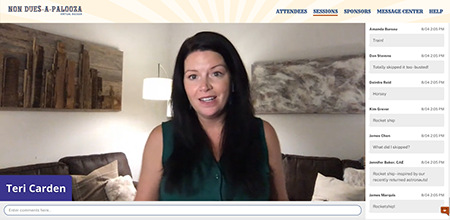
    Non Dues-a-Palooza Pre-Event VideosI recently attended Non Dues a Palooza (NDaP) in Nashville, TN. NDaP is devoted to helping associations and nonprofits learn new ideas for generating non-dues revenue. Yes, I attended in person and it felt great! Teri Carden, the conference organizer and CEO of 100Reviews, uses video to promote her meetings and make them feel special. Here’s what she did for NDAP:

    Ahead of the conference, Teri invited her speakers and attendees to record and share a video about why they were excited to be attending NDaP.  Teri used Gather Voices to make this happen. Check out the video promo page. Maybe I’m just a conference marketing geek, but I found the videos compelling and I wanted to watch them all!

    When I checked into my hotel, there was a welcome letter from Teri that contained a QR code. The QR code led me to a video from Teri, welcoming me to Nashville, inviting me to the pre-conference happy hour, sharing highlights for the next day, and providing me with contact information if I have questions. In typical Teri fashion, the video was fun, authentic and super helpful.

    At the happy hour at the end of the conference, she asked a few attendees to talk about their experience, what they learned, and why they loved the event. These videos were shared in an event debrief put together by Association Briefings (another great touch – more on that later), and it was so fun to hear the takeaways from fellow attendees. And by the way, now she has video marketing material in hand for her next event. Genius! 

    Whether your next conference is in person or virtual, I’m sure you can use these ideas to promote your event, provide your attendees with useful information, and make all of your attendees feel welcome and special.

  • What Are Natural Language Queries and Featured Snippets and Why Do They Matter?

    What Are Natural Language Queries and Featured Snippets and Why Do They Matter?

    When it comes to search engine optimization there’s one very important thing to always keep in mind: Google doesn’t like cute, Google likes clarity. 

    When writing any online content, whether it’s for your blog, about us page, store or resources, you must always consider the Google gods, and craft your content accordingly. While “writing for Google” can sometimes feel inauthentic, like you’re trying to game the system, it’s important to remember that what is good for Google and SEO, is also good and beneficial for your target audiences. It’s actually a win-win! 

    Two very important factors to consider for search engine optimization (SEO) when crafting your content are natural language queries and featured snippets.

    What are natural language queries?

    Natural language queries are web searches reflecting your normal spoken language like you might express if you were asking the question verbally of another person. As voice recognition features become more and more commonplace, this method of searching behavior becomes more relevant and deserving of attention.

    What are featured snippets?

    Featured snippets are special call-outs shown in Google results above the link to the result from which the snippet came. They are selected by Google systems that determine whether content on a page would make a good featured snippet for a user’s search request. Google results with featured snippets extend the authority of the page for the given search.

    Here’s an example: a few years ago, I blogged about canonical URLs. Go ahead and perform a search in Google for this exact string: 

    what is canonical url and why should i care

    You don’t need to enclose the string in quotes, just paste it into your browser and search. Notice the very first result for this particular query is my blog post titled with the same text. This demonstrates the power of natural language queries; by making the page title reflect the way a user might ask a question, Google has given it priority. Despite the millions of web results describing canonical URLs generally, this one rises to the top for the given search string.

    But notice something else: Google also provides a featured snippet where, from within the page, it found a paragraph sufficiently, and briefly, offering an answer to the natural language question.  The page didn’t include anything special around that paragraph and, in fact, you cannot “tell” Google what to use as a featured snippet, this decision is made by their algorithms. But the page was written to be informative and address a specific question.

    So what does this mean for me?

    First, consider pages of your site that answer questions about your mission or purpose. For example, you might have a page that describes “Our Mission” or “About Us” and consider the natural language query users would ask to find that page. It is unlikely that a Google search for “Our Mission” will find your page but a query like “what does {your organization acronym} do?” will. Consider giving pages like this a title that better reflects a natural language query.

    Second, consider the other calls-to-action placed on the pages above. If someone finds your mission page directly from a Google search, what else do you want them to see, learn, or do?  What authoritative message do you want them to hear regarding your position within your industry?  Once you start getting natural language queries to land on these pages, they become more important as entry points to your website that inform and engage your audience.

    Lastly, consider the content on pages like this and make sure they have a concise description or answer to the natural language query you’ve designed for them. This will encourage Google to use that content as a featured snippet. You don’t want the user’s journey to end by reading the Google snippet and going no further, so make it engaging as well as informative.

    Hopefully this helps you with these concepts and enhances your content strategies!


  • Are you Team Live or Team Pre-Recorded During Virtual Meetings?

    Are you Team Live or Team Pre-Recorded During Virtual Meetings?

    on air sign with microphoneI’m attending and speaking during the techsytalk GLOBAL conference this week. Liz King Caruso, the organizer, ran a poll on the first day and asked attendees if they were on Team Live or Team Pre-Recorded. Turns out 100% of the attendees voted Team Live. And yet…

    I attended a couple of conferences last week where meeting planners and vendors were extolling the virtues of pre-recorded: you can have more sophisticated graphics, you eliminate the chance of speakers’ Internet connections going down, you can edit away mistakes by speakers, speakers don’t need to be available the specific days of your conference, yada, yada.

    So why did 100% of Liz’ attendees (at least during that session on Day One) vote for Team Live?

    Eight months into this pandemic and I think meeting attendees’ expectations have shifted. They are looking for live and authentic gatherings, even if they aren’t perfect.

    • Live gives attendees a reason to attend your meeting on specific dates and times.
    • Live gives attendees a chance to interact with speakers beyond chat.
    • Live allows attendees to set aside x days and hours for your meeting and concentrate their involvement.
    • Live creates energy.

    Don’t get me wrong. Live isn’t necessarily easier or harder. It’s just different. And if you offer live sessions, you need to plan for live. You need backup upon backup. You need staff to support live. You need a vendor that knows, understands, and embraces live.

    Does your entire conference need to be live? Absolutely not. But I do think that these days, any successful conference needs live elements. Live can take on many forms: live discussions, live speakers, live video meetings, live networking.

    Go Team Live!


  • What Makes a Successful Virtual Meeting? Lessons Learned from the Battlefield

    What Makes a Successful Virtual Meeting? Lessons Learned from the Battlefield

    light bulb with thought bubblesSince July of this year, we’ve had the honor of hosting 9 virtual meetings. It’s been a season of learning because the meetings landscape keeps changing and attendee expectations have shifted dramatically since the pandemic began. Here are some of the things we’ve learned:

    Good communication is key! Even though it feels like we’ve been living in this virtual world forever, we’re all still relatively new to this virtual conference experience. Talk to your participants early and often about what to expect, how to engage, where to go, how to use the platform, reminders about specific highlights and features, rules of engagement, etc. Also make sure you’re giving your participants reminders and direction throughout the event, just like you would in person with staff in the hallways.

    You can’t do enough training for your presenters. KiKi L’Italien and I talked about this a lot during our recent webinar. Even the most seasoned speakers, moderators, and facilitators are on a steep learning curve in this brave new world. Even if they’ve been speaking at many virtual conferences, platforms and technologies differ. Make sure you set them up for success by giving them thorough training on every aspect of the event they’ll be involved in. 

    Your participants need to log in early, for so many reasons. Yes, they’ll have a better experience if they’re well acquainted with the platform before the event begins, but more than anything they need to make sure their tech is set. Many platforms require a modern, updated browser, but some attendees don’t even realize that their browser is out of date. By logging in early, your attendees will identify login, browser and firewall issues that they can address well before your first day.

    Provide lots of attendee, exhibitor and presenter support! Ask anyone who’s put on a virtual event and they’ll tell you this: it’s way more work than you’d ever imagine, and you need all hands on deck. What if you have a small staff to begin with? Make sure you select a vendor, like BeSpeake, that offers full meeting support – conference manager, live tech support, broadcast manager, training, etc. –  and is a true partner. It will make all the difference. 

    You need to be flexible! Tweaks will need to be made to your program, your sessions, your schedule, and on and on. The beauty of the virtual space over the physical space is that you can make adjustments relatively quick and easily. For example, after day 1 of a recent virtual event, our client realized they needed to add Posters to their navigation because attendees were not finding their Poster Gallery in the Program. Another client found that attendees were not turning on their cameras in breakout rooms. During our Day On debrief, we talked about all this and made changes to the navigation and session descriptions that evening. 

    No matter how prepared you are, something will go sideways. A speaker or moderator’s internet will go out right before they’re supposed to go live, your keynote speaker’s neighbor’s dog will spot a squirrel right outside her window in the middle of the live presentation, and so on. No event, in-person or live, will ever go perfectly smoothly, but you can think ahead and come up with a “plan b” for most major scenarios. Be ready for it; embrace it. 

    Have you hosted a virtual event yet? What were your biggest lessons learned? What would you do differently, and what would you keep the same? We’d love to hear your battle stories! 

    Want to create a custom built virtual conference or tradeshow experience that is just as transformative as your in-person events? Contact us today to schedule a private demonstration of the BeSpeake virtual meeting platform

  • Should Virtual Conference Sessions Be Live or Pre-Recorded?

    Should Virtual Conference Sessions Be Live or Pre-Recorded?

    Non Dues-a-Palooza Virtual Bazaar LiveI’m attending a lot of conferences these days. I’m also helping clients plan and execute a lot of conferences. All of them online, of course.

    One of the biggest questions being asked by meeting planners is: Should my educational sessions be live or pre-recorded? Live streamed at a certain time or available on demand?

    Pre-recorded has some obvious benefits:

    • Your speakers won’t have technology issues
    • You can control the start and end times
    • You can up the production value of your sessions with extra editing, graphics, transitions, etc.

    I recently had the pleasure of working with Teri Carden on Non Dues-a-Palooza, a conference dedicated to helping associations increase their non dues revenue through partnerships and great ideas. Teri had 10 case studies, and 6 pitches by sponsor companies. The case studies were going to be pre-recorded so Teri wondered how she could add a live element to the conference so that the case studies didn’t feel like just another set of zoom webinars. Should the 2-minute pitches by demo companies be live or pre-recorded? Should her welcome be pre-recorded?

    After much discussion, Teri decided on a mixed format: she would be live but the case studies and 2-minute demo pitches would be pre-recorded. In addition, the demos would be live as well.

    Live can be nerve-wracking. You never know what can happen: someone’s Internet drops, the speaker mutes herself accidentally, your schedule falls apart because someone ran long. BUT, live has benefits as well:

    • Your presenters can answer questions in real-time
    • Your presenters can lengthen or shorten remarks as needed
    • Perhaps most importantly, your attendees feel like they are experiencing something happening real-time, that they need to be online at a specific time and place in order to be part of something.

    I’m speaking at the ASAE Annual Conference this week. Speaking is perhaps a weird verb because my session was pre-recorded. Instead, I will be available via chat to respond to attendee comments. There’s a part of me that wants people to listen to my session, not just try to keep up with the stream of comments. If I had my druthers, I would have pre-recorded my session but been live, on video, for the Q&A. But yes, that’s different, more complicated technology to make that happen. So I will be presenting on Wednesday AND responding to questions and comments.

    Personally, if a conference is made up entirely of pre-recorded videos, I think some attendees will lose interest. The motivation to participate NOW will dissipate because sessions are pre-recorded and will inevitably be available on demand, in which case it doesn’t really matter when you watch the videos.

    How about you? How is your organization navigation live vs. pre-recorded? What has worked? What have you learned?

  • Why New Member Onboarding is So Critical to the Member Journey

    Why New Member Onboarding is So Critical to the Member Journey

    Welcome Aboard Life preserver Imagine this. A person (or company) has made the decision to join your organization. What happens afterward? Does she get a giant welcome packet that she won’t read? Does the packet contain current or outdated information? Does he get nothing for a few weeks while you process the application and add him to lists? Does he immediately begin to get all the newsletters and promotions for the various products and services you offer?

    Last week, I did a webinar with the wonderful Jonathan Cooper from the National Association of Episcopal Schools (NAES), a longtime Matrix Group client. Just over a year ago, NAES replaced its paper welcome packet to a digital onboarding campaign for new staff at member AND non-member Episcopal schools.

    NAES used its existing membership database, MatrixMaxx (from Matrix Group, yep, my company), and MailChimp to welcome new staff with carefully crafted messages over a 90-day period that introduce the association, the staff, the Biennial conference, key publications, the staff, consulting services, the daily meditation, and so on. The emails are NOT all about selling. They are meant to welcome new staff and show them how NAES can help them in their jobs.

    What kind of results is NAES getting on this onboarding campaign?

    The emails are getting amazing opens and clicks. One email gets close to a 90% open rate! Yes, the list is small, but they never previously got this rate of opens on other emails.

    NAES members regularly email back after receiving an automated email. The key here is that the emails are really well-written, they are warm, and they sound authentic.

    NAES is seeing increased use of their library and increased registration at featured meetings. For example, a webinar designed for new Rectors usually get 7 or 8 attendees. This past year, this webinar had 19 attendees!

    Marketing automation is extending the reach of this small-staff association. To me, well-crafted automation actually ends up being more high-touch because members get more frequent, relevant, customized communications. There’s simply no way that NAES could send out this level of communications if the messages were manually crafted and sent out.

    AssociationsNow did a nice write-up of the webinar. You can read it here.

    What happens in the first 30-90 days of a member’s journey with your organization matters. Really matters. Because it’s during those first few days, weeks, and months that your new member decides to engage with you in a meaningful way. They made the decision to join. Now it’s up to you to help them make the decision to stay.