Matrix Group International

Tag: Website

  • The One Thing You Can Do Now to Protect Your Website From Hackers – Create a Strong Password

    The One Thing You Can Do Now to Protect Your Website From Hackers – Create a Strong Password

    A couple of weeks ago, there was a lot of news about a massive brute force attack against WordPress sites to install Minero Miner, Minero is a javascript Crypto miner. The attack used information from the site, like the domain name, common logins and common passwords, to try and gain access to the site.

    Let me say this again. The attack used common logins and password to gain access. This means the attack basically used a whole lot of computers to try and guess credentials. And guess what? If a site uses “admin” and “password123” as the credentials, it was compromised in about five seconds, probably less.

    So this is my regular please to please, please use strong passwords and don’t reuse passwords. What’s a strong password? My tips are below:

    • Create a long password. Some sites recommend 6-8 characters. That’s outdated information. Make your password as long as you can. My Windows password at work is 15 characters.
    • Don’t just add numbers or replace letters with numbers. DOgFi$h123 may have been an acceptable password in the past, but no longer.
    • Don’t use a common phrase from life, a book or the movies. It’s easy to think that “DoOrDoNotThereIsNoTry” is a great password because it’s really long. But guess what? This phrase exists in dictionary attacks used by hackers. Don’t use this password.
    • You are better off stringing together words that are meaningful to you, but don’t commonly belong together. For example, I was staying at the Bellagio Hotel one time and I needed to change my password. So I looked up, saw some balls on the ceiling and came up with “99BouncingBellagioBalls)).” How Secure is My Password says it would be 15 octillion years to guess this password, which I don’t believe, but you get the point that this password is strong because it’s long, it’s got a combination of upper case, lower case, numbers and non-alphanumeric characters. And yet, most importantly, this password was easy for me to remember. I will sometimes string random English, Tagalog and French words together and add in some numbers in the middle of the password to create a strong password.
    • Use a password manager. No, Excel is not a password manager, especially if the file is called passwords.xlsx. A Word doc is not a password manager. A spiral bound notebook locked in your house is much safer than an Excel file on your laptop or share drive. Instead, use a manager like LastPass, KeePass, 1Password or Dashlane. At the company level, use an enterprise password manager like Secret Server (which Matrix Group uses as a company.) Me, I use KeePass.
    • Commit commonly used passwords to memory; let the password manager handle the rest. Me? I remember my office network password and my KeePass password. For everything else, I create long passwords or let KeePass generate them, and then I store them in KeePass.

    Want to learn more about passwords? I like these articles:

    https://lifehacker.com/how-to-create-a-strong-password-1797681069
    https://www.technologyreview.com/s/542576/youve-been-misled-about-what-makes-a-good-password/
    https://nakedsecurity.sophos.com/2016/08/18/nists-new-password-rules-what-you-need-to-know/

    Make it one of your 2018 resolutions to replace your passwords with strong ones NOW!


  • Why Your House, Office, and Website Need a Refresh and Spring Cleaning Every Year

    Why Your House, Office, and Website Need a Refresh and Spring Cleaning Every Year

    Why Your House, Office and Website Need a Refresh and Spring Cleaning Every Year | www.TheMatriXFiles.netA couple of weeks ago, I held a Town Hall meeting with my staff to discuss office space. Our office lease is expiring in less than 2 years, so our Realtors recommended that we look at space around town but also consider how we would like to improve our current space should we decide to stay. During the Town Hall meeting, I asked staff for their blue-sky ideas. If time and money were no object, what would our office look like? How would it be configured? How would it encourage the type of interactions and collaboration that we seek? How do we meld cool with functional?

    We came up with some ideas that are probably way out of our price range. Everything from a completely configurable office with movable walls, desks and chairs, to blowing out the ceiling, to all-glass walls that provide privacy with a push of a button.

    But we also came up with ideas that are totally within reach. Today. With minimal budget. So we have set about implementing many of the ideas because, regardless of whether or not we move, we’re going to be at 2711 Jefferson Davis Highway for another 18 months. We might as well improve our working space. What have we done? We:

    • Gave the kitchen a makeover by putting in matching furniture, tossing out the clutter, and reconfiguring the storage space.  We also put in some new artwork.
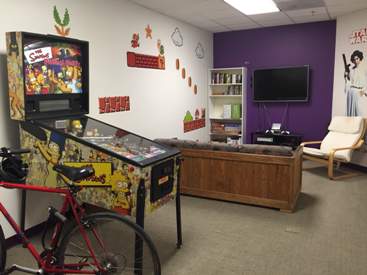
    • Cleaned up the game room and made it cool again. Honestly, it was looking downright dumpy and not fun-friendly.
    • Created a new space for the morning stand-up meetings. One where we can actually stand and write on the walls.

    If you’ve been following my blog all these years, you know that I often draw parallels between managing a website and managing a home or office. Here’s what our new office envisioning process reminded me:

    • Don’t wait until you need to do a major redesign to make improvements to your site. Think in terms of optimizing and improving sections of your site every quarter. At Matrix Group, we take a section of our site, review the analytics and make tweaks every quarter.
    • Declutter on a regular basis. Old, outdated content and run-of-the-mill clutter is deadly. After a while, you don’t even see it anymore. So on a regular basis, look at your website with fresh eyes. Is your website just a dumping ground for old content? Get rid of it. Old content simply clutters your search results, confuses visitors and makes your site feel outdated.
    • Ask your staff and members what’s working and what’s not. Get a few concrete ideas for making individual sections or a page better, then act on them quickly. Be sure to let your stakeholders know that you listened and implemented some of their ideas.
    • Experiment with inexpensive ideas to test out different concepts. For example, my staff have asked for different collaboration areas. But they’re also asked for isolation rooms where they can work uninterrupted for periods of time. Before we invest in construction, we’re testing out some ideas using empty office space. Before investing a lot of money in community tools, databases, etc., think of el cheapo ways to test out ideas.
    • Paint does wonders. It’s been a couple of years since we painted walls and touched up scuff marks. It’s amazing what a fresh coat of paint will do to a space. Same goes for your website. Update the photos. Redo some headers. Update the tired conference template. Your members will notice and pay attention to your marketing messages with fresh eyes.

    I’m going out with the Realtors this week to look at space. I don’t know what the Matrix Group office Version 5 will look like, but I predict there will be lots of purple.

  • Top 5 Ways to Keep Your Website Secure

    Top 5 Ways to Keep Your Website Secure

    I just came back from the annual convention of the Sheet Metal and Air Conditioning Contractors’ National Association (SMACNA) in beautiful Colorado Springs, Colorado. SMACNA asked me to talk about digital threats to businesses.

    Red target overlaying hacker logo A big threat is clearly the potential for a company’s website to be hacked. Even if a website doesn’t contain any private or confidential information, hacking can lead to defacement, loss of reputation, lost revenue, lost leads, and lost staff time. What can you do to keep your website secure? My IT team tell you there are thousand and one things to do, but here are some easy things to check on.

    Keep Your CMS Software Updated

    I’ve mentioned it before, and I’ll mention it again. These days, software vendors issue releases and patches on a regular basis. Not upgrading your CMS because you don’t have budget or because you don’t “need” the new functionality in the new version is a mistake. Most of these upgrades contain important patches to security vulnerabilities.

    Audit Admin Accounts Regularly

    When a staff person or volunteer leader leaves, organizations often fail to disable accounts in content management systems. But these accounts could be a possible attack vector, especially if the person left on bad terms or the password is weak.

    Require Strong Passwords

    Most systems these days do not allow short or weak passwords, but it’s still common for us to find client passwords that are short, weak or obvious. Even if the CMS allows a password like “password” or ABCadmin,” educate your staff about what a strong password looks like and explain the consequences of a website breach.

    Invest in a Web Application Firewall

    Most of us are familiar IP firewalls, which inspect and filter out traffic based on IP addresses. A web application firewall (WAF) inspects incoming HTTP requests, checks to make sure the destination URL is not being spoofed, checks for SQL injection and cross-site scripting attacks, disallows certain types of requests, and much more. WAFs often add to your monthly hosting fee and can result in false positives (which show up as errors when accessing a web page) but we think the costs and inconveniences are well worth it.

    Disable Services Yon Don’t Need

    This last recommendation often requires the cooperation of your hosting company. For example, if you never FTP into your server, turn off FTP. If you don’t allow uploads from WWW through the CMS, disable uploads. And never allow uploaded files to be executed from directories that accept uploaded files.

    At Matrix Group, we think of security in layers. We put in place layer upon layer of security so that even if one layer is breached, other layers help protect services and data.

  • It’s Time To Make Your Website Mobile-Friendly… Really

    It’s Time To Make Your Website Mobile-Friendly… Really

    responsive_design_smallI was in a meeting with a client this week about their plans to redesign their website. He wondered if the organization should invest in responsive design. Wha?
    “Hold on,” I said. “I don’t think going mobile-friendly is optional these days.” But, he argued, responsive design adds to the project budget and his site doesn’t currently get much mobile traffic.
    It’s true. Responsive design can increase the total cost of a redesign by 5-20% of the total cost. BUT:
    • Last week, Google rolled out its mobile-friendly update, which significantly boosts the ranking of mobile-friendly pages on mobile search. And as I blogged last month, every organization should care about search, which means caring how Google ranks your website.
    • You can be losing customers. 27% of consumers will leave a site if it is not mobile-optimized (ExactTarget, 2014 Mobile Behavior Report).
    • Your mobile traffic will increase. Across ALL of our clients, mobile traffic increased dramatically within six months after a website goes mobile. Basically, if you build it, they will come… promise.
    • Our clients that have made their email templates responsive have seen an increase in their open rates. This doesn’t surprise us since mobile accounts for more than half of email opens (Litmus).

    So, what are you waiting for? If your website isn’t responsive, it’s time and it’s not optional.

  • Why Should You Hire an Agency to Redesign Your Website?

    Why Should You Hire an Agency to Redesign Your Website?

    matrixgroup292Every once in a while, I hear from a prospect who says his organization is considering redesigning their site and they’d like to do the design and CMS implementation on their own. They either want to use in-house resources or they intend to use an off the shelf template for design and styling.

    Sure, this can seem really cost-effective, but is it really the best solution? On the flip side, does it pay to pay an agency to handle your redesign?

    When you hire a great agency, you’re getting the best thinking from strategists, designers, front-end developers, developers, SEO managers, and content experts. There’s no way that a WordPress theme you purchase for $49 can give you all that. And most organizations’ can’t afford to have all those resources on staff because they’re pricey and they don’t need them full-time for an ongoing period of time. For the cost of one really great staff person or half a person, you get the combined talents of 5-7 talented professionals for a concentrated period of time.

    What’s more, a great agency gives you the benefit of this great team of people working together to give you great results. When Matrix Group designers are working on comps for a client, there’s always an internal review to discuss compliance with the specs, implementation pros and cons, impact on SEO, and usability.

    Finally, a great agency goes beyond the templates and the programming. They help you develop the powerful content that will ultimately bring search engines and real visitors to your site. Off the shelf templates and themes never do this for you.

    I have a good friend with whom I share a fabulous hairdresser. Eileen always needles me that I argue too much with Crystal. She says, “you want your clients to take your good advice about web design coz you’re the expert, right? You should do the same with Crystal.” Touché!

  • How Long Does It Take to Design a Website?

    How Long Does It Take to Design a Website?

    Dollar signWhen I’m presenting to prospects and clients, I almost always get the question “How long will it take to design my website?” As you can imagine, the answer is usually “It depends.” Depends on what?

    In my experience, a design timeline will depend on the scale of the project, the amount of content to migrate, the complexity of the navigation and design, the turnaround time needed to provide feedback, the number of integrations with third party systems, and testing resources and availability.

    When pressed, however, here are the guidelines I usually share with clients:

    Blogs are usually the fastest to get online. Why? Because blogs usually have a simple structure, they usually follow the style of the main organization website, and they have predictable elements: recent posts, blog archive, about the blogger, RSS feed, tag cloud, and social media feeds. Using a blog platform like Blogger, you can get a blog up in about an hour. But if you’re looking to create a blog with a custom theme, it usually takes 2-4 weeks. If it’s urgent, we can get a blog up in a matter of days, assuming the content is ready, the client provides quick feedback, and there is agreement about the blog strategy.

    Website facelifts can be fast or they can take time. At Matrix Group, a website facelift involves updating the site’s design elements, but you’re making minimal changes to the navigation and structure and you’re not changing the content management system (CMS). Facelifts can take week or two, or they can take a couple of months. Facelifts get derailed when the decision is made to drastically change the navigation, change CMS platforms, add significant new functionality, and update a lot of the content. Since clients generally need facelifts done fast, we try to never let the timeline go past two or three months.

    A standard redesign for us is one that involves updating the navigation based on user feedback, giving the site a new look and feel, migrating to a new CMS, migrating content from the old site to the new site, and adding new functionality. Since most of our clients also have or want to have member or customer portals, we usually integrate with some type of CRM system. These redesigns tend to take between 6-9 months. The most time-consuming tasks are often: creating an inventory of the entire site, migrating content, updating content, and ironing out all of the details of the integrations. Not having all the content ready is the number one reason these design projects get delayed.

    Design projects with lots of integrations and/or custom programming take the most time. Matrix Group recently completed a redesign project that involved a rebranding effort, migration of close to 10,000 pages, a move to a new CMS, and integrations with several vendors. This project took about a year. In general, I recommend to clients that projects never have a timeline of longer than 12 months. After 12 months, project staff get burned out, they start doubting that the project will ever launch, and they get sick of the design. If your project will legitimately take more than 12 months because of the scope of the work, I recommend breaking up the project into phases and launching functionality over time.

    Are there things vendors and clients can do to speed up timelines? Absolutely! My top tips:

    • Establish a deadline and give the project a sense of urgency.
    • Start working on your content from day one.
    • Start integration discussions early in the project.
    • Schedule design presentations and check-ins with senior staff ahead of time so that you don’t waste time on scheduling meetings and to keep the project moving.
    • Have a clear decision-making process.
    • Line up testing resources close to the time of launch.

    How long did your last redesign project take and what lessons did you learn?


  • The Ironworker Management Progressive Action Cooperative Trust Website Redesign

    The Ironworker Management Progressive Action Cooperative Trust Website Redesign

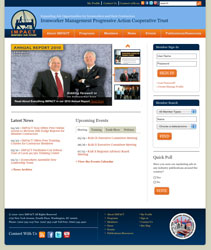
    The Ironworker Management Progressive Action Cooperative Trust (IMPACT), a labor management partnership between signatory contractors and Ironworkers, serves as a forum for both groups to address mutual concerns and encourage balanced solutions. The organization also has 11 regional advisory boards in the United States and Canada that support IMPACT’s mission and work to expand job opportunities in both countries.

    IMPACT wanted to use its website to better promote its resources, events and other services on its website, and encourage members to take advantage of these benefits. It also wanted to enhance its brand and position itself as a leading industry voice.

    Matrix Group:

    • Designed a navigation structure with a strong understanding of members’ needs. The new navigation makes it easy to access information about meetings, publications, grants, marketing and certification.
    • Developed a design that is beautiful, elegant and showcases IMPACT’s values of openness and collaboration.
    • Implemented MatrixMaxx, Matrix Group’s Association Management Software (AMS) to tie IMPACT’s public website to its member database. Now, IMPACT staff can easily manage information about their members, create and manage and meeting registrations and develop targeted mailing lists. Members can now manage their profiles, register for meetings and sign-up for mailing lists.
    • Created an online membership directory that is powered directly by the member database. Visitors can search for contractors, local unions and district councils.
    • Implemented the Expression Engine content management system to make it easy for staff to manage all aspects of the website without having any knowledge of html.

    Visit the Ironworker Management Progressive Action Cooperative Trust Website.

  • The Hormone Foundation Website Redesign

    The Hormone Foundation Website Redesign

    The Hormone Foundation is the public education affiliate of The Endocrine Society, and the leading educational resource for the public and health care professionals on the prevention, treatment and cure of hormone-related conditions.

    The website offers materials, programs and alerts on everything from thyroid disease to diabetes and cardiovascular and metabolic disorders. So when an opportunity arose to make information online more accessible to all audiences, The Hormone Foundation reached out to web partner, Matrix Group, to make its vision a reality.

    Matrix Group:

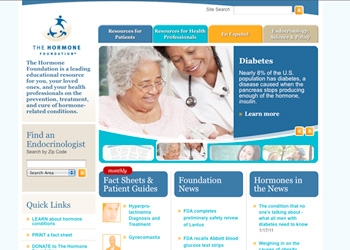
    • Re-organized the home page to include a branding area to educate visitors about the mission and activities of The Foundation, and a section that features the most popular resources on the website.
    • Refreshed the site’s current look and feel by softening the organization’s color palette to include warmer colors and updating the font.
    • Implemented the new design in the Foundation’s content management system (CommonSpot).

    Visit The Hormone Foundation Website.

  • The Special Interest Group of IIAS Standards Website Redesign

    The Special Interest Group of IIAS Standards Website Redesign

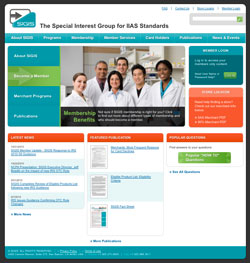
    The primary purpose of the Special Interest Group of IIAS Standards (SIGIS) is to develop voluntary standards to help non-healthcare retailers meet the required IIAS standards and to make it easier for customers to purchase prescriptions and other eligible over the counter products using their Flexible Spending Accounts (FSA) or Health Reimbursement Accounts (HRA).

    SIGIS serves as the industry’s voice to the IRS and as a valuable resource for both members and consumers. Thus, they needed their website to showcase their overall goals and communicate the organization’s current position and address the needs of both members and consumers.

    Matrix Group:

    • Created a warm, friendly site design that communicates SIGIS’s position as an organization that makes it easier for consumers to use their FSA and HSA cards at local pharmacies, supermarkets and other locations.
    •  Implemented the Sitefinity content management system to allow staff to update the website without the knowledge of HTML, keeping the site’s information fresh and up to date.
    • Created a user-friendly navigation based on the motivations, behaviors and needs of SIGIS’s target audiences.

    Visit the SIGIS Website.

  • The Conquer Cancer Foundation Website Redesign

    The Conquer Cancer Foundation Website Redesign

    The Conquer Cancer Foundation (CCF) of the American Society of Clinical Oncology (ASCO), a nonprofit organization dedicated to creating a world free from the fear of cancer by funding breakthrough research, sharing knowledge with physicians and patients worldwide, and supporting initiatives to ensure that all people have access to high-quality cancer care.

    Matrix Group included:

    • Warm colors and images geared toward the public and that demonstrate empowerment. Less text and increased imagery were used to communicate the Foundation’s core messages.
    • A user-friendly navigation that is simple, straightforward and based on the site’s three main areas: who the organization is; what they do; and how to get involved.
    • Brand consistency between the Foundation’s website and its affiliate organization, the American Society of Clinical Oncology (ASCO.org).

    Visit the Conquer Cancer Foundation Website.