Matrix Group International

Category: Strategy and Branding

  • Reflections and Predictions: What Associations Should Be Thinking About in 2026

    Reflections and Predictions: What Associations Should Be Thinking About in 2026

    Every January, I like to reflect on the previous year and consider what the coming year might hold for associations, nonprofits, and Matrix Group. This year, I did something different. I invited a few of my amazing team members at Matrix Group to join me on our podcast, Associations Thrive, to talk about the major trends they saw in 2025 and what they believe is coming in 2026.

    Joining me were Dave Hoernig (VP of Software Engineering), Jessica Parsley (Director of Project Management), and Alex Pineda (Creative Director). We had a wide-ranging conversation, and here are the key takeaways and predictions from our conversation:

    AI was, unsurprisingly, the biggest theme of 2025. Jessica talked about how many of our clients are turbocharging their teams by:

    • Investing in AI skills and training
    • Creating internal policies for responsible AI use
    • Building custom GPTs to speed up content creation
    • Using AI to streamline editing, content repurposing, and task management

    Dave shared how AI is revolutionizing content migration, especially turning PDF documents into accessible, searchable HTML. He also brought up a big existential question facing associations:

    What content should be visible to AI, and what should remain members-only?

    He talked about how associations are starting to experiment with making abstracts public while keeping full articles gated; this is the same approach academic publishers have used for years.

    AI is also influencing how we format content to make it discoverable to AI engines. Schema markup, summaries, and multimedia versions (like read-alouds) are increasingly important.

    Alex noticed a major shift in web design: associations are doing a better job of telling the story not just of the association, but of the profession or industry they represent. These “About the Industry” sections:

    • Help the public understand the value of the profession
    • Position the association as a thought leader
    • Offer lawmakers, potential members, and partners important context

    But it’s not easy. Crafting this content requires strategic thinking, consensus building, and often new storytelling skills.

    Jessica saw that many associations felt more budget-constrained in 2025. But instead of just of delaying projects, they asked:

    • “What small changes can we make to our website and email campaigns NOW that will have a big impact?”
    • “What are the biggest pain points experienced by our members or staff?”
    • “Can analytics guide our next move?”

    Alex noted that we’re increasingly using analytics to make smart, incremental improvements, like optimizing navigation, restructuring key pages, or adjusting content strategy. Full redesigns are great, but if there isn’t time or budget, then light refreshes are the way to go.

    There is a growing shift away from long blocks of text and toward audio, video, and interactive content:

    • Podcasts and read-aloud tools are making content more accessible.
    • Members, especially younger members, increasingly prefer to watch or listen, rather than read.

    Alex and Jessica both emphasized that younger generations are mobile-first, visual-first, and audio-first. If associations want to attract the next generation, their content and design strategies need to reflect that.

    We’ve talked about personalization for years, but 2025 was the year it became practical for more organizations.

    Dave shared that personalization is easier to implement now because:

    • You no longer need to manually tag every piece of content
    • AI can analyze member behavior and personalize on the fly
    • Tools can now offer Netflix-style, personalized recommendations based on user behavior and demographics

    Imagine offering a member a curated education journey based on their career stage. Duolingo is a great example of this! I’m an avid Duolingo-er and love that my practice lessons are customized just for me. That’s the future for associations and it’s already here.

    Alex noted that mobile traffic is growing, even if analytics still show desktop in the lead for most of our clients and their websites. Younger members are doing everything on their phones and they’re the members of the future. All of this means:

    • Mobile design needs to be more comprehensive
    • Voice navigation and voice search are increasingly relevant

    If it’s not easy to find or access your content via mobile or voice, you’re invisible to a big part of your audience.

    Jessica made a critical point: it will be harder than ever for associations to be seen as the authority in their industry. AI answer engines like ChatGPT and Gemini are giving users quick answers without attribution. That means your content might not be recognized as coming from your organizations. So how do associations stay relevant?

    One important answer: Double down on community.

    Associations will need to:

    • Create spaces (in-person and virtual) for connection and expertise-sharing
    • Offer value that can’t be replicated by an AI bot
    • Make membership the gateway to the best insights, not just the publicly available ones
    • Create smaller events, cohorts, and niche groups to create intimacy within the membership

    As we closed out the podcast, I shared a final hope: that the new wave of AI tools will level the playing field for smaller associations. These tools let even the smallest team:

    • Create great content
    • Design beautiful experiences
    • Offer personalized, member-driven services

    You don’t need a giant staff or massive budget to be effective in 2026. But you do need to be smart, strategic, and open to using AI tools to make your organization more high-performing and authoritative.

    So what do you think? What trends did YOUR organization see in 2025? What are you preparing for in 2026? Let’s keep the conversation going!

  • How the Air and Space Museum is Using Virtual Docents

    How the Air and Space Museum is Using Virtual Docents

    My younger son and I are listening to Project Hail Mary by Andy Weir. Andy Weir also wrote The Martian, which was a great movie and an even better book. Both The Martian and Project Hail Mary are adventure books set in space. Both are full of science and science fiction. If you love space stuff and science fiction, buy this book.

    Anyway, Project Hail Mary inspired me to take the boys to the Udvar-Hazy Center of the National Air and Space Museum. This museum is full of all types of vehicles that fly: planes, helicopters, amphibious ships, missiles and drones. There’s even a Concorde plane, the space shuttle Discovery, an honest to goodness SR-71 reconnaissance plane (my favorite), and a scale model of a Martian lander and rover.

    Whenever we go to Udvar-Hazy, I look forward to speaking with the docents, who are usually (in my experience) knowledgeable and friendly former NASA, Boeing, or Lockheed employees, or just plane or space buffs. Alas, because of COVID, there are no docents available in person. 

    Scott, Virtual DocentWhat the museum instead was probably just as good. Next to the SR-71, Enola Gay and Discovery space shuttle, there were large screens with volunteers in their homes, available to chat with in real-time. I realized this when I walked by the screen by the Enola Gay and Scott said hello. I looked at the screen, said hello and asked him if he was there in real-time. Yep, he was speaking to us from his home in Falls Church, VA. Scott was terrific. He answered our questions about the Enola Gay, like how much did Little Boy weigh, and why were the bombs called Little Boy and Fat Man.

    Patricia, Virtual DocentWe also spoke with Patricia, who was stationed next to the Discovery space shuttle. And Jim, who was next to the SR-71. Turns out they were all trained to answer questions about pretty much anything in the museum, but our questions were mostly about the ships they were next to.

    What a terrific, innovative and surprisingly simple way to bring back docents! All three docents say they are looking forward to being back in person, but I’m wondering if some virtual docents should stick around. Virtual docents could be anywhere in the world; they wouldn’t need to drive to Udvar-Hazy; they could have disabilities that prevent them from driving, standing or walking;  they could speak different languages.

    Virtual docents are just one thing borne of this pandemic that could/should stick around. I know there are lessons learned and many, many innovations and practices should endure post-pandemic. What do YOU think should stick around?

  • What Have We Learned About Creating Engaging Meetings from Virtual Conferences?

    What Have We Learned About Creating Engaging Meetings from Virtual Conferences?

    Virtual Meeting vs. In-Person MeetingHeinan Landa (CEO of Optimal Networks) asked me last week: As we’re slowly returning to the office and in-person meetings, what lessons from 15 months of virtual meetings should endure?

    It’s a great question. Over the past year, I’ve had many clients bemoan virtual, but I’ve also had many clients express joy over the benefits of virtual. Here are lessons that I hope will endure:

    Higher Quality Sessions

    It sounds really weird to say this because organizations that put on conferences are devoted to offering high quality education. And yet, a few clients were surprised at how lackluster some of their sessions were. I heard things like, “Gosh, we used to select speakers, tell them when and where to show up, make sure their tech was working, and leave the room.” But with virtual, more thought has gone into the quality of the sessions to make sure people stay engaged and don’t log off. BeSpeake clients have:

    • Paid closer attention to the content and slides.
    • Worked with their speakers to add interactive elements, from polls to contests.
    • Coached speakers to become better presenters.

    ALL of these lessons should endure past this pandemic!

    Better Wayfinding

    I’ve been to countless conferences at the Gaylord Resort in Maryland and every time, I get lost. Maybe I’m just navigationally challenged but better signage and more thoughtful grouping of the sessions and events would help me, and, I suspect, many others. With virtual, we worked closely with clients to make sure attendees always knew where to go next, using tools like:

    • Welcome and tutorial videos that explain the virtual platform and highlight the “not to be missed” parts of the meeting.
    • Putting everything on the program and having sessions disappear (temporarily) from the schedule once they are done. This way, the program always shows you what’s next.
    • Brief but clear descriptions and help text.
    • Guidance from speakers at the start and close of sessions about what’s next.
    • User testing to make sure all of this wayfinding guidance is actually effective.

    The next time you’re in person, walk your convention, make sure signage is clear, and coach speakers to tell attendees what’s next!

    Intentional Connections and Networking

    Conferences are all about connecting with our friends, colleagues and peers. In person, most conference planners organize receptions, some breakouts, and food and drink in the exhibit hall. Virtually, meeting planners have had to work harder to make sure attendees connect with others. We’ve worked with our BeSpeake clients to create opportunities like:

    • Morning Coffee, where attendees get matched up with others randomly for a virtual coffee break.
    • Extended attendee profiles and better searching.
    • Easy to use attendee search and messaging.
    • Giving attendees the chance to meet with others in video rooms.
    • Breakouts by topic or job function to encourage people to be on video and connect with others.

    These virtual connection opportunities don’t work for all attendees. Some attendees are content to focus on the sessions. But for others, these connection opportunities have made it easier than ever to expand their networks and horizons.

    In person, perhaps you can make in person conferences less terrifying for first time attendees by doing things like:

    • Asking Board and committee members to reach out, walk them through the program, attend a social event with them, and introduce them to a couple of members.
    • Creating a welcome or tutorial video to help attendees get the most out of the conference.

    Delightful Touches

    We’ve worked hard with our clients to make their meetings interesting and delightful. Some things that have worked are:

    • Interesting, even fun, pre-roll before sessions. At first, we added pre-roll so attendees would have something interesting to watch when they came in early to sessions. Then we realized pre-roll was a great way to entertain and educate!
    • Interesting imagery to evoke a place or theme.
    • Polls and contests to add sparkle to a session or break. One client is now known for a great Jeopardy game where the questions are all about their accreditation program!
    • One client had a virtual bulletin board where they challenged attendees to share what attendees and their organizations are doing to address racism and health inequities.

    In person, ask your speakers to show pre-roll, play music, and start the conversation early. Have places where people can post, share and connect, not just virtually, but also in person!

    As my friend Lee Gimpel says, in person meetings aren’t necessarily great: it’s hard to meet people if you’re new, the program can be confusing, and we spend way too much in dark rooms looking at screens and passively watching a speaker. 

    What have YOU and YOUR ORGANIZATION learned about creating engaging and fun meetings during this pandemic? What lessons will carry over and endure when you go back to in person meetings?


  • What Are Natural Language Queries and Featured Snippets and Why Do They Matter?

    What Are Natural Language Queries and Featured Snippets and Why Do They Matter?

    When it comes to search engine optimization there’s one very important thing to always keep in mind: Google doesn’t like cute, Google likes clarity. 

    When writing any online content, whether it’s for your blog, about us page, store or resources, you must always consider the Google gods, and craft your content accordingly. While “writing for Google” can sometimes feel inauthentic, like you’re trying to game the system, it’s important to remember that what is good for Google and SEO, is also good and beneficial for your target audiences. It’s actually a win-win! 

    Two very important factors to consider for search engine optimization (SEO) when crafting your content are natural language queries and featured snippets.

    What are natural language queries?

    Natural language queries are web searches reflecting your normal spoken language like you might express if you were asking the question verbally of another person. As voice recognition features become more and more commonplace, this method of searching behavior becomes more relevant and deserving of attention.

    What are featured snippets?

    Featured snippets are special call-outs shown in Google results above the link to the result from which the snippet came. They are selected by Google systems that determine whether content on a page would make a good featured snippet for a user’s search request. Google results with featured snippets extend the authority of the page for the given search.

    Here’s an example: a few years ago, I blogged about canonical URLs. Go ahead and perform a search in Google for this exact string: 

    what is canonical url and why should i care

    You don’t need to enclose the string in quotes, just paste it into your browser and search. Notice the very first result for this particular query is my blog post titled with the same text. This demonstrates the power of natural language queries; by making the page title reflect the way a user might ask a question, Google has given it priority. Despite the millions of web results describing canonical URLs generally, this one rises to the top for the given search string.

    But notice something else: Google also provides a featured snippet where, from within the page, it found a paragraph sufficiently, and briefly, offering an answer to the natural language question.  The page didn’t include anything special around that paragraph and, in fact, you cannot “tell” Google what to use as a featured snippet, this decision is made by their algorithms. But the page was written to be informative and address a specific question.

    So what does this mean for me?

    First, consider pages of your site that answer questions about your mission or purpose. For example, you might have a page that describes “Our Mission” or “About Us” and consider the natural language query users would ask to find that page. It is unlikely that a Google search for “Our Mission” will find your page but a query like “what does {your organization acronym} do?” will. Consider giving pages like this a title that better reflects a natural language query.

    Second, consider the other calls-to-action placed on the pages above. If someone finds your mission page directly from a Google search, what else do you want them to see, learn, or do?  What authoritative message do you want them to hear regarding your position within your industry?  Once you start getting natural language queries to land on these pages, they become more important as entry points to your website that inform and engage your audience.

    Lastly, consider the content on pages like this and make sure they have a concise description or answer to the natural language query you’ve designed for them. This will encourage Google to use that content as a featured snippet. You don’t want the user’s journey to end by reading the Google snippet and going no further, so make it engaging as well as informative.

    Hopefully this helps you with these concepts and enhances your content strategies!


  • How BeSpeake Clients are Adding Fun to their Virtual Meetings

    How BeSpeake Clients are Adding Fun to their Virtual Meetings

    FACT Jeopardy Game“How do we add fun to our virtual meeting? How do I get people chatting during our sessions? How do we get attendees interacting with each other?

    These are just some of the questions we get when we meet with BeSpeake clients each week to plan their virtual meetings. While there’s no magic formula, here are some ideas that have worked well recently:

    Jeopardy! FACT does Jeopardy during the morning break of their Workshop and Bootcamp conferences. They created their own questions about their standards and accreditation process, invited three attendees to go live in the virtual studio, and then played the game. The attendees loved it and many of them played along by posting answers in the comments.

    Photo roll. AFPM asks attendees to send in photos of themselves attending the conference from their office or home office. The photos are reviewed and the photos edited to add the attendee name and location. Before the general session each morning, the photo roll is played to show members around the world attending the conference.

    Jackbox.tv. I love Jackbox and have purchased several of the party packs. Here’s how it works. The person who owns the game (let’s call him the host) chooses one of the many games available, like fibbage or truth or lie. The host shares his screen, which shows the URL that attendees need to navigate to, and the code they need to enter to play the game. Attendees use their phones as their controllers. Some games allow 10 players, while some games allow up to 100 to play. Jackbox is fun and cheap. The party packs start at $12 (period, not per month). Teri Carden of 100 Reviews loves Jackbox, and Matrix Group opened a recent webinar early with some Jackbox.

    Musical entertainment. Several clients have booked musical entertainers to perform live or via a pre-recorded session. NAES had a musician/comedian perform at the end of the day, while FMI had a DJ (who happened to be one of their members) use music to interview industry executives.

    There’s no limit to the creativity our clients are showing when it comes to creating fun and interactive virtual conferences. We’re sharing these ideas to get you inspired. What fun things have YOU done at your conferences?

    Want to create a custom built virtual conference or tradeshow experience that is just as transformative as your in-person events? Contact us today to schedule a private demonstration of the BeSpeake virtual meeting platform.


  • Why Journey Mapping is so Important to Creating Amazing Member Journeys

    Why Journey Mapping is so Important to Creating Amazing Member Journeys

    Member Journeys

    Matrix Group is working on an email signup project for a longtime client. This client wants to create an easier way for members and non-members to see all the newsletters the association has to offer, and easily subscribe to receive them. Some newsletters are open to the public, while others are members-only. The client has many goals with this project:

    • Showcase all of their newsletters
    • Get more people signed up
    • Make it easier to sign up

    Seems simple, right? Not so fast. In fact, it’s taken us a few weeks and multiple rounds of wireframes to get what I think will be a winning sign up form. The form itself will look simple BUT it will ultimately be the result of intentional journey mapping to ensure that the sign-up process is simple and amazing.

    How do we do it? First, we identify the audiences and the tasks they wish to accomplish. Then we map out the journeys they need to take to get what they want. We ask questions like: Will the person need to log in? What if they don’t already have a username? What if they forgot their password? How will they know that they are not eligible to subscribe to specific newsletters?

    Here’s a simple sign-up journey: Member is already logged in, goes to the sign-up form, presses the Subscribe button next to the newsletters of her choice, and gets a thank you pop-up.

    Here’s a not so simple sign-up journey. This journey took some time to articulate and make easy: Individual is with a member company but doesn’t already have a password. Individual navigates to the sign-up page, presses Subscribe. User is taken to a login page. She doesn’t have a login, so she has to create a profile and attach herself to the proper company. The profile form is two pages. At the end, she can navigate back to the sign-up form; this is important because some systems dump users back to the home page after creating a profile, which is disorienting to users. The form remembers which newsletter she wanted to sign-up for and she gets a success message.

    You see, it’s not enough to create a form and say it works. You need to map all of your user journeys. If your users have to log in, create a profile, or traverse websites, their journey is going to be more complicated, so you have to be intentional about it, know how many steps the journey is going to take, and involve your vendors in making the journey great, even if that journey requires multiple steps.

    If you’re not already doing this kind of journey mapping with all of your projects, start now. You don’t need special software to do it, but you do need time to explore the journeys. Need help? Give us a call. We love this process and we’re great at asking the questions that will lead to amazing member journeys.


  • We Need to Bring Back the “Meet” in Meetings

    We Need to Bring Back the “Meet” in Meetings

    During a kickoff meeting with a new BeSpeake client, I asked this question: What did not work during your annual meeting last year? Answer: While the education offerings were excellent, there were few opportunities for attendees to connect and network, and the few that did exist, were simple text chats.

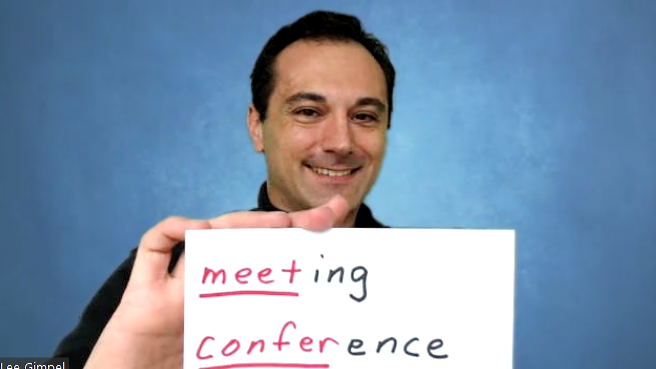
    This client isn’t alone in wanting to add meaningful opportunities for their meeting attendees to connect, talk to each other, catch up, be on video, laugh, say hello. As my friend Lee Gimpel of Better Meetings says, “we need to bring back the ‘meet’ in meetings.” In other words, if your virtual meetings are mostly live or pre-recorded sessions where all attendees can do is comment, you’re not holding a meeting, you’re offering private YouTube videos. Worse, if all or most of your education is pre-recorded, you’re not giving your attendees to attend in real-time because hey, they can watch these videos anytime. Just like YouTube or Netflix.

    So what are your options for adding the “meet” to your meetings? In BeSpeake, we have our own web-based video rooms that can be used for breakout rooms, 1-2-1 video meetings, exhibitor sessions, speed networking, cohort groups, and so much more. Clients are finding creative ways to allow attendees to connect with old friends, make new connections, develop business relationships, even strike deals.

    One BeSpeake client had a whopping 54% of their attendees participate in break out discussions or 1-2-1 appointment scheduling. In other words, more than half of their attendees participated in an activity where they were on video with other attendees. Wow.

    But wait. While 54% is an amazing number, I’m not satisfied. I’m working with my team to get that number even higher and I’ll blog about what we are trying and learning over the next few months.

    How about you? What is your organization doing to bring the “meet” back to meetings?

    P.S. Lee from Better Meetings will be joining me for a conversation on April 7th at 2pm ET as we dive into “How to Deliver Collaboration and Connection at Conferences.” He has invaluable ideas and insight; I hope you can join us!


  • Virtual Events Made the Conventions and the Inauguration Celebrations More Accessible

    Virtual Events Made the Conventions and the Inauguration Celebrations More Accessible

    US Capitol BuildingOn January 20, I watched the Presidential Inauguration celebration from my couch. Normally, I would have been jonesing over the inaugural balls I’ve never been invited to, but this year, I had a front row seat as Tom Hanks hosted a star-studded musical extravaganza. How amazing to see John Legend, Justin Timberlake, Bruce Springsteen, Yo-Yo Ma and Katie Perry (among so many amazing artists), and I loved that ordinary Americans got to introduce these stars.

    I felt the same during the Democratic National Convention last August. Yeah, sure, every Democratic and Republican convention is televised, sort of. You can watch on C-SPAN, or catch highlights on network or cable television, but this coverage always seemed so cold and distant, like an afterthought. Last year, the Convention went virtual. Remote viewers were the main audience and boy were we treated well. It felt like we joined Michelle Obama in her office. And the state roll call, normally a dry and pompous affair, became a celebration of America as delegates, parents, teachers, small business owners, essential workers, activists and elected leaders cast their states’ votes to nominate Joe Biden. Three delegates from California were on a beautiful bluff, the delegate from Alabama was on the famous Edmund Pettus Bridge, tribal members from states with large Native American populations announced their states’ votes, and on, and on. It was glorious! And I got to be part of it! We all did!

    Four years from now, presumably most Americans, indeed citizens of the world, will have been vaccinated and in-person events will once again become the norm. Will we go back to the exclusive conventions and balls of the past? Will I once again sit on my couch and wonder how I could have gotten myself invited to an inaugural ball? I sure hope not. The pandemic has broadened the reach of these events, and allowed ordinary citizens to be part of the proceedings, the events and the fun.

    While I am dying to see my family and friends, meet with clients, and travel on vacation, I hope we don’t go back to the way things were. I hope we figure out how to continue to make our events more accessible to everyone.


  • The Road Ahead for Virtual and Hybrid Meetings in 2021

    The Road Ahead for Virtual and Hybrid Meetings in 2021

    Woman taking virtual classLast week, I had the pleasure of attending the Techsy Talk Global Conference. One of the best sessions was called “The Road Ahead: Industry Landscape for 2021” by Howard Givner of the Event Leadership Institute.

    Howard provided an overview of the meetings and conference landscape, covering the latest news related to vaccines, state COVID regulations, and meeting statistics and predictions.

    What’s the road ahead for live events? If you plan to have live events in 2021, Howard says:

    • Be prepared for uncertainty.
    • You will have a lot of last-minute registrations.
    • You will have a lot of no-shows.
    • Be prepared for short notice pivots to virtual because of state-mandated shutdowns.
    • You need to calculate your attendees’ psychological comfort level with risk
    • What will the economics be for a venue that could house 1,000 people pre-COVID, but can only house 10 people post-COVID? Does this even make sense?
    • There is always a risk that your event could become a super-spreader event.
    • At the end of the meeting, if nobody is sick, can you truly say that you held a safe event? What if you had attendees who were asymptomatic and spread the virus to your other attendees?

    In light of all this, Howard recommends “Reverse Hybrid Planning.” In the past, conference planners treated the in person event as the base experience, and virtual was the add-on. But today, Howard thinks we should consider the virtual event as the base experience, and the in person event as the add-on experience. Why?

    • Because meetings and conferences aren’t expected to go back to their pre-pandemic attendee levels for another 3-5 years, and that’s assuming the vaccines are effective AND people agree to get them
    • Because employers are going to look hard at the ROI of conferences and training. Most employers today are probably thinking, “if I can train 4 people for the price of one, or spend a lot less money training one, I’m going to choose that option.”
    • Because virtual events have opened conferences and training to a whole world of people who previously couldn’t get on a plane or be away from home for a multitude of reasons.

    As for us here at Matrix Group and BeSpeake, so far, clients are planning on being virtual through April 2021. Most are hoping that in person events will start to come back starting in May. And most are thinking they will need to plan for a hybrid experience starting in 2021.

    How about you? What’s your event planning strategy for 2021?

  • Are you Team Live or Team Pre-Recorded During Virtual Meetings?

    Are you Team Live or Team Pre-Recorded During Virtual Meetings?

    on air sign with microphoneI’m attending and speaking during the techsytalk GLOBAL conference this week. Liz King Caruso, the organizer, ran a poll on the first day and asked attendees if they were on Team Live or Team Pre-Recorded. Turns out 100% of the attendees voted Team Live. And yet…

    I attended a couple of conferences last week where meeting planners and vendors were extolling the virtues of pre-recorded: you can have more sophisticated graphics, you eliminate the chance of speakers’ Internet connections going down, you can edit away mistakes by speakers, speakers don’t need to be available the specific days of your conference, yada, yada.

    So why did 100% of Liz’ attendees (at least during that session on Day One) vote for Team Live?

    Eight months into this pandemic and I think meeting attendees’ expectations have shifted. They are looking for live and authentic gatherings, even if they aren’t perfect.

    • Live gives attendees a reason to attend your meeting on specific dates and times.
    • Live gives attendees a chance to interact with speakers beyond chat.
    • Live allows attendees to set aside x days and hours for your meeting and concentrate their involvement.
    • Live creates energy.

    Don’t get me wrong. Live isn’t necessarily easier or harder. It’s just different. And if you offer live sessions, you need to plan for live. You need backup upon backup. You need staff to support live. You need a vendor that knows, understands, and embraces live.

    Does your entire conference need to be live? Absolutely not. But I do think that these days, any successful conference needs live elements. Live can take on many forms: live discussions, live speakers, live video meetings, live networking.

    Go Team Live!