Matrix Group International

Author: Leah Monica

  • What is Answer Engine Optimization (AEO)? 

    What is Answer Engine Optimization (AEO)? 

    Summary: Answer Engine Optimization (AEO) is the strategy of structuring your content so it becomes the direct answer to specific questions people ask through Google and voice assistants like Siri or Alexa. It builds on strong SEO practices and helps your content show up when there’s only room for one answer. For associations, AEO is a powerful way to get your expertise in front of the right people—especially as zero-click searches and AI-generated summaries become the norm. This post breaks down what AEO is, how it’s different from SEO, and how to start optimizing your content today.


    How we search, and how we get our answers, has fundamentally changed in the last few years. Heck, even in the last few months, thanks to Google’s AI Overviews. 

    We’ve all been trained to stop typing vague keyword combos and start asking real, specific questions into our favorite search engine. For example, instead of searching for “nursing license CE requirements,” you’re more likely to type (or say): “How many CE credits do you need to renew your nursing license in Virginia?” or “What are the continuing ed requirements for an RN in VA?”

    And what happens when you do that?

    Before late 2024, you’d see a list of links: sponsored ones first, followed by organic results. Now, more often than not, you’re served a single answer right at the top. Sometimes, the answer is just a snippet, sometimes it’s an AI-generated summary, sometimes it’s read out loud by a smart speaker while you’re elbow-deep in dinner prep.

    And most of us? We take the answer and move on. That’s why, by the end of 2024, nearly 60% of searches were zero-click, meaning people got what they needed without ever clicking through. And that’s after AI Overviews had only been fully rolled out for a few months!

    So what can you do to stay visible and relevant in this new, zero-click world? That’s where Answer Engine Optimization (AEO) comes in.

    Answer Engine Optimization, or AEO, is the practice of structuring and optimizing your content so it becomes the answer when someone asks a question in a search engine like Google or to voice assistants like Siri or Alexa.

    Unlike traditional SEO, which aims to get you onto page one of search results, AEO helps you land the single, direct answer that shows up first, whether it’s a featured snippet, an AI Overview, or a voice assistant reading it aloud.

    In short, AEO is what helps you show up as THE answer, or the top answer to a user’s query.

    Not at all. Following SEO best practices is still incredibly important; search engines haven’t gone away, the results are just shifting. Search engines still rely on the same solid foundation you’ve (hopefully) been building all along: a fast, well-structured website, relevant backlinks, and high-quality content that’s written by people who know what they’re talking about. Google’s E-E-A-T framework (Experience, Expertise, Authoritativeness, and Trustworthiness) is still the gold standard for what “good” content looks like.

    AEO adds a new layer to SEO. It compliments and enhances the good work you’ve been doing for SEO, with an added focus of helping AI-powered tools pull the right answers from your content. This means writing clearly, anticipating questions, and structuring and organizing content in a way that makes sense to both humans and machines. 

    Think of it this way: SEO gets you invited to the party; AEO hands you the microphone.

    Good news: this doesn’t require starting from scratch or mastering some new technical magic. AEO is really about adjusting how you structure and present the content you already have, so it works for real people and the machines scanning for answers. 

    • Start with real questions. Your members aren’t typing in vague phrases. They’re asking complete, specific questions, so your content should reflect that. Use tools like Google Analytics, Search Console, or even the “People Also Ask” section in search results to find the actual queries people are using.
    • Match those queries in your headings. Use those natural-language queries as your H2s and H3s, just like the subheadings in this post. It helps search engines and AI tools understand what you’re answering, and it makes your content easier to scan.
    • Lead with the answer. Give the short, direct response first, ideally at the top of the page and within the first sentence or two under each question. Think of it as the takeaway upfront. Then, once you’ve answered it clearly, go ahead and expand with context and details.
    • Add FAQs to high-impact pages. Pages like membership, certification, and events are where your members have questions and are looking for answers. Adding a short FAQ section at the bottom is a great way to surface that info in an answer-friendly format.
    • Use schema markup. This step may require help from your web team, but it’s worth it. Schema helps search engines understand your content structure – especially FAQs, definitions, and how-to content – and makes it more likely you’ll show up in AI Overviews and voice results.
    • Think about how you write and structure your content. Use natural, conversational language, break up content into short paragraphs, bullet points, or numbered steps where appropriate, and always answer before you elaborate.
    • Surface your authority. Associations have deep, authoritative content that’s often buried in PDFs or behind logins, and AI can’t access that. Creating public-facing landing pages that summarize key insights and link to your gated resources is a great way to give search engines and AI models content they can index and cite without feeding your precious, protected content to the LLMs. 

    Answer Engine Optimization isn’t just a buzzword. It’s a response to how real people are searching today, and how AI is changing the way content gets found, surfaced, and quoted.

    For associations, it’s a huge opportunity. You already have the expertise, the credibility, and the authoritative content. AEO helps you make that knowledge more accessible – not just to search engines, but to the people asking specific, timely questions about your industry. 

    This is your chance to take what you already do well – education, advocacy, standards, guidance – and position your organization as THE authority in search and AI results. 

    Want to learn more about AEO and get your team up to speed? Matrix Group offers an AEO + GEO training tailored specifically for associations. You’ll walk away with a clear understanding of how this shift impacts your content strategy and exactly how to adapt your existing content to help you show up in voice and AI-driven search results.

    Get in touch to learn more and schedule a training! 

  • AI Note-Taking Part 2: Lessons from Five Months of Testing and Refining

    AI Note-Taking Part 2: Lessons from Five Months of Testing and Refining

    After five months of testing AI note-taking tools, Matrix Group discovered that the right tool is only part of the solution. Fathom worked well but didn’t match our workflows, so we built a custom GPT that better fit our needs. Still, adoption lagged until we refined the process, simplified formatting, and gathered ongoing feedback. Real value came when AI was aligned with behavior, not just technology. This blog post explains what we learned and how others can avoid common pitfalls.


    A few months ago, we shared how Matrix Group chose Fathom as our AI-powered note-taking app after testing multiple options. It was an exciting step in our AI journey—one that promised to make note taking more accurate and efficient, ensuring that key takeaways didn’t get lost in the shuffle.

    But as we started using Fathom more regularly, we ran into some challenges. Not because the tool wasn’t working—it was!—but because it wasn’t working for us in the way we needed it to.

    When we first implemented Fathom, we were excited about how well it captured and summarized our meetings. The AI did exactly what it was designed to do—generate summaries, highlight key points, and pull out action items. 

    But as we started using it regularly, we realized that Fathom wasn’t quite working for us. Here’s where things got tricky: 

    • The way Fathom labeled action items didn’t quite align with how our team structures follow-ups. The AI was tagging both “to-dos” and “next actions,” but in a way that didn’t match our workflow, which meant our project managers had to do additional editing to make the notes truly actionable.
    • The formatting of the notes wasn’t translating well into our client extranet. This meant extra steps to clean things up before sharing them out with our clients.
    • We weren’t experiencing the time savings we expected. Instead of eliminating work, we found ourselves reworking AI-generated notes to fit our processes.

    These issues didn’t mean Fathom was a bad tool—just that it wasn’t the perfect fit for how we work. So, we started exploring ways to tailor AI-generated meeting notes more precisely to our needs.

    We asked the big question: What if we wrote a custom GPT for note taking?

    Since we already used custom GPTs for other tasks and workflows, we were confident that a custom GPT could help us process meeting transcripts and generate notes formatted exactly how we wanted. And, it did! 

    We created a custom GPT that would take transcripts from Zoom, Teams and Google Meet and generate meeting notes that:

    • Listed the meeting attendees, grouped by organization
    • Organized the notes by topic; the notes were appropriately detailed (Fathom sometimes summarized discussions too much)
    • Listed the To Do items at the top and bottom of the notes
    • Used limited formatting so the notes could be sent through our company intranet

    This new custom notetaker was amazing. We rolled it out to the project managers and cheered when they said this notetaker was better than Fathom.

    A few weeks later, we discovered a problem: No one was using our new custom notetaker

    Why? The process required extra steps—logging into Zoom, downloading the transcript, uploading it to our custom GPT, and retrieving the notes. It was an extra layer of work that most people weren’t willing to take on.

    To make adoption easier, we assigned a team member to handle the AI note-taking process for everyone. The idea was simple: instead of expecting project managers to run the process, we’d do it for them and distribute the notes.

    Yet when we followed up, we realized something surprising: PMs still weren’t using the notes.

    Why?

    • The formatting was still too complex for our extranet.
    • The AI was summarizing too aggressively, stripping out details that were important for context.
    • Even with automation, there was no real buy-in.

    It took five months of testing, tweaking, and getting feedback before we finally got the process right. We adjusted our custom GPT to balance summaries with key details, stripped out unnecessary markup, and made sure the process was as seamless as possible.

    But the biggest lesson? Tools alone don’t change behavior.

    For AI adoption to stick, there needs to be:

    • Ongoing feedback: We had to regularly check in to see what was working and what wasn’t.
    • Follow-through: Just setting up a tool isn’t enough. We had to make sure people were actually using it.
    • Authority to drive change: Someone with authority over the process needs to champion the change.
    • Iteration: Refinement takes time. Expect to make several changes along the way.

    After months of refining, our AI note-taking process finally works the way we need it to. We’re getting the right level of detail, in the right format, and without creating extra work.

    But if there’s one thing we’ve learned, it’s this: AI tools (or any technology for that matter!) are never “set it and forget it.” They require tuning, testing, and continuous feedback to actually deliver value.

    We’d love to hear from you. Have you experimented with AI for note-taking? What worked and what didn’t? Let’s compare notes!

  • How to Customize ChatGPT to Avoid Overused AI Words

    How to Customize ChatGPT to Avoid Overused AI Words

    CEO Joanna Pineda and I have a running joke that whenever we see “delve” and “embark” used in the same paragraph (even better if it’s the same sentence) we wager a lot that AI was involved in the drafting.

    If you’ve been using AI tools like ChatGPT for content creation, you’ve probably noticed this, too. AI definitely favors certain words – tapestry, synergy, foster, beacon, treasure trove. And while there’s nothing wrong with these words, overuse of them (whether AI generated or not) can make people think your content is AI-generated, which can impact credibility.

    So how do you make sure ChatGPT avoids these words, or other words that don’t sound like you, when helping you to draft or edit content? We’ve been experimenting with this a lot at Matrix Group, and one of the most helpful techniques I’ve found is building and refining a personal word exclusion list. Here’s how to do it:

    The first step is to figure out which words don’t work for you and make a list of them. This can include words that are common in AI outputs AND words your organization likes to avoid—maybe they’re too corporate, too cliché, or just don’t match your brand’s voice. 

    A few ways to pinpoint words to avoid:

    • Look at past content. Compare AI-generated text to your own writing. Do you naturally avoid words like leverage or paramount? If so, add them to the exclusion list. 
    • Watch for AI patterns. If you keep seeing the same phrases pop up in AI responses, they’re probably overused.
    • Do some research. There are also many blog posts and Reddit threads that list overused AI words, some of which are industry-specific; these blog posts can be very helpful. 
    • Gut check. If a word makes you cringe every time you see it, it’s worth cutting, whether it’s commonly used by AI or not. 

    Way before AI, Matrix Group had a list of words that, while commonly used in our industry, didn’t match our brand voice, so we agreed to strike from our communications and marketing. Identify words like that, too!

    Here is a list of words that I personally exclude because they show up too often in AI-generated content AND are words I wouldn’t commonly use in my own writing:

    Delve, Embark, Synergy, Underscore, Foster, Groundbreaking, Game changer, Endeavor, Enlighten, Esteemed, Shed light, Tapestry, Treasure trove, Testament, Peril, Amplify, Beacon, Convey, Resonate, Interplay, Adhere, Paramount, Furthermore, Profound, Indelible, Bespoke, Cognizant, Encompass, Hitherto, Leverage, Realm, Utilize.

    Keep a running list of your “exclude” words in an easy to access place like a Google doc. 

    Once you’ve got your list, you have two ways to guide ChatGPT (or any AI tool) to avoid these words:

    You can instruct your AI tool with every prompt:

    “Write a blog post about AI customization. Do not use the following words or derivatives of the words: delve, embark, synergy, utilize, leverage, foster….”.

    This method is great for flexibility, but it requires extra effort every time you prompt the AI.

    Some AI tools allow you to set global preferences, which is a huge help. While ChatGPT doesn’t have a built-in “ban list” for words (yet), there IS a way to customize your account so that it avoids your list of words. Here’s how:

    Navigate to your account, and click on “Customize ChatGPT.”

    Scroll down to “Anything else ChatGPT should know about you?” and enter the following: 

    Avoid the following words and derivatives of these words:
    [Your Word List Goes Here]

    Save, and you’re done! 

    Once you’ve built your exclusion list, the next step is staying flexible. It’s easy to get carried away and try to cut every word that feels even remotely “AI-generated,” but overcorrecting can be just as limiting as not correcting at all.

    Your list of banned words should be a living document, not a permanent rulebook. Check your list regularly. If your writing starts feeling too stripped down or bland, it might be because your exclusions list is too long. Or, if new patterns start creeping into your AI drafts, consider adding those words or phrases to the list.

    Here’s the balance we’ve found that works best:

    • Keep your global exclusions minimal. Save the big offenders (like delve and embark) for your always-off list.
    • Use prompt-level exclusions for everything else. When you want to avoid specific words in a particular piece of content, include those directions in the prompt instead of your default settings.

    Also keep in mind that even the best AI outputs will never sound perfectly you, because they’re not! Sometimes the best thing to do is simply edit words here and there to make them sound more like you, without having to ban certain words and phrases entirely. ChatGPT should help you draft your content, not write it in its entirety. In my experience, ChatGPT can get me started, but then I edit heavily to put heart back into my writing, and make it sound authentically me or authentically Matrix Group. 

    Remember, AI can be an amazing tool, but it works best when it reflects your brand’s unique voice. By identifying overused words and guiding ChatGPT to avoid them, you’ll get results that sound more natural, more original, and more you.

    Give it a try! Next time you generate content, test out a prompt that includes exclusions, and see how it changes the output.

    What words do you avoid in writing? Let’s compare notes!

  • 2024 Gift Ideas for the Techie in Your Life

    2024 Gift Ideas for the Techie in Your Life

    The holiday season has arrived, and with it comes Matrix Group’s annual techie gift guide—packed with ideas straight from our team! Whether you’re shopping for a gadget-loving coworker, a nature enthusiast, or that one friend who’s always freezing, these staff-approved picks are fun, practical, and sure to bring a smile. Who knows? You might even find a little inspiration for your own wish list!

    Know someone who’s always glued to their phone but keeps saying they need to “disconnect”? This could be the perfect thing for them. It’s a charging box that doubles as a tool to help you unplug by gamifying phone-free time. It’s sleek, simple, and surprisingly motivating.

    Have a kiddo who’s an animal lover? Or maybe a friend who’s passionate about conservation? This gift is adorable AND educational. You get a plush animal that comes with a code to track a real-life animal in the wild. 

    Keeping track of everyone’s schedules can feel like a full-time job. This digital calendar sits on your countertop and keeps everything organized in one place. It syncs between multiple calendars AND has a chore tracker, shopping list, dinner planner and more to keep everyone on the same page. It’s a lifesaver for busy parents or anyone trying to juggle a lot of moving parts. 

    For the maker in your life, these tools are next-level. Laser cutters and resin 3D printers have become a lot more affordable lately, and the possibilities are endless—custom gifts, cool decor, functional items, you name it. If you know someone who’s crafty or loves a challenge, they’ll flip over these.

    Print your favorite photos right from your phone in seconds! This is great for adding little keepsakes to birthday cards, making memory boards, and even just sticking pictures on the fridge. A must for anyone who loves the tactile joy of a printed photo!

    If you haven’t experienced the joy of saying, “Alexa, turn off the lights,” you’re missing out. You can dim the lights, change colors, or even turn them off from bed with just your voice. It’s like living in the future—but cozier.

    Do you know someone who’s always experimenting in the kitchen—or maybe just someone who really loves ice cream? The Ninja Creami lets you whip up custom ice cream, gelato, sorbet, or even dairy-free alternatives right at home. It’s super fun to use, and the results are delicious! Joanna is obsessed. Be sure to ask her for her favorite recipes! 

    This is for the nature enthusiast in your life (or anyone who just likes the idea of spying on birds in their backyard). It’s a bird feeder with a built-in camera that snaps photos and IDs the birds for you. It’s kind of like your own personal David Attenborough moment every time you check your phone.

    For anyone who’s perpetually cold (hi, that’s me), these are such a game-changer. They’re rechargeable, which makes them way more sustainable than the disposable ones, and they’re small enough to toss in a coat pocket or bag. Great for winter hikes, soccer games, or just typing in a drafty office.

    LEGOs for grown-ups! You build tiny plants that look adorable on your desk or shelf. It’s the kind of project that’s relaxing to work on and satisfying to show off once it’s done. Also great for those with a brown thumb. 

    For the camper, hiker, or anyone who likes to be prepared, a solar charger is one of those “Why didn’t I get this sooner?” items. They’re great for keeping your phone or other devices charged when you’re off the grid or dealing with a power outage.

    What hot tech toys and gadgets do you have your eye on this holiday season—for giving or receiving? We’d love some inspiration from you, too!

  • Google and Yahoo’s 2024 Email Policy Updates: What You Need to Know

    Google and Yahoo’s 2024 Email Policy Updates: What You Need to Know

    2024 is shaping up to be THE year of safer email, starting with big email authentication policy updates from Google and Yahoo, which will take effect on February 1st, 2024. These policy changes will impact what email Google and Yahoo will accept and deliver to their users’ inboxes, in an effort to decrease spam and spoofing. 

    These changes primarily affect bulk email senders, which are defined as any email sender/domain that sends 5,000 or more messages to personal accounts within a 24-hour period. As of now (but this may change), Google is not counting emails sent to Google Workspace accounts in this number – just personal Gmail accounts. 

    It’s important to note that even if you don’t qualify as a bulk sender right now, this appears to be the way of the future for email. All of these updates are now considered email deliverability best practices and more email providers will likely roll out similar, or even more stringent,  requirements in due time. 

    Key Changes to Google and Yahoo’s Email Guidelines

    Google and Yahoo’s new policy updates center on three main elements: email authentication, easy unsubscribe, and spam complaints.

    Email Authentication

    The first policy update affects your domain architecture. You now must use SPF, DKIM, and DMARC to authenticate your emails and prove they’re coming from a legitimate source. Alphabet soup, we know. Here’s a high level overview of what these records do:

    • DKIM & SPF records verify whether mail is legitimate. They prove that the domain in your “from” address is, in fact, yours, and that a sender (this could be your own mail server, a bulk email provider, CMS, AMS, LMS, Community platform, etc.) has permission to send on your behalf. 
    • DMARC suggests what to do with mail that isn’t legitimate. To pass DMARC, a message must pass SPF and/or DKIM authentication and alignment. DMARC tells the receiving mail server what to do if an email from your domain fails DKIM or SPF but appears to be from your domain – a sign that it may be spoofed. Check out this great resource from Sendgrid to learn more about DMARC.

    Google and Yahoo will now require that SPF, DKIM, and DMARC be in place for all bulk senders. If not, deliverability will be affected. 

    Easy Unsubscribes

    It now needs to be as easy as possible to unsubscribe from bulk emails, which Google defines as supporting one-click unsubscribes in email headers. No more burying unsubscribe links in tiny text in the footer! Also, all unsubscribes must be honored within two days. 

    The hope here is that by making it easy to unsubscribe, users will be less likely to hit the “spam” button, ensuring that legitimate email and senders are making it to inboxes. 

    Spam Complaints

    Both Google and Yahoo are cracking down on spam, with advanced algorithms to identify and block spam. Senders with spam complaints averaging 0.3% or higher will start experiencing issues with deliverability, but you should always aim to maintain spam levels at 0.1% or below to ensure your emails are landing in your members’ inboxes. 

    How do you reduce your spam complaints?

    • Make it easy to unsubscribe. The new one-click header policy should help with this.  
    • TELL your members to unsubscribe and NOT to mark emails as spam. Sometimes this is done innocently, but can have a big impact for your org. Let them know that!
    • Monitor your undeliverables and remove them from your list in a timely manner.
    • Respond promptly to members who request to be removed from lists.
    • Be thoughtful about what you are sending and how often you are sending. Don’t give your recipients a reason to feel you are ‘spamming’ them!

    Steps to Get Ready for Google & Yahoo’s Email Updates

    1. Determine IF and HOW these new requirements will apply to your organization, and make a plan for addressing them. 
    2. Make it EASY to unsubscribe from your lists. Most bulk email senders, such as MailChimp, HubSpot, Constant Contact, Campaign Monitor, etc., are already on top of this, rolling out new templates, requirements, and functionality for one-click unsubscribes in email headers.
    3. Talk to your IT Director or Managed Services Provider about DMARC, DKIM and SPF.
    4. Make sure you have DKIM and/or SPF records for all systems that send emails from your domain. 
    5. If you put in a DMARC policy, be sure to consider ALL of the systems that send out emails from your domain. Even a record of ‘none’ can affect deliverability. Here are examples of some systems that may send emails “from” your domain:
    • Your official email server
    • Your bulk email providers
    • Your website (e.g., emails from forms)
    • MatrixMaxx/any AMS
    • Community platforms
    • LMS
    • Custom applications

    What happens if I don’t comply?

    If these new requirements apply to your organization and you don’t comply, your bulk emails will be delayed, blocked, or directed to spam. 

    While these words and changes might feel big and menacing, remember that the email providers have put them in place to reduce spam AND make it harder to spoof your domain and fool email recipients. Now is the time to audit your systems, policies, and procedures to make sure that you are in compliance, no matter how well you followed the best practices in the past.

    Email authentication makes everyone less vulnerable to spoofing and spam attacks, easy unsubscribe helps to keep our spam rate low, and cracking down on spam helps us clear unwanted and potentially malicious emails. 

    As always, we are here for you if you have questions or need help navigation the brave, new world of DMARC!

  • Set 2023 Up for Success: 7 Easy Upgrades to Make

    Set 2023 Up for Success: 7 Easy Upgrades to Make

    Looking for a few easy upgrades that are light on the budget but will start you off strong in 2023? Matrix Group Creative Director Alex Pineda and Lead Front-End Developer Jaime Quiroz have suggestions for a few simple upgrades and updates you can make that will improve your user experience, give you more accurate data, and help you better serve your members.

    1. Pick one template that you use often, and update it

    We live in an era where new and fresh is not just preferred but expected. Keep your brand and assets fresh by auditing and updating one or more of your most-used templates. This could be a template for your: newsletter, PowerPoint presentations, meeting pages, PDFs, press releases, or social media posts. Little tweaks like this can make a big difference, and good designers should be able to do this work fairly quickly. 

    2. Refresh the most visited page on your website. 

    Google loves it when you update your pages, and your users do, too! Take a look at your most visited page, and ask yourself: 

    • What images could we replace to make this page more high-impact? 
    • What can we reduce to increase clarity on this page? 
    • Is the page too cluttered; what can we do to make it simpler? 
    • What is the goal of the page? Is there a clear flow to the call-to-action to meet that goal?
    • Why is this page so popular? What other content can we feature that is connected to the popularity of this page?
    • Is there any industry jargon on the page that needs to be reworded? 

    Even updating two or three little things can make a big impact! 

    Not sure which page is your most-visited page? Take a look at your analytics. If you’re not sure how to do that and need help, maybe now is also a good time to invest in some Analytics training. Speaking of Analytics…. 

    3. Upgrade to Google Analytics 4 

    Google Analytics logo on laptop screen

    If you haven’t upgraded to Google Analytics 4 (GA4), you need to upgrade as soon as possible! Google is sunsetting Universal Analytics on July 1, 2023. Due to the new data model in GA4, you won’t be able to move your data from UA to GA4 and data between UA and GA4 won’t be comparable. You need to start collecting your data in GA4 yesterday to have the comparative reports you’ll need next year. (Psst, if you need help getting GA4 installed on your site or want training on the new interface, we can help!)

    If you already have GA4 installed on your site (bravo!) we recommend investing in one Google Data Studio custom report. Google Data Studio lets you create beautiful dashboard reports that aggregate data and reports so you can see and understand your data more clearly. 

    4. Update link text and button text on your website to improve accessibility and usability. 

    It’s important to make your link text and button text as descriptive as possible on your website. This is important for usability, but even more important for accessibility. People who use screen readers (e.g., people who are blind or low vision) need descriptive links or button text so that they know how to execute an action. For example, a link that says Click here is not useful to screen readers; “Register now” or “Read our annual report” is more helpful. 

    The icing on the cake: this practice is also great for search engine optimization. When you link the whole phrase, your sites gives Google and other search engines better clues about what your content, page, and links are about; this can help boost your authority and ranking. 

    5. Take your most important PDF and turn it into an HTML page.

    Why? For so many reasons. Search engines can’t tell from a PDF what your content is really all about because all of the text is treated equally; PDF pages are lacking H tags that provide a hierarchy for what the page is all about. In addition, PDFs are not good for accessibility, they’re not mobile friendly, and they’re not easy to update. Yes, you have more design control with a PDF, but you need to consider all of the other factors at play. Converting your most important PDFs to HTML pages will drastically improve usability, accessibility, and SEO.

     If you can’t do away with the PDF completely, a great option is to convert what you can to an HTML page, and still make the PDF version available. A great example of this is ERISA Industry Committee’s Policy Priorities document that they turned into a web page, while still making the PDF available. See ERIC’s Policy Priorities web page here

    6. Increase security by using and requiring 2-factor authentication

    If you haven’t already, we beg of you: install 2-factor authentication for EVERYTHING that you can, and update your security policy to require it. Yes, it can create a minor inconvenience – maybe add 15 seconds to a log-in process – but those few seconds might be the very thing that saves your organization from being completely compromised, which would cost you a lot more time. 

    7. Improve your search by adding 10 more best bets

    For your top 10 most searched queries on your site, are your users getting to where they need to go? One way to make sure they get where they want to go, or where you want them to go, is to update your best bets to serve better results. Best bets, or featured results, tell your search engine that for specific keywords or phrases, you want X and Y pages to be at the top. For example, if someone types the word “awards” into your site search, they might get a jillion results, but what they probably want is your awards landing page, so set up a best bet for the awards landing page. Start by looking at your search analytics, determining the top 10-15 searched words or phrases, and adding best bets for those words and phrases. This is a quick and easy thing to do, but has the potential to drastically improve your users’ experience with your site. 

    BONUS: Update your 404 page

    Your 404 page is a great place to have a little fun on your website, and provides a low-stakes opportunity to show a little personality and reinforce your branding in a new and different way. For example, FMI – The Food Industry Association’s 404 page says “Clean up on Aisle 4!” something often said in their grocery store members’ day-to-day. At Matrix Group we’re big Star Wars fans, so check this out: https://matrixgroup-wp-new.matrixdev.net/whoops 

    If you have some extra budget left to spend in 2022 or are looking for quick wins for the start of 2023, we hope these suggestions help! If you want to dive deeper into any of these ideas, you can watch the recording of the webinar we held last week on this topic or reach out to our team, who would be happy to continue the conversation. 

    Remember, little things add up and can make a big impact! 

    What projects are you planning to tackle in 2023, big or small?

  • What Your Virtual Sponsors and Exhibitors Want Most

    What Your Virtual Sponsors and Exhibitors Want Most

    Many organizations are wrestling with how they can pull off a successful virtual meeting, especially with regard to their sponsors and exhibitors. How do you provide real value for them in the virtual environment? How do you convince them that it’s worth the time and investment? Heck, will they even want to consider it?

    Good news! Whether virtual or in-person, sponsors and exhibitors want and need the same thing: access to your members, their target market. We don’t have to tell you that life looks different, but regardless, business is still moving forward, and your sponsors and exhibitors still need facetime with your members.

    Generally speaking, your sponsors and exhibitors want one (or more) of three things from your event:

    1. Leads
    2. Brand awareness
    3. Content leadership

    So how do you know what they want most, and how do you provide avenues for fulfilling those needs? Ask! Have strategic conversations with your sponsors and exhibitors to learn more about what they want. Start by asking your largest sponsors and exhibitors, but talk to everyone, even if it’s just an email:

    • What value do your exhibitors and sponsors get and expect from your in-person conference and tradeshow?
    • Have their sponsorship and marketing goals or objectives changed recently, as a result of the pandemic?
    • Have they participated in a virtual event or meeting recently? What was their experience? Good? Bad? Indifferent?
    • If they can still meet their goals, are they willing to support YOUR event?

    Before you enter into these conversations, make sure you brainstorm with your team and have a list of things you’re thinking of offering to your sponsors and exhibitors. During the conversation, be sure to listen, be open-minded, and take feedback. Then, design sponsor and exhibitors opportunities, and your event, with their needs in mind.

    The world has changed, but your sponsors and exhibitors continue to be invaluable partners for your organization. Give them what they need, and they’ll partner with you for life, no matter the venue.


  • Tips for Working From Home Effectively

    Tips for Working From Home Effectively

    Guest post by Leah Monica, Director of Marketing

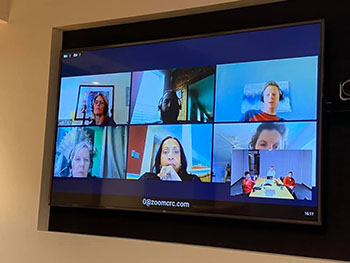
    Matrix Group zoom video callWith the Coronavirus officially declared a pandemic by the World Health Organization, many organizations are requiring that their employees work from home. When working remotely full-time isn’t the norm for you and your staff, it can be tough to know how to stay productive, stay connected, and make the most of your days.

    I’ve been working remotely full-time for Matrix Group for just over 4 years, and during that time I’ve unlocked the secrets for making remote work super productive and enjoyable. Here are my top tips:

    Get up and get ready for your day

    Many people say one of the perks of working from home is just being able to roll out of bed 30 seconds before you need to start working. Sure, in theory that’s true, but I’ve found that if I don’t get up, take a shower, make my bed, and have my morning cup of coffee before I sign on for the day, I am much less productive. Be sure to show up at your best, just like you would if you were going into the office – fresh-faced and alert.

    Don’t work in your pajamas

    While staying in your pajamas all day and getting paid to do it may sound like a dream – they’re so darn comfortable – many studies have shown that how you are dressed impacts your productivity. You don’t need to put on a suit, but try to wear something that you would be willing to wear out in public. It will shock you how much more alert you will feel throughout the day!

    Sit at a desk

    …and not on your couch, in your recliner, or on your bed. Just like the clothes you are wearing, your environment can have a strong impact on your productivity. It’s tempting to let yourself get a little more comfortable when you’re working from home, but getting comfortable can be very dangerous. I had a friend who once fell asleep for a couple of hours on the job because they decided to settle in to their big, comfortable recliner for the day. Yikes!

    Get out of the house (with caution)

    Social distancing is of paramount importance right now and should be a high priority. However, if you are well and able, taking a quick walk around the block or neighborhood (alone or with your family) will make a huge difference for your sanity. I highly recommend stepping out for a quick walk right at the end of your work day to help make the mental transition between work and home life, and also recommend a quick breath of fresh air any time you’re feeling a bit cooped up.

    Set clear boundaries with others in your home

    If you have a significant other, roommate, kids, or other family members that will be home during your workday, make sure you set firm boundaries and stick to them. Be clear about the hours you will be working, where you will be located, and under what circumstances (if any) it’s okay to interrupt.

    Leave the chores for later

    While it may be tempting to sneak in a load of laundry or two, unload the dishwasher, or get dinner started, try to save your chores for outside of working hours. Take advantage of the time that you would otherwise be commuting to get the housework done so that you can focus 100% on your job during business hours.

    Stay connected

    Don’t let the fact that you’re physically removed from the office impact your work or work relationships in any way. Set up regular calls with your team, get on video chat for important meetings, and make sure to stay active on your company instant messenger. It will make all the difference!

    Do you work from home often? Have any other tips to share about effectively working from home? Please share!

  • Tips for Increasing Email Deliverability

    Tips for Increasing Email Deliverability

    Guest post by Leah Monica, Director of Marketing

    Sending EmailsWe all constantly hear about email marketing best practices to help increase our open and click rates – subject lines, concise copy, clear calls-to-actions – but what good are those best practices if our emails aren’t even reaching your contacts’ inboxes?

    Why do your emails sometimes get blocked? Here’s a quick rundown on some things that can affect email delivery:

    Email delivery is best for personal emails sent from one person to another person. Not surprising, right? From there, delivery rates start to go down when you send to larger groups of people, specifically when you’re sending to 20+ individuals per email, or when you use any type of list or bulk email platform.

    On top of that, there are also a variety of filters that catch or reject mail, for a variety of reasons. Sometimes it’s because people are marking your email as spam (more on that another time!), but sometimes corporate filters simply decide that too much mail has come from one particular group/IP and they cut it off for fear of spam or malicious intent. For example, if you sent a message to 100 people at one of your member companies, 20 of them may get it while 80 do not.

    So what can you do? Here are some immediate solutions that may help:

    • Ask your members to ask their IT groups to whitelist your organization, either by domain (including anything from any of your subdomains) or by IP address.
    • Remind your members to not mark your messages as spam or junk, but to simply unsubscribe or contact you if they want help getting off some of your lists.
    • Watch the amount of email you are sending out. Don’t make them want to press the ‘junk’ button. Also be careful not to make your subject lines sound spammy.
    • Beware of attachment sizes! Some corporate groups block emails with attachments as small as 5MB.

    One of our biggest tips is to have someone on staff look at your email delivery reports each week, and follow up on a few email addresses that are marked as hard or soft bounces. i.e., call that person or the primary contact of that organization, and confirm people/email addresses. This is also a good time to ask if they can whitelist you! A couple of our clients systematically do this, and they report it is a good way to chat with the members casually, in addition to keeping their database clean. Wins all around!


  • 5 Favorite Free Stock Photography Resources Part II

    There’s no doubt about it: finding good stock photography can be tough.  And when it isn’t tough, it’s expensive. When I scroll through images on the popular stock house websites looking for images for our blog posts or newsletters and see how much they’re charging for their stuffy, posed, man-in-suit photos I am always aghast. And annoyed. Very, very annoyed.

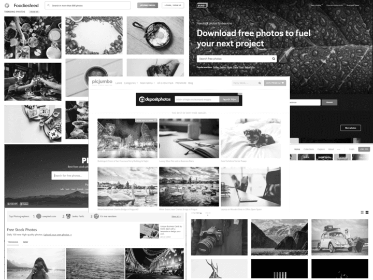
    Thankfully, I’ve come across a few great stock photography websites recently that are completely free. While we still use many of the resources that Andi shared a few years back, the sites below have become my new go-tos. Most, if not all, of these sites are full of royalty and attribution-free photography, meaning you can use, copy, modify, and distribute these photos without the permission of, or reference to, the photographer. Yes, even for commercial use!

    1. Pexels – Built to help designers, bloggers, and just about everyone else find high-quality, free images, Pexels is one of our absolute favorites. They recently launched a free stock video collection as well.
    2. Unsplash – Started as a Tumblr blog where a photographer shared 10 photographs that were leftover from a photo shoot, Unsplash has grown to a collection of over 300,000 photos contributed from over 50,000 photographers. They are all simply stunning (and all free)!
    3. Burst – Powered by Shopify, this free stock site was built to “empower designers, developers, bloggers and entrepreneurs to create stunning websites and marketing campaigns.” There are thousands of stunning stock photos, ripe for the choosing!
    4. Pic Jumbo – When the large stock houses turned down freelance photographer Viktor Hanacek’s photos, he decided to use his coding skills to start his own free stock website. Almost all of the images were shot by him, and while he always welcomes attribution, it’s not required. The only thing you can’t do is redistribute the photos, but if you’d like to, there’s a paid plan available for that purpose.
    5. Foodiesfeed – While this stock site may only be of interest to a limited audience, there are lots of high-res and drool-worthy free food photos on this site.

    Remember that over time licensing agreements on these sites may change, so be sure to always, always read the fine print and abide by the rules!

    Have you found any other great royalty-free stock photography websites? Please share!