Matrix Group International

Tag: Strategy

  • Why Journey Mapping is so Important to Creating Amazing Member Journeys

    Why Journey Mapping is so Important to Creating Amazing Member Journeys

    Member Journeys

    Matrix Group is working on an email signup project for a longtime client. This client wants to create an easier way for members and non-members to see all the newsletters the association has to offer, and easily subscribe to receive them. Some newsletters are open to the public, while others are members-only. The client has many goals with this project:

    • Showcase all of their newsletters
    • Get more people signed up
    • Make it easier to sign up

    Seems simple, right? Not so fast. In fact, it’s taken us a few weeks and multiple rounds of wireframes to get what I think will be a winning sign up form. The form itself will look simple BUT it will ultimately be the result of intentional journey mapping to ensure that the sign-up process is simple and amazing.

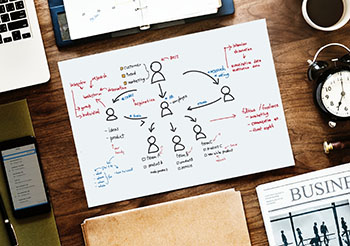
    How do we do it? First, we identify the audiences and the tasks they wish to accomplish. Then we map out the journeys they need to take to get what they want. We ask questions like: Will the person need to log in? What if they don’t already have a username? What if they forgot their password? How will they know that they are not eligible to subscribe to specific newsletters?

    Here’s a simple sign-up journey: Member is already logged in, goes to the sign-up form, presses the Subscribe button next to the newsletters of her choice, and gets a thank you pop-up.

    Here’s a not so simple sign-up journey. This journey took some time to articulate and make easy: Individual is with a member company but doesn’t already have a password. Individual navigates to the sign-up page, presses Subscribe. User is taken to a login page. She doesn’t have a login, so she has to create a profile and attach herself to the proper company. The profile form is two pages. At the end, she can navigate back to the sign-up form; this is important because some systems dump users back to the home page after creating a profile, which is disorienting to users. The form remembers which newsletter she wanted to sign-up for and she gets a success message.

    You see, it’s not enough to create a form and say it works. You need to map all of your user journeys. If your users have to log in, create a profile, or traverse websites, their journey is going to be more complicated, so you have to be intentional about it, know how many steps the journey is going to take, and involve your vendors in making the journey great, even if that journey requires multiple steps.

    If you’re not already doing this kind of journey mapping with all of your projects, start now. You don’t need special software to do it, but you do need time to explore the journeys. Need help? Give us a call. We love this process and we’re great at asking the questions that will lead to amazing member journeys.


  • We Need to Bring Back the “Meet” in Meetings

    We Need to Bring Back the “Meet” in Meetings

    During a kickoff meeting with a new BeSpeake client, I asked this question: What did not work during your annual meeting last year? Answer: While the education offerings were excellent, there were few opportunities for attendees to connect and network, and the few that did exist, were simple text chats.

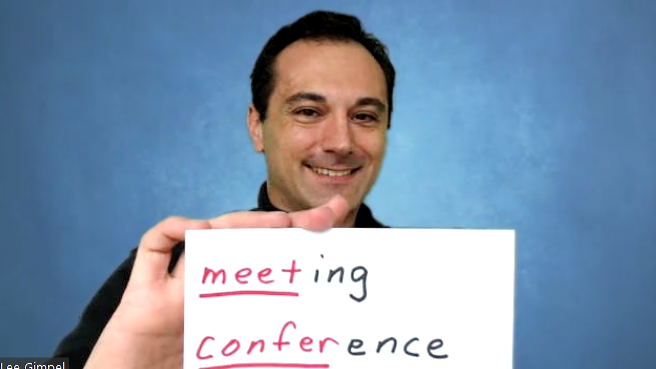
    This client isn’t alone in wanting to add meaningful opportunities for their meeting attendees to connect, talk to each other, catch up, be on video, laugh, say hello. As my friend Lee Gimpel of Better Meetings says, “we need to bring back the ‘meet’ in meetings.” In other words, if your virtual meetings are mostly live or pre-recorded sessions where all attendees can do is comment, you’re not holding a meeting, you’re offering private YouTube videos. Worse, if all or most of your education is pre-recorded, you’re not giving your attendees to attend in real-time because hey, they can watch these videos anytime. Just like YouTube or Netflix.

    So what are your options for adding the “meet” to your meetings? In BeSpeake, we have our own web-based video rooms that can be used for breakout rooms, 1-2-1 video meetings, exhibitor sessions, speed networking, cohort groups, and so much more. Clients are finding creative ways to allow attendees to connect with old friends, make new connections, develop business relationships, even strike deals.

    One BeSpeake client had a whopping 54% of their attendees participate in break out discussions or 1-2-1 appointment scheduling. In other words, more than half of their attendees participated in an activity where they were on video with other attendees. Wow.

    But wait. While 54% is an amazing number, I’m not satisfied. I’m working with my team to get that number even higher and I’ll blog about what we are trying and learning over the next few months.

    How about you? What is your organization doing to bring the “meet” back to meetings?

    P.S. Lee from Better Meetings will be joining me for a conversation on April 7th at 2pm ET as we dive into “How to Deliver Collaboration and Connection at Conferences.” He has invaluable ideas and insight; I hope you can join us!


  • The ASAE Annual Meeting Goes Virtual; Why This is a Good Decision

    The ASAE Annual Meeting Goes Virtual; Why This is a Good Decision

    ASAE 2021 virtual I read the email from ASAE (the American Society of Association Executives) yesterday afternoon about the ASAE Annual Meeting. Citing concerns for the health and safety of all members, ASAE Annual, which was supposed to be in person in Dallas, will once again be virtual, coupled with smaller, regional hub gatherings. Ugh. After a year of no in person meetings, I was so looking forward to this conference. I love ASAE Annual. I love the sessions, catching up with friends, the social events, the exhibits, all of it. I’m even scheduled to do two sessions: one with Elise Kuurstra from EAIE and Gretchen Steenstra from DelCor; and one on leadership lessons from the martial arts. Sigh. Who knows if I’ll even have the chance to do these sessions this year.

    ASAE is not alone in this decision. Many Matrix Group clients, including clients using our virtual meeting platform (BeSpeake), have decided to go virtual with their meetings, at least through September 2021.

    But there’s another dimension to the ASAE decision. Texas announced on March 2 that the state no longer has a mask mandate and all businesses can operate at full capacity. Perhaps some are cheering, but I’m not. I have not been vaccinated and since I have no known health risks, I figure I’ll get my vaccine sometime this summer or fall. Which means I was maybe looking at attending the ASAE Annual meeting unvaccinated, in a state that doesn’t have a mask mandate and is operating without social distancing guidelines. Yikes. I was going to think hard about whether or not my speaking opportunities were worth it. Since the meeting is virtual, I don’t have to make any tough decisions.

    While I’m bummed, I know this is the right decision. I have grounded my staff at least through the end of July. Many of our clients report that their members, especially the larger companies, have done the same.

    How about you? What do you think of ASAE’s decision to take their Annual Meeting virtual? What is your organization doing this year?

  • Should Virtual Conference Sessions Be Live or Pre-Recorded?

    Should Virtual Conference Sessions Be Live or Pre-Recorded?

    Non Dues-a-Palooza Virtual Bazaar LiveI’m attending a lot of conferences these days. I’m also helping clients plan and execute a lot of conferences. All of them online, of course.

    One of the biggest questions being asked by meeting planners is: Should my educational sessions be live or pre-recorded? Live streamed at a certain time or available on demand?

    Pre-recorded has some obvious benefits:

    • Your speakers won’t have technology issues
    • You can control the start and end times
    • You can up the production value of your sessions with extra editing, graphics, transitions, etc.

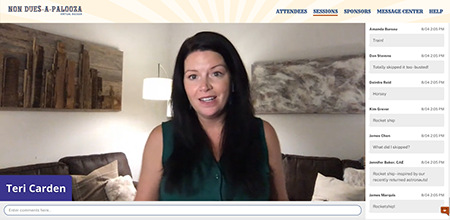
    I recently had the pleasure of working with Teri Carden on Non Dues-a-Palooza, a conference dedicated to helping associations increase their non dues revenue through partnerships and great ideas. Teri had 10 case studies, and 6 pitches by sponsor companies. The case studies were going to be pre-recorded so Teri wondered how she could add a live element to the conference so that the case studies didn’t feel like just another set of zoom webinars. Should the 2-minute pitches by demo companies be live or pre-recorded? Should her welcome be pre-recorded?

    After much discussion, Teri decided on a mixed format: she would be live but the case studies and 2-minute demo pitches would be pre-recorded. In addition, the demos would be live as well.

    Live can be nerve-wracking. You never know what can happen: someone’s Internet drops, the speaker mutes herself accidentally, your schedule falls apart because someone ran long. BUT, live has benefits as well:

    • Your presenters can answer questions in real-time
    • Your presenters can lengthen or shorten remarks as needed
    • Perhaps most importantly, your attendees feel like they are experiencing something happening real-time, that they need to be online at a specific time and place in order to be part of something.

    I’m speaking at the ASAE Annual Conference this week. Speaking is perhaps a weird verb because my session was pre-recorded. Instead, I will be available via chat to respond to attendee comments. There’s a part of me that wants people to listen to my session, not just try to keep up with the stream of comments. If I had my druthers, I would have pre-recorded my session but been live, on video, for the Q&A. But yes, that’s different, more complicated technology to make that happen. So I will be presenting on Wednesday AND responding to questions and comments.

    Personally, if a conference is made up entirely of pre-recorded videos, I think some attendees will lose interest. The motivation to participate NOW will dissipate because sessions are pre-recorded and will inevitably be available on demand, in which case it doesn’t really matter when you watch the videos.

    How about you? How is your organization navigation live vs. pre-recorded? What has worked? What have you learned?

  • How Much Should I Charge for My Virtual Conference?

    How Much Should I Charge for My Virtual Conference?

    Man making online purchase with credit cardAs the world of work continues to transition from physical to virtual, the same is happening to conferences, trade shows, and meetings. There are platforms to choose, new or different program formats to consider, and on and on. But the biggest question on everyone’s mind is: how much should I charge for my virtual conference?

    As with most questions like this, the answer is: it depends. It depends on your industry, the type of experience you’re planning to provide, your attendee demographics, your sponsorship model, etc. But take solace in this: our clients, partners, and friends are finding that attendees don’t expect virtual conferences to be free. People understand that a lot goes into event planning and preparation, and that there are costs associated with any type of event, no matter the format.

    Here are some things to consider when deciding what to charge for your virtual event:

    Consider your industry. How badly have your members, attendees, sponsors, and exhibitors been impacted by the pandemic? Are budgets being slashed? Will attendees be paying out of pocket? If your members are really hurting (and whose members are not?), consider reducing your registration fees to show compassion to members and encourage attendance. Many clients are reducing fees to maintain member engagement and demonstrate that they are being responsive.

    Consider your key demographics. Younger generations are more accustomed to meeting and connecting virtually, more likely be more optimistic about what they’ll gain from a virtual conference, and maybe willing to pay for it. Younger members are also more likely to value your educational programming because they need it to advance their careers. Older attendees may be less comfortable with an online format, and more likely to be skeptical of the value of the meeting because they come for the networking. On the other hand, older members are going to be more senior, and have more access to training funds. In all cases, study your attendee demographics, call up some members, and get some feedback from the field.

    Are you offering CEUs? Many organizations offer attendees the chance to earn Continuing Education Units (CEUs) when they attend sessions. One professional society we know is not lowering fees BUT because the conference will be online and recorded, attendees will have greater opportunities to earn CEs, thereby raising the value of the meeting.

    What level of experience will you provide? Let’s face it. Your attendees expect a highly produced event when they attend in person. Their expectations don’t change because the event is online. They still expect a great user experience, sessions with high production value, and a mix of education and entertainment. Your attendees will be less excited about paying for what feels like watching YouTube videos, sitting through more Zoom meetings with mediocre graphics, and no opportunities for networking. If you’re going to charge top dollar, give your attendees a top dollar experience.

    What’s your sponsorship model? Since there’s more opportunity for sponsors to get prominent face time in front of attendees – think YouTube style ads at the beginning of sessions, banner ads, virtual tradeshows, etc. – they may be willing to purchase richer sponsorship packages, which can subsidize attendee’s conference fees. Alternatively, you may have a harder time getting sponsor and exhibitor buy-in because virtual conferences are untested, or your virtual meeting offers few opportunities for truly showcasing their companies and products.

    It’s really hard to come back from free. Some of our clients are opting to change their conferences to free events. I get it. Members are hurting and it feels wrong to charge money for benefits. BUT a conference that doesn’t generate revenue becomes a giant expense, and members may come to expect that all future events will be free. Yuck.

    While there’s no magic formula, you’ll need to take all of these factors — and more — into consideration. We’re hearing that most attendees are very open to registration fees that are 50-75% of normal registration fees. Will that work for every event and every association? Of course not, but it’s a good starting point. And like I often say, when in doubt: ask! Your members know you’re charting new territory daily, so don’t be afraid to send out a poll to see what their thresholds may be. Good luck and please do share your experiences!

    Looking for a custom tailored virtual meeting platform that can take your virtual conference to the next level, providing your attendees and exhibitors with a comprehensive, hand crafted experience? We’d love to show you a demo of BeSpeake, our new Virtual Meeting Platform. Let’s get it scheduled!

  • How To Turn Your Webinars into Interactive, Virtual Meetings

    How To Turn Your Webinars into Interactive, Virtual Meetings

    virtual meeting man and womanOver the past couple of weeks, client after client has cancelled meetings, tradeshows and conferences. They’re scrambling to find out if they can reschedule events or create an online experience worth good money for.

    For most of our association clients, their meetings are either in person events or live/on demand webinars. Since most organizations already know how to put on a webinar, here are our tips for making them more interactive, more engaging, and worth paying for (many of our clients don’t charge for their webinars).

    Deepen the Learning

    It’s hard to impart a whole lot of learning in a 45- or 60-minute webinar. But you can pack more learning in if you ask more of your attendees. Send them articles to read and videos to watch ahead of time. Let them know that the webinar will be advanced and your presenters will expect some level of knowledge. This way, your speakers can present at a higher level and impart more knowledge.

    Add Interactions

    I’m not always a fan of real-time comments during a presentation. They’re distracting to attendees and presenters. But you can add interactivity by weaving in polls and Q&A into your webinars. These interactions make the online event more interesting, more fun, and often provide insight into the audience’s demographics and needs.

    Create A Micro-Community

    You can further the learning by encouraging conversations with your speakers and attendees. Ask attendees if it’s okay to share their names with other attendees. Create a limited-time Facebook discussion around the presentation. Host a Twitter chat around the topic. Create a blog, populate it with content related to the webinar and ask for comments.

    If you incorporate some of these ideas into your webinars, your attendees will get more than the hour’s worth of content, and hopefully, they’ll come away with a deeper sense of connection with the content and your organization. Good luck and please do share your experiences!


    Looking for a custom tailored virtual meeting platform that can take your virtual conference to the next level, providing your attendees and exhibitors with a comprehensive, hand crafted experience? We’d love to show you a demo of BeSpeake, our new Virtual Meeting Platform. Let’s get it scheduled!


  • What is Tech Debt and What Should You Do About It?

    What is Tech Debt and What Should You Do About It?

    A couple of weeks ago, I did a webinar on Tech Debt with my CTO, Maki Kato, and MatrixMaxx AMS Product Manager, Tanya Kennedy-Luminati, and was also recently featured in an AssociationsNow article on the topic. What exactly is tech debt?

    Wikipedia says Tech Debt “reflects the implied cost of additional rework caused by choosing an easy (limited) solution now instead of using a better approach that would take longer.”

    I say tech debt happens when: 

    • You rush a solution
    • You don’t understand what you’re really trying to accomplish
    • You allow your tech to get too old
    • Your tech no longer meets the requirements of your organization today

    Examples of tech debt include:

    • The membership database that never really met the needs of your meetings department, even at launch
    • The really old version of WordPress that’s hanging out somewhere, just waiting to be hacked
    • The software that you stopped paying support for, and now it’s four versions behind, and it will cost a fortune to upgrade and you may have to start fresh
    • The custom application that is running on an old version of Windows and SQL Server. The app still works but it’s now on an unsupported version of Windows.

    Does this sound like your organization? If so, you might have tech debt!

    During the webinar, Maki, Tanya and I talked about how the first step to addressing your tech debt is identifying and fully describing it. So before your next budget cycle:

    • Inventory your software and systems. 
    • Describe them. 
    • Find out the versions. 
    • Are they working? 
    • Do they meet your needs?

    Even if you are not in a position to do something about the tech debt immediately, you will know what’s out there and you can start prioritizing the list and budgeting for solutions.

    In future blog posts, we’ll talk about ways to remediate and avoid tech debt. Stay tuned!


  • It’s Not Easy Being Green: Our Quest to Have a Sustainable Office Move

    It’s Not Easy Being Green: Our Quest to Have a Sustainable Office Move

    office items for free on tableYou may have already heard the news. Matrix Group is moving. Just down the street. After 10 years, to keep the creative juices flowing, we’re giving ourselves a change of scenery and a change in office format.

    We’re moving to a smaller space but we’re not really losing space. Here’s why: we’re moving to a suite that has access to a fantastic kitchen, library, lounge and two state of the art conference rooms. We never would have been able to afford these amenities on our own, so we’re pretty excited.

    All of this means that we need less furniture and we need it configured differently from what we have now. We have this beautiful system furniture that we bought 10 years ago. It’s paid for, fully depreciated, made in America, in great shape, and really good looking. I should be able to reuse it, right? Wrong.

    Everyone we spoke with said we should buy new furniture. Why? Because it will be too much money to take down, inventory and reassemble the old stuff. Because the new space is different. Because our system is no longer being made, so if we need parts, we’ll be out of luck. Because. Because. Because.

    Can we sell the furniture? Not really. Even though there are used furniture companies around, our consultant strongly discouraged us from trying to sell our furniture because it’s no longer being made. “It has to just go to landfill,” we were told. “You will be happier with new furniture and it will cost about the same amount.” Really?

    The staff and I decided to take a stand, try to save some money and prevent our furniture from going into landfill. Here’s what we’re doing:

    • We tried out a zillion plans but we finally came up with a plan that uses all existing parts in new and different ways. We love the new plan. You’ll have to come see.
    • We’re working with a local school to donate our excess furniture because public schools are always in need of supplies. I love the idea that some teachers will be able to reuse our beautiful desks and bookcases.
    • We’re also giving away our excess office supplies because once we went through our cabinets, we had dozens of empty binders, boxes of new folders, and reams of legal size paper we’ll never use.
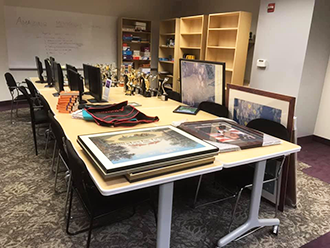
    • We’re giving away desks, frames and kitchenware to staff and eventually to Goodwill. Our large conference room has been a bazaar for the past few weeks; if it’s on the table, anyone can take it.
    • We had dozens of awards (statues and frames) that we just can’t bring with us. We just won’t have the room and some are quite old. Believe it or not, there are places that will take used awards, strip out the labels and reuse them. Imagine this: some drama student is going to get an award previously used for a web design award. Makes me chuckle.
    • We’re giving away a bunch of stuff through a Buy Nothing group on Facebook. What’s a Buy Nothing group? It’s a group on Facebook where all the members agree to ask for what they need and give away their excess. No money is ever exchanged. I love, love, love the Del Ray/Alexandria Buy Nothing group. I’m giving away chairs, office decorations, the works.

    It would be much easier to pay our furniture consultants to haul away the old stuff and install new furniture. We also could have just tossed all of our old things. But heck, our landfills are full and China won’t take our recycling. If we don’t even try to reuse, reduce, recycle, they’re just empty words.

    In the end, we will save money; we estimate that we’ll be saving half of the cost of buying new by contracting with our consultant to move and reinstall. We will, however, have expended significant staff time to sell and donate our things, but we think it’s been time well spent. Not to mention all the happy people who are getting beautiful, inexpensive or free things from Matrix Group. Rajani (my VP) says it’s good karma to give away all this stuff for nothing or next to nothing.

    We’ll post pictures and videos after the move. In the meantime, if you need a desk, call me. Fast.

  • Don’t Redesign Your Website, Redesign Your Member Journeys

    Don’t Redesign Your Website, Redesign Your Member Journeys

    Imapping user flows on paper read a lot of Website Redesign RFPs (request for proposal). They almost always focus on the need for better navigation, a great search, a content management system (CMS) with lots of functionality, a better mobile experience, yada, yada.

    Here’s the problem with these RFPs: they almost always focus exclusively on the website and CMS. What’s wrong with that?

    Well, when we meet with prospects and clients and ask them about their target audiences, goals and most important member journeys, they almost always describe journeys that cross systems. They describe flows through websites, especially membership databases, CRMs, learning management systems, online communities, and other properties.

    In other words, organizations want it to be easy and intuitive to join, renew, register for an event, purchase a publication, access the library, search for content across their myriad properties, etc.. But when they issue RFPs to improve just the website and make statements like, “the membership join form is part of the AMS, that’s not in scope,” they are missing the point. The flows from email to CMS to AMS, for example, are some of the most important journeys a member can make through an organization’s digital properties. Issuing an RFP then for just the website is incomplete and almost guaranteed to fail. You might end up with a beautiful website, but your join flow might still be broken and awful.

    I get it. Communications is usually in charge of the website, IT is in charge of the database, education is in charge of training, marketing is in charge of promotions, yada, yada. It’s really hard to get various departments talking to one another, let alone optimizing user flows together. But they must talk and work together to craft intentional and amazing member journeys. 

  • How Do You Create a 7-Star Member Journey? Lessons from Brian Chesky, CEO of Airbnb

    How Do You Create a 7-Star Member Journey? Lessons from Brian Chesky, CEO of Airbnb

    A couple of months ago, I listened to an interview with Brian Chesky, CEO of Airbnb. Brian talked about how he and his team did a brainstorming exercise where they imagined what a 7-star, 10-star, even a 12-star experience on Airbnb would be like.

    Wait, aren’t star scales always five stars? What the heck is a 7-star or 10-star experience? That’s exactly what Brian and his team set out to explore. Some of their advice includes:
    • Talk to your customers. User feedback keeps you honest and helps prevent costly mistakes in product development that customers won’t want.
    • Ask your customers about the product or service of their dreams. Ask “what would it take for you to tell every person you know about this product?”
    • Imagine what a 1-star or 3-star experience looks like and then try not to create just a 3-star experience.
    • Imagine what a 10-star experience looks like. For example, a 10-star experience is a “Beatles experience” with hundreds of people waiting for your plane and tickets to the most exclusive restaurant in town.
    • Imagine what a mind-blowing, 10-star experience looks like and then talk to your staff and partners to see how much of that experience they can make happen.  

    In essence, you first need to design an extreme experience in order to scale back and create an amazing, affordable, possible experience.

    The next time you’re designing your website, store, conference or new member onboarding campaign, instead of designing just an acceptable and affordable, experience, trying imagining a 7-star experience and then see what’s possible.