Matrix Group International

Tag: Email

  • Google and Yahoo’s 2024 Email Policy Updates: What You Need to Know

    Google and Yahoo’s 2024 Email Policy Updates: What You Need to Know

    2024 is shaping up to be THE year of safer email, starting with big email authentication policy updates from Google and Yahoo, which will take effect on February 1st, 2024. These policy changes will impact what email Google and Yahoo will accept and deliver to their users’ inboxes, in an effort to decrease spam and spoofing. 

    These changes primarily affect bulk email senders, which are defined as any email sender/domain that sends 5,000 or more messages to personal accounts within a 24-hour period. As of now (but this may change), Google is not counting emails sent to Google Workspace accounts in this number – just personal Gmail accounts. 

    It’s important to note that even if you don’t qualify as a bulk sender right now, this appears to be the way of the future for email. All of these updates are now considered email deliverability best practices and more email providers will likely roll out similar, or even more stringent,  requirements in due time. 

    Key Changes to Google and Yahoo’s Email Guidelines

    Google and Yahoo’s new policy updates center on three main elements: email authentication, easy unsubscribe, and spam complaints.

    Email Authentication

    The first policy update affects your domain architecture. You now must use SPF, DKIM, and DMARC to authenticate your emails and prove they’re coming from a legitimate source. Alphabet soup, we know. Here’s a high level overview of what these records do:

    • DKIM & SPF records verify whether mail is legitimate. They prove that the domain in your “from” address is, in fact, yours, and that a sender (this could be your own mail server, a bulk email provider, CMS, AMS, LMS, Community platform, etc.) has permission to send on your behalf. 
    • DMARC suggests what to do with mail that isn’t legitimate. To pass DMARC, a message must pass SPF and/or DKIM authentication and alignment. DMARC tells the receiving mail server what to do if an email from your domain fails DKIM or SPF but appears to be from your domain – a sign that it may be spoofed. Check out this great resource from Sendgrid to learn more about DMARC.

    Google and Yahoo will now require that SPF, DKIM, and DMARC be in place for all bulk senders. If not, deliverability will be affected. 

    Easy Unsubscribes

    It now needs to be as easy as possible to unsubscribe from bulk emails, which Google defines as supporting one-click unsubscribes in email headers. No more burying unsubscribe links in tiny text in the footer! Also, all unsubscribes must be honored within two days. 

    The hope here is that by making it easy to unsubscribe, users will be less likely to hit the “spam” button, ensuring that legitimate email and senders are making it to inboxes. 

    Spam Complaints

    Both Google and Yahoo are cracking down on spam, with advanced algorithms to identify and block spam. Senders with spam complaints averaging 0.3% or higher will start experiencing issues with deliverability, but you should always aim to maintain spam levels at 0.1% or below to ensure your emails are landing in your members’ inboxes. 

    How do you reduce your spam complaints?

    • Make it easy to unsubscribe. The new one-click header policy should help with this.  
    • TELL your members to unsubscribe and NOT to mark emails as spam. Sometimes this is done innocently, but can have a big impact for your org. Let them know that!
    • Monitor your undeliverables and remove them from your list in a timely manner.
    • Respond promptly to members who request to be removed from lists.
    • Be thoughtful about what you are sending and how often you are sending. Don’t give your recipients a reason to feel you are ‘spamming’ them!

    Steps to Get Ready for Google & Yahoo’s Email Updates

    1. Determine IF and HOW these new requirements will apply to your organization, and make a plan for addressing them. 
    2. Make it EASY to unsubscribe from your lists. Most bulk email senders, such as MailChimp, HubSpot, Constant Contact, Campaign Monitor, etc., are already on top of this, rolling out new templates, requirements, and functionality for one-click unsubscribes in email headers.
    3. Talk to your IT Director or Managed Services Provider about DMARC, DKIM and SPF.
    4. Make sure you have DKIM and/or SPF records for all systems that send emails from your domain. 
    5. If you put in a DMARC policy, be sure to consider ALL of the systems that send out emails from your domain. Even a record of ‘none’ can affect deliverability. Here are examples of some systems that may send emails “from” your domain:
    • Your official email server
    • Your bulk email providers
    • Your website (e.g., emails from forms)
    • MatrixMaxx/any AMS
    • Community platforms
    • LMS
    • Custom applications

    What happens if I don’t comply?

    If these new requirements apply to your organization and you don’t comply, your bulk emails will be delayed, blocked, or directed to spam. 

    While these words and changes might feel big and menacing, remember that the email providers have put them in place to reduce spam AND make it harder to spoof your domain and fool email recipients. Now is the time to audit your systems, policies, and procedures to make sure that you are in compliance, no matter how well you followed the best practices in the past.

    Email authentication makes everyone less vulnerable to spoofing and spam attacks, easy unsubscribe helps to keep our spam rate low, and cracking down on spam helps us clear unwanted and potentially malicious emails. 

    As always, we are here for you if you have questions or need help navigation the brave, new world of DMARC!
  • Ready to Declutter Your Digital Life?

    Ready to Declutter Your Digital Life?

    It’s a new year and with a new year comes new year’s resolutions. Many of us resolve to tidy up our closets and garages. This past holiday season, I decided to declutter my digital life. Here’s what I ended up doing:

    Cleared my Email

    I have unlimited storage in Gmail, which is a good thing and a bad thing. To be honest, I had a lot of unread emails, mostly promotional and social emails, but still. All that unread email was weighing on me and stressing me out. I spent two weeks clearing out my email. I’m down to a (more) manageable list of unread emails and overall number of emails. I still have a ways to go but I can see the light at the end of the tunnel. I even deleted about 1,700 drafts of emails; God only knows why they were still in there.

    I Unsubscribed From a Zillion Newsletters

    I have no idea how I get on so many lists. I hesitate to press Spam on most of the messages I receive because most are legit businesses and many are newsletters I subscribed to a while back. But I hadn’t read a Chronicle of Philanthropy or Entrepreneur.com newsletter in ages, so I unsubscribed. Who knows if my unsubscribes will make a difference; maybe for a bit?

    I Emptied My Downloads Folder

    The Downloads folder on my laptop was huge! Every time I download an attachment or an image, it would go into Downloads. Often, I needed the files for something quick and then never again. But those files stayed in Downloads. I realized I had old project files, and I don’t want those on my laptop; I want those files on our company intranet and nowhere else!

    I still need to clear folders in Drive, delete photos in iPhoto on my phone and Mac, yada, yada. But the decluttering I did over the holidays has already lifted my spirits. Turns out digital clutter is just as distracting and annoying as physical clutter, maybe even more so because it’s often hidden and there’s so much of it!

    How about you? Where do you have clutter? What are you doing about it? 

  • Tips for Increasing Email Deliverability

    Tips for Increasing Email Deliverability

    Guest post by Leah Monica, Director of Marketing

    Sending EmailsWe all constantly hear about email marketing best practices to help increase our open and click rates – subject lines, concise copy, clear calls-to-actions – but what good are those best practices if our emails aren’t even reaching your contacts’ inboxes?

    Why do your emails sometimes get blocked? Here’s a quick rundown on some things that can affect email delivery:

    Email delivery is best for personal emails sent from one person to another person. Not surprising, right? From there, delivery rates start to go down when you send to larger groups of people, specifically when you’re sending to 20+ individuals per email, or when you use any type of list or bulk email platform.

    On top of that, there are also a variety of filters that catch or reject mail, for a variety of reasons. Sometimes it’s because people are marking your email as spam (more on that another time!), but sometimes corporate filters simply decide that too much mail has come from one particular group/IP and they cut it off for fear of spam or malicious intent. For example, if you sent a message to 100 people at one of your member companies, 20 of them may get it while 80 do not.

    So what can you do? Here are some immediate solutions that may help:

    • Ask your members to ask their IT groups to whitelist your organization, either by domain (including anything from any of your subdomains) or by IP address.
    • Remind your members to not mark your messages as spam or junk, but to simply unsubscribe or contact you if they want help getting off some of your lists.
    • Watch the amount of email you are sending out. Don’t make them want to press the ‘junk’ button. Also be careful not to make your subject lines sound spammy.
    • Beware of attachment sizes! Some corporate groups block emails with attachments as small as 5MB.

    One of our biggest tips is to have someone on staff look at your email delivery reports each week, and follow up on a few email addresses that are marked as hard or soft bounces. i.e., call that person or the primary contact of that organization, and confirm people/email addresses. This is also a good time to ask if they can whitelist you! A couple of our clients systematically do this, and they report it is a good way to chat with the members casually, in addition to keeping their database clean. Wins all around!


  • How to Make Your First Day Back at Work Productive After a Vacation or Leave of Absence

    How to Make Your First Day Back at Work Productive After a Vacation or Leave of Absence

    I used to dread my first day back in the office after vacation. After being away for a week or two (or more when I had my sons), I did not look forward to coming back and being buried in emails and getting caught by surprise by someone who needed my urgent attention.

    But not anymore. Not since Matrix Group started creating “while you were out” documents for anyone out of the office for more than a couple of days.

    Here’s how we do it:

    • We review who’s going to be out during managers meeting on Fridays.
    • If someone is going to be out for more than a couple of days, we create a shared Google doc called “While x was out, week of January 19, 2018.”
    • We put someone in charge of making sure the document is populated.
    • We ask specific team members to put in their notes about what happened during the week. We put in notes about anything and everything that the person on vacation would have been part of, or heard, had she been in the office.

    The update is ready the day before the person comes back from vacation or leave. An email goes out, telling the vacationer to “read this update first.”

    What do we cover in the “while you were out” document?

    • The update will vary, based on the person and role. For example, project managers get a summary of everything that happened on all of their client accounts. A Director gets a summary for the entire company. A developer gets a summary of what happened on his accounts and projects.
    • Beyond specific clients and projects, we also report on what was discussed during meetings. This is really important. If we discuss a project that’s been stalled and come up with a solution, it’s so helpful for the vacationing staffer to know how we got a project unstuck. If we don’t report on it in the brief, that knowledge may never get passed on to the manager or developer.
    • We also report on the social stuff that happens at the office, things like happy hours, birthdays, who got pranked, movies people are raving out, puppy visits to the office, who got engaged, and visits to the climbing gym. God forbid you be the person who didn’t know that Alex got married or that Roger got a new puppy!

    Why go to all this effort?

    • People coming back from any type of leave don’t have to spend all day reading their emails in order to know what happened while they were out. In fact, we often do not cc: the person on vacation so they don’t come back to hundreds of emails to process.
    • Returning staff can immediately be back in the swing of things.
    • People feel like they can get away without missing important events or milestones.

    It takes a whole team to write these documents, but they are so worth the time and effort.

    What do you do to make the transition back to work easier on your team members? 

  • Why Matrix Group Was Finally Ready to Switch to Google Apps

    Google appsA few years ago, I blogged about Google Apps. I wondered if my business, and businesses everywhere, were ready to make the switch to Google Apps.
    Well, a few years later, we finally made the switch. A couple of months ago, Matrix Group switched over to Google Apps. We now use:

    • Gmail for email
    • Google calendar for our corporate calendar
    • Google slides for presentations
    • Google drive for file sharing
    • Google hangout for some internal meetings

    So why did we switch to Google Apps?

    First, the Google Apps suite is just so good, it’s hard to ignore as an offering. The calendar and email are terrific. Second, many of us use Office 365 but the file sharing is simply not as easy, fast or intuitive with OneDrive, so we started using Google Drive. Next, we were already using Google slides for presentations because it is simply awesome having five people work on slides at the same time during collaboration meetings. Finally, a friend who runs a private security firm gave Google the thumbs up, so any lingering concerns about security melted away.

    We timed the switch to coincide with our email renewal and discovered that switching to Google Apps is less expensive than the renewal for our email alone. And now we don’t need to worry about hardware, patches and upgrades.

    So what’s different and what have we learned?

    1. Most of us already use Google personally, so it wasn’t a huge stretch to switch to Google. We did find, however, that we needed to create new protocols for scheduling meetings. For example, we have a main calendar and a PTO calendar. The PTO calendar makes it easy to filter on who’s out. Only the admin staff can edit the PTO calendar.
    2. Even though it’s Google, training is still important. We’ve held several all staff trainings to review the protocols for calendar, email and security. IT worked with each staff person to make sure they downloaded the Duo app, which we use for two-factor authentication. We also have a Slack channel devoted to Google Apps issues, questions and discoveries.
    3. We are only scratching the surface of what’s possible. We embedded the Google calendar into our intranet, which was super useful because we can see everyone’s schedule, with the ability to filter by person. During the last staff meeting, I figured out how to create a Google hangout from the calendar detail page. Score! And we think there’s a way to create a hangout from a Slack channel. We’re learning new stuff every day.

    So far, the switch has been terrific. For less money, we’ve added new functionality, made systems more intuitive and made our systems more secure. I’ll keep blogging about our journey with Google because I suspect the journey has just begun. If you are using Google Apps, why did you switch and what’s been your experience so far?

  • The Great Banana Bread Experiment: Are People Really Reading Your Emails?

    The Great Banana Bread Experiment: Are People Really Reading Your Emails?

    bread_500pxA couple of weeks ago, I sent out an important message to my entire staff about IT support. We had recently put in some technologies to make it easier for staff to request IT support during business and non-business hours, and some of our procedures had changed. The subject line began with PLEASE READ, and it came directly from me, Joanna Pineda, CEO and the person who signs everyone’s paycheck.

    The email was longish so I decided to do a test. At the very bottom of the email, I wrote:

    “BTW, if you read all the way down to this message, send me an email with the words “banana bread” in the subject line. I’ll bring in banana bread for you next week and for God’s sake, don’t give this away on Slack or any other method. Curious to see how many people will read this message. Cheers.”

    So how many people sent me a banana bread email? Out of 40 people, seven people sent me emails. Seven – that’s it!

    To be fair, the IT team already knew the procedures. And I had discussed the procedures with a few staff before sending the emails.

    kate_bread_smDuring staff meeting last week, I asked everyone if they had: read but not responded, skimmed and not read my banana bread message, or if they didn’t read the message at all. I gave everyone amnesty if they told me the truth. I got these responses:
    • I already know the policies
    • I skimmed the part about the policies to make sure I knew what I needed to know
    • Too long, didn’t read
    • I don’t like banana bread
    • I didn’t see the email

    I conducted a similar experiment a couple of months back when I sent an email to my son’s Cub Scout pack, of which I’m the committee chair. The email contained information about the next pack meeting, an upcoming camping trip… Yada, yada – if you’re a Scout parent, you understand me. At the bottom, I said:

    “Okay, thanks for reading this far. If you got this far, email me and put the word “magnet” in the subject line and I’ll give you a Friends of Scouting magnet at the next meeting.”

    Out of 60 people on the list, three responded. Two said they’d take a magnet and one said, “Magnet – but I don’t need a magnet. What fun!”

    I know this wasn’t a scientific test, and the emails weren’t life or death, but I think these experiments are pretty illustrative of what really happens when we send out emails. We look at our open and click rates and pray that those who opened actually read the message. Are they actually reading your message in its entirety? God, most likely not.

    What are the takeaways here? For starters:

    • Keep your emails short(er)
    • Don’t bury important calls to action at the bottom of your message
    • Test your campaigns

    If you’ve read all the way to the bottom of this blog post, submit a comment on this post using the word SWAG, and I’ll send a Matrix Group pen to the first 25 people. And if you decide to bury an Easter Egg in your next email newsletter, please write the results of your experiment in the comments as well or send me an email.

  • Want More Views and Clicks In Your Emails? Make Your E-Newsletters Responsive!

    Want More Views and Clicks In Your Emails? Make Your E-Newsletters Responsive!

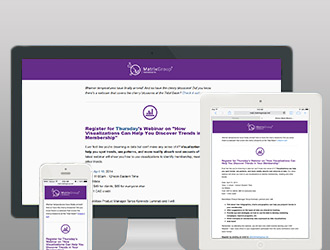
    As marketers, we’re obsessed with metrics. And since email is a primary means of Responsive Emailcommunicating with our members, customers, prospects and partners, it only makes sense that we track open rates (the number of people who actually open and read our emails) and click rates (the number of people who click on a link). Here at Matrix Group, we’ve been working with lots of clients to make their emails responsive because in most industries, more email is read on a mobile device than on a desktop email client.

    Responsive design refers to the practice of designing and implementing a website so that it “responds” to the user’s device. Looking at a website on a wide screen over broadband? You might get a full screen, 4-column layout with high resolution images. Surfing a website on your phone? You should get a slimmed down version of the site with a single column of content, text that is large enough to read without pinching, and lower resolution images.

    But what about emails? Responsive email pretty much works the same way as responsive websites. Reading an email through Outlook on your desktop? You might see a nice layout, with 2 columns, images aligned to the right and left of content, a nice header, yada, yada. Browsing the mail on your phone? That same email gets simplified. It goes to 1 column, images are center aligned, content is shorter.

    Why bother making your emails responsive?

    • Users are more likely to delete an email they cannot read easily on their phones. Source: ExactTarget
    • There is a growing segment of the population that is mobile only, that is, they access the Web and email only through mobile devices.
    • Responsive emails are more readable on a phone. Period. End of story.

    We’re tracking the results of responsive e-newsletters for our clients and so far, the statistics are promising. Clients are increasing open rates in absolute terms by 1-4%, and clickthroughs an average of 2%. A few percentage points doesn’t sound like much but when you consider that most organizations get a 20% open rate and a 2 or 3% click rate, these numbers are significant. Consider this: one Matrix Group client saw an increase of 4% overall; since they have an email list of 100,000, an extra 4,000 people are now reading their emails!

    I think it comes down to this. Your emails are getting looked at on a phone. Your customer’s decision to open and click is influenced by many factors, including subject line, who the email is from, and whether or not the email is mobile-friendly. It only makes sense to make your emails mobile-friendly. And if in doubt, do some testing and learn more about your customers’ email preferences.


  • Why Matrix Group Brought Back Its Email Newsletter

    Why Matrix Group Brought Back Its Email Newsletter

    A few years ago, Matrix Group stopped sending out a weekly email newsletter.Why? We were launching a company blog, we were getting more active on Twitter and Facebook, and other organizations were dropping their email newsletters. The marketing staff was spread thin, so killing the Matrix Missive seemed like the right thing to do. We didn’t abandon email; we still send emails about events and service announcements, we just didn’t have a marketing newsletter.

    Several months ago, we revived the Matrix Missive and just today, launched a new newsletter for our Association Management Software product, MatrixMaxx. Why?

    Our target audiences aren’t all on Facebook (shocking, I know.) After years of trying to get all of our clients and prospects to subscribe to the blog and follow us on social media, we’ve decided it’s just not going to happen. The disintermediation that the media keeps talking about is true. Even though we only have several thousand people in our database, they are all over the map in terms of web use, social media and blogging. Our CEO contacts are decidedly NOT on Twitter and Facebook.

    Social media isn’t great for direct marketing and selling. All the research shows that companies and brands that do nothing but sell on social media don’t get the follows they want. So on Twitter, Facebook, YouTube and even this blog, we try to provide really great, information-rich content. It’s great for thought leadership but not so terrific for direct marketing. Sometimes we really need to promote our design, development and mobile app expertise.

    Some topics are great in email, utterly boring in social media. On a regular basis, we need to tell clients about upcoming maintenance, new versions of CMS (content management system) software they’re using, upcoming CMS and AMS training, yada, yada. On our social media pages, this stuff is just boring, not at all interesting to a general audience. But to our clients, who need to know when we’re upgrading their systems and what’s in the latest release of the Sitefinity CMS, these communications are vital. Email is just better for certain types of messages.

    Our best response rate comes from email. Every organization is different but when we’re promoting our events and services, email just works best. For example, we offer a Spring and Fall webinar series on a variety of web topics. We promote these webinars through email to our house list, social media, and discussion lists around town. Hands down, most attendees come from our house email list.

    No matter what the platform, the challenge is getting views and clicks. Okay, so we’re back to sending out a regular email newsletter. We get pretty good open and clickthrough rates but as with social media, it’s all about generating good content that people want to read, good writing and a hot subject line.

    So here’s the challenge. How do we create something new and different with our emails that clients, prospects and partners will want to subscribe (and stay subscribed) to our emails and still subscribe to our blogs, follow us on Twitter, Facebook and YouTube, and view our photos on Flickr?

    I’ve blogged before about how we strive for a layered approach with our marketing efforts. We don’t simply post the same content across all channels. Rather, we strive for a layered messaging strategy that utilizes the capabilities of each platform and features different perspectives and voices will help us connect with clients and prospects better. With the relaunch of the Matrix Missive and the new MatrixMaxx newsletter, we’ve brought email back to the mix so that we can talk about projects, promote our events, comment on webtrends and share some fun websites.

    BTW, here’s a sample of the new and improved Matrix Missive. I hope you’ll even consider subscribing!

    How about you? Do you still have an email newsletter? How is the content in your email newsletters different from your website and social media pages? How are you juggling the mix of platforms? What’s working?

  • I’m Losing the Good War Against Spam and the Fight for a Manageable Email Inbox

    I’m Losing the Good War Against Spam and the Fight for a Manageable Email Inbox

    Woman sitting in front of laptop, looking stressed and overwhelmedLate last year, I received an e-mail from my son’s school, letting me know that enrollment forms for next school year were going to be done electronically from now on and that I should be on the lookout for the e-mail with the information and link. Okay, I bet you know where this is going. I remember getting the e-mail in January that included the details, the URL and the deadline but since I’m accustomed to work things being electronic and school stuff being mostly offline, I just could not make the mental shift.

    Next thing I know, the Director of Admissions is calling to let me know that the deadline has passed and were we still interested in sending our child to their school. Egads. Imagine my horror when I realized that I had missed the deadline.

    The cold, hard truth is that I’m losing the war against spam and my email inbox is beyond out of control. I get hundreds of spam emails a day, not counting the hundreds more that the spam filter catches. In addition, I get lots of email newsletters, I’m cc’d on some client communications, and unlike client work that goes through our extranet, new biz follow-up is largely via email.

    I try to skim my emails every few hours, I beg the IT staff for more spam filtering, I diligently mark true spam as junk, I unsubscribe from what look to be legitimate newsletters that have added me to their lists, and I have a zillion email folders. Most importantly, as I scan/read my email, I try to handle each item just once by deleting unwanted stuff, responding instantly when I can, and filing other emails into To Do or To Read folders. All of this is still not working. I’m going to admit to the world that I have hundreds of unread emails.

    The spam is the worst. We have an aggressive anti-spam software the the net admins are constantly tweaking. A few months ago, we tried to get more aggressive against spam by blocking email from email servers that were on legitimate blacklists, didn’t have proper DNS records (like SPF records and reverse DNS looksups), and/or sent emails with improper headers. This helped a lot but then we started blocking email from clients! Lots of them! It seems that setting up email according to the latest protocols is not yet widespread, so after some internal soul-searching, we loosened our email requirements and that allowed a whole lot more spam to get through. <sigh>

    If I’m overwhelmed by email, I bet most other people are. So what does that mean for email communications, email marketing and personal productivity? My friend Ken Chaletzky, who runs Copy General, a digital printing company, says his company is seeing a surge in companies combining both print AND email marketing for higher conversions.I guess I’m not surprised.

    Email is not going away and dollar for dollar, it’s still an amazingly effective and low cost marketing and communications tool. Every week, Matrix Group shows clients how to write effective emails, designs email templates and sets up discussion or broadcast lists. If we could just figure out how to minimize the spam, life would be grand.

    So what happened to my son’s enrollment forms? The school wisely figured there would be a lot of stragglers so I was able to file the forms two weeks late and still get my son registered for next year. Phew. Thank goodness for the high touch phone call from the Director of Admissions!

    How about you? Are you winning or losing the war against spam? What are YOU doing to better manage your inbox?

  • What’s Behind Those Long URLs? Tracking Codes, Of Course!

    What’s Behind Those Long URLs? Tracking Codes, Of Course!

    Every day around 3pm, I get my afternoon update of The Washington Post via e-mail.  Each update contains a summary of about a dozen stories and links to the full story on the Post Web site.  Every time I get an update from Facebook about a message from a friend or a comment on one of my updates, I get a URL to click on.

    Have you ever noticed how long these Web addresses are?  Ever wonder why these URL are so long?

    The answer is simple: tracking codes. Tracking codes are strings of text added to the end of a URL that let you track the source of a click.  For example, if your organization has an e-mail newsletter and you want to know how many people click on the links in your e-mails, you add tracking codes to the URLs.  Your usage tracking software will almost always treat the URLs with the tracking codes as unique from the same URLs without the tracking codes.  So, when looking at your usage reports, you can look at usage overall to specific pages and then figure out how much of the traffic came from the e-mail newsletter.

    If you usage Google Analytics for usage tracking, Google has a terrific URL builder that create properly formatted tracking codes to track the source of clicks, specific campaigns, even the duration of your campaign.  Here’s an example of how it works:

    Let’s take the URL to my recent blog post on magazine subscriptions on the iPad.  The URL looks like this if I navigate directly to it:
    http://www.thematrixfiles.net/blog/am-i-really-going-to-pay-4-99-for-one-issue-of-time-magazine/

    When my marketing team promotes this blog post e-mails, Twitter, Facebook, etc., we use the Google URL builder to add tracking codes.  Here’s a sample URL:
    http://www.thematrixfiles.net/blog/am-i-really-going-to-pay-4-99-for-one-issue-of-time-magazine/?utm_source=Twitter&utm_medium=SM&utm_campaign=ceoblog
    (more…)