Matrix Group International

Author: matrixsuperadmin

  • Verifiable Credentials: New Technology for Association Membership?

    Verifiable Credentials: New Technology for Association Membership?

    Our online identities are, unfortunately, not in our control.

    The internet was created for communication between computers, but our presence as individuals on the internet is less formally defined. We create online accounts and over time we may forget they exist, if we haven’t already forgotten our passwords.

    Technology advocates argue that we need an identity layer for the internet. We need a new way of managing our digital identity so that it’s in our control. Decentralized identity and verifiable credentials can provide this identity layer.

    What is a Verifiable Credential?

    Think of a verifiable credential like a diploma or driver’s license, but digital. This digital credential is cryptographically signed by its issuer for its specific holder. In other words, it’s practically impossible to fake.

    How Could Associations Use Verifiable Credentials?

    In many ways! Verifiable credentials could be used for membership, continuing education, certifications, credentialing, and more. Today, let’s explore how it could be used for membership:

    When an association accepts a new member, it could issue a proof of membership credential to that member. The member would store that credential in a digital wallet, either on their phone or computer, and would later be able to present that membership credential to prove their membership to a particular association.

    Why would a membership credential be useful? For starters, it could erase the need for passwords. Rather than creating a new account on an association’s website, members could use their membership credential to login by simply scanning a QR code. A member’s personal information could be restricted to that membership credential and that member would have the authority to decide who can access their data and when.

    Membership credentials could make it straightforward to provide vendor discounts for specific associations. Members would present their credential to a vendor. The vendor would then check whether the credential has been issued by an association they offer a discount to and seamlessly grant the discount.

    It could also be used to verify member application requirements. Perhaps an association requires proof of certification to become a member. If the certification is a verifiable credential, that association can trust that that certification is valid without the hassle of checking with the certifying authority.

    The Current State of Verifiable Credentials

    There are a lot of exciting possibilities for verifiable credentials, but the technology is still maturing. There’s a lot more work to be done in the space before it can be put into practice.

    Right now, Indy and AnonCreds credentials require a distributed blockchain ledger, which is a sizable barrier to entry. In order to interact with a mobile wallet, that wallet needs to be set up to work with the distributed ledger chosen by the credential issuer. Other credential types work without a blockchain ledger, but with a loss in other privacy-preserving aspects. Additionally, issuing and verifying credentials is a two step process. First you establish a connection, and then you can complete an action.

    But, we’re getting closer! This summer, as a Matrix Group intern, I researched verifiable credentials and have learned a lot about how to manage our digital identities. I even have a proof-of-concept WordPress plugin to show for it that allows users to login to their accounts with a verifiable credential, rather than a username and password. It interacts with a separately running “agent” that handles the actual credential issuance logic, however troubleshooting issues with this agent is difficult, and is one of the barriers to widespread implementation of this technology, for now.

    Eventually, verifiable credentials will simplify membership and membership management for associations, but we’re not there quite yet. Here at Matrix Group, we’re monitoring the state of verifiable credential technology and we continue to experiment with new options. We will be sure to keep associations in the loop as this decentralized identity technology develops!

    Check out our proof-of-concept WordPress plugin for verifiable credentials!

  • Workflow for Managing and Sourcing Content for Multiple Social Media Accounts

    As a social media coordinator for Matrix Group and some of our clients, I manage content and posts across a variety of social media platforms including Facebook, Instagram, and Twitter on a daily basis. When you consider multiple platforms for multiple clients on a daily basis, you can imagine the juggling act that it can become when trying to keep track of what to post, when to post, and what you’ve already posted on each platform. I’ve found that developing a content schedule and rock-solid workflow is crucial for success!

    To start, I always tackle social media first thing in the morning. A lot can happen overnight, and if I can get the posts scheduled early, I can simply monitor and respond as needed throughout the day. Here’s my daily workflow that helps me to stay on top of my social media management responsibilities:

    1. Check the Social Media Site(s) and Respond/Comment/Like

    Before doing anything else, log into your social media profiles and check out your feeds. A lot can happen overnight, and you want to make sure you’re responding to and liking comments in a timely manner – interaction is everything on social media (not surprising, right?). I also use this time to like and repost content that popped up outside of business hours.

    Once a week I also spend some of this time using the search function to see what others in our space are posting, and find new inspiring accounts to follow, and make new connections.

    2. Check Feedly to Source Timely, Relevant Content

    If you haven’t heard of Feedly, make an account right now! Feedly is an RSS feed aggregator that lets you collect and organize feeds from all over the web in one place. I use this to quickly and easily find fresh, relevant content to share across social media platforms. Remember, social media posts should follow the 80/20 rule (posting 80% content that informs, entertains, and educates, and 20% content that is self-promotional), and setting up an RSS feed aggregator like Feedly allows me to source quality content to share in record time.

    Check out Feedly, but also know that there are lots of other RSS aggregators out there. Feedly is one of our favorites, but use whatever works best for you!

    By the way, another tool we love is bit.ly, which allows you to shorten long links that otherwise clutter up your posts. This is especially helpful for Twitter posts. 

    3. Review the Editorial Content Calendar

    Creating an editorial calendar is hugely helpful for developing a thoughtful social media presence, and is a great way to organize what content, and which themes, you should be promoting on any given day/week/month/quarter. I always check our editorial calendar and pre-drafted posts to make sure I’m sticking to the plan, and promoting and sharing the right content at the right time.

    4. Schedule Posts for the Day

    Scheduling posts is a huge time-saver, and crucial to maintaining consistent social media updates. When you post multiple times a day to multiple accounts, it can be easy to forget about what you posted, when, or what you should be posting, AND signing in to post throughout the day manually can leave little to no time for other tasks. Scheduling posts helps to get the job done well, in a timely manner! It can also help you to get a birds eye view of what content you’re planning to post throughout the day or week, so you’re timing your promotional vs. non-promotional posts well.

    Hootsuite is one of our favorite social media management tools for scheduling posts, but we also like scheduling directly in Facebook, too!

    By developing a consistent routine that you practice daily, social media management will become second nature and less intimidating!

    Have any favorite tools or tips that have helped with improve your social media management process? We’d love to hear from you!

  • What is the Gutenberg WordPress Update?

    WordPress is set to revolutionize massive swathes of the internet with the introduction of its new editor called Gutenberg, coming soon in the 5.0 release. While change can be scary, this update has a lot of promise in terms of new design possibilities and time saved.

    Named after Johannes Gutenberg, the inventor of the printing press, Gutenberg aims to provide an updated WordPress experience for its users by letting users create sophisticated design blocks for a drag-and drop website building experience.

    Simply put, Gutenberg lets you customize design elements for your website that can be easily reused on any number of pages. The functionality is aimed at providing a simple low code/no code solution for getting websites with a custom feel without as many hours in the design phase. All that time spent on updating plugins, using shortcodes, and page editors may become a thing of the past with this update!

    SiteOrigin, a popular plugin and theme creator, has put out a short video about how they are working tirelessly to ensure all of its plugins are Gutenberg compatible. This is good news for many of those that are using SiteOrigin! You can view the video here.

    For those who aren’t ready to switch over to the Gutenberg editor just yet, there’s a classic WordPress plugin available that can set classic mode as the default. Wins all around!

    Have any questions about Gutenberg or want us to help prepare your website for the Gutenberg update? Feel free to reach out!

  • Our Favorite Video Editing Tools: Final Cut Pro & iMovie

    It’s no secret that video is one of the hottest marketing trends and tools right now. If you haven’t taken the leap into video creation for your organization, now is certainly the time!

    Video creation can seem like an overwhelming task at first thought, but good news! If you have a smartphone (who doesn’t these days?) and the right video editing software, you can create pretty great video content. Sure, your videos may not be super bowl ad worthy, but you’ll be surprised at the quality of content you can produce with the right tools.

    Two of our favorite editing tools are iMovie and Final Cut Pro, which are both Apple products. While they are a bit of an apples-and-oranges comparison – one is a more basic, budget friendly option and the other is more full-featured and an investment – they are both great tools to get the job done, depending on your needs.

    Here’s a little background on each editor, and the advantages of each:

    iMovie

    This is a great program for beginner video editors to use to learn the ropes. We love it for it’s ease of use and basic editing features – it has enough tools to get the job done, but none of the more complex editing options that often intimidate beginners. Since it’s an Apple product, you can seamlessly bring in different Apple programs to the application such as iTunes, Garageband, Photos, etc.

    We also love that it:

    • Makes it easy to jump back and forth between scenes
    • Is very simple to change the audio over a video clip
    • Gives you the ability to fix shaky/unsteady video
    • Is available on all Apple devices, so you can make edits on your video from anywhere

    The biggest advantage of iMovie is that it’s free! A great way to get some exposure to video editing, without an initial investment.

    Final Cut Pro

    This is a signature video editing software, and includes more advanced features and capabilities. With a modern and sleek design, Final Cut also makes the experience for the editor more exciting while remaining pretty easy to use.

    Some of our favorite features include:

    • The magnetic timeline, which makes it easier to produce your project. It automatically snaps multiple clips into place and gives you the ability to move the clips around the timeline quickly and easily.
    • Multi-Channel Audio that allows use different audio channels to make the sound of the video high-quality.
    • Compound clips option, that keeps you from worrying about gaps when you add videos together, and it transitions the video smoothly.

    There is a cost associated with Final Cut Pro – right now it’s priced at $299 – but we believe it’s one of the best video editors on the market and worth every penny.

    For most of our video editing needs here at Matrix Group, such as the Matrix Minute video series, we use Final Cut Pro. But we also love using iMovie to quickly edit and post videos to social media that are more timely.

    There are many other video editing programs out there, but these are by far our favorites. And remember, if you ever need any video help, we’re here for you!

    Have to dabbled in video editing? What’s your platform of choice?

  • Web Accessibility and Keeping Others in Mind

    Refreshable_Braille_displayWebsite accessibility has been on my mind recently. A few years back, one of the biggest trends on the web was subtlety. Medium gray text on light gray backgrounds, super-thin fonts, etc. all looked quite elegant to designers, but in hindsight they were pretty unfair to the average user. At Matrix Group, we try to be as inclusive as possible, and that means paying attention to accessibility and designing our sites to be as usable by the widest range of people as humanly possible.

    Our CEO, Joanna, sits in on site reviews, and she sometimes sends us back with edits because the contrast is way too low. She freely admits that her vision’s getting less sharp as the years go by, and if she’s got problems with contrast, other people will, too.

    The biggest eye-opening moment for me was when another Matrix employee, Sarah, and I were quibbling over a design element that was misaligned on a site we were building. As a designer, I could see it clear as day, but as a front-end developer with some visual impairments, she simply could not see what I was talking about. She then flapped her hands – her go-to “stop stop stop!” gesture – and told me to put her glasses on to see what the world looked like with her eyes. And WOW did that change my perspective on things! It got me thinking, if Sarah couldn’t see that, what else can’t other people see on the sites I’m designing?

    And it’s not just visual barriers we need to keep in mind, though those are the most obvious to a designer. Accessibility also needs to account for a wide range of challenges. These are just some of the main things we think about on the long list of W3C’s Accessibility guidelines:

    • Those who can’t use a mouse with precision due to conditions such as Parkinson’s Disease, stroke, cerebral palsy or even a temporary condition like a broken arm, require sites that have much larger click targets.
    • Transcripts for podcasts or videos will be needed for people with auditory conditions.
    • People who suffer from photosensitivity-triggered epileptic seizures have problems with flashing objects and must be so relieved that blinking, spinning, over-animated text is a thing of the past.
    • Buttons should be specifically named instead of simply “click here” to help provide people using refreshable braille displays with more context.
    • Contrast is one of our biggest culprits. So much so that I’ve been running everything through a trusty contrast checker to make sure everything I design is now legible to all.
    • Attention disorders, dyslexia, learning and cognitive disabilities all benefit from visual clues such as icons paired with text, or different font and spacing decisions.
    • We also need to keep the paragraph line length in check for this audience. As desktop sites get wider and wider, this is easily forgotten because there’s so much room! We don’t need to fill the available space. We need to keep this in check at 80 characters, otherwise it becomes very hard to keep your place while reading.

    Luckily, all these things also help simply distracted, impatient people. We all know a few of those, right? Which really is kind of the point of all this: making websites more accessible for users with impairments ultimately enhances the user experience for our audience as a whole and simply benefits everyone.

    Except for me. These things make my job as a designer substantially more challenging.

    It’s a good thing I like challenges.

    What’s the biggest accessibility challenge you face, day-to-day?

  • Tips on Planning a 15th Anniversary Party

    When our team at Matrix put their heads together and agreed that we were going to celebrate our 15th anniversary with a big party, my hand was in the air, ready to volunteer to help. The thing that I love about big events is that at the end, if you do your job right, the payoff will be smiles and compliments from guests who had a great time, ate some good food and got to make connections with other guests who they may never have met if it weren’t for your party. I think Joanna’s and the Matrix team’s focus on a low key, fun-filled party made my job easy, but with any event you are planning there can be road bumps. Here’s some advice on how to ensure your next party is smooth, drama free and fun!

    Come up with a great, catchy theme.

    Matrix 1th anniversary logoThe marketing team put their thinking caps on and realized that the 15th anniversary is typically celebrated with crystal. We turned this tradition into a crystal ball themed party and the tag line “The Future Looks Bright,” was born. Having a theme makes everything from invitations to decorations easy. Our main focus point for decorations were two silver trees with crystal balls holding all of our client logos in them. Even our cake had a crystal ball topper emblazoned with our Matrix logo on the inside and our tag line in fondant with tons of purple icing. It was a big hit with all the guests and we were very lucky that crystal and purple go so well together!


     

    Find great vendors. Find vendors you trust.

    From your caterer to the staff at your event venue, it is important that you establish a great working relationship with all the people you will be in contact with from start to finish. We had the great luck to work with the same caterer we used for Matrix’s 10th Anniversary.  Seana Hale from Occasions Catering took the lead and had great suggestions on food menu choices, where to put our tables and how to organize the flow of the event. You hire professionals because they’ve done this a lot and they know how to make an event work. Listen to their advice but also know when to give your feedback if it is really important to you. Your one event could be the start of a great working relationship in the years and events to come.

    Give your DJ a playlist. It helps set the tone for the party.

    Joanna called me at the end of the day a few weeks before our party and said, “I have a playlist tell me if you think this is crazy.” She rattled off artists like Prince, Katy Perry, Pharrell and Lou Bega of Mambo Number Five fame. I thought it was perfect. The artists she chose were upbeat, catchy and obviously danceable. I think that helped set the tone of the event for the rest of the night. Guests felt relaxed, happy, ready to mix and mingle with strangers and I know I saw more than a few people dancing after a few Matrix mojitos. I know because I was one of them!

    Get your guests involved with social media.

    Before the big party we created our own hashtag (#matrix15) and an Instagram and Facebook account for our guests to post their photos and thoughts about the event. It was very cool to come back the next day to see how much fun our guests had and all the pictures they took during the event. You would never have seen these moments without social media outlets.

    Do your research. You can always get something for less if you look. 

    I don’t have to tell you that anything can be found on the Internet and that if you have a strict budget to stick to a simple search on the world wide web can save you hundreds of dollars. I saved about $500 on our decoration budget by simply doing Google searches for the things we wanted. I also did a lot of price comparisons and reading customer reviews before deciding on any of our vendors and I know that this helped a lot in the success of our party. It pays to do your research.

    Order extra invitations and be ready to make phone calls.

    Things happen and invitations will inevitably get lost or will get thrown away accidentally. You want to make sure that everyone who is important to you knows about your event so try to reach out in every way possible if you haven’t heard from that VIP on your list. Joanna and the staff were making phone calls and sending emails almost weekly to make sure that their clients and friends were invited and ready to party with us.

    Don’t be afraid to ask for help.

    No matter how much pre-planning you do you will need help in the days leading up to the event. It helps to come up with a task list for things that can be delegated to other people on your team. When the day of our event came around, I had my team members answering phones, printing RSVP lists and name badges. It takes a village but the village won’t know you need their help if you don’t ask.

    Hire a professional photographer. They are the key to recording your memories!

    These days everyone is ready and willing to snap a photo on their iPhone and post it on Facebook, but five years later when you are trying to recall the night of your big party, where will those cell phone photos be? We considered nixing professional photography, but we came to realize how important these photos would be five or ten years later when it’s time to celebrate our next anniversary. We had a great photographer who snapped away all night long and in a few weeks we got to relive the fun night with a CD full of photos. Worth every penny!

    Be a proactive problem solver!

    When things go wrong it doesn’t help to worry about what went wrong, it actually just wastes time. The day of the event we arrived at our venue earlier than staff expected and they wouldn’t let us in. Not a big deal! We just asked if we could start our setup process in the loading area and they agreed. We put together our decorative tree, made phone calls to staff who needed information and even had time to gather ourselves and get dressed. Problem solved!

    Take some time to enjoy yourself!

    After all the food is on the table, the decorations are up and the badges have been handed out, take a step back and look at what you have accomplished! Be sure to take time to enjoy the event that you worked to put together. It will give you the energy and the courage to raise your hand again when the next event needs to be planned!

    Matrix 15 anniversary cake and candy bar

    Check out photos from our event on our Facebook page and Flickr!

  • 5 Top Sources for Free Stock Photos

    Stock photography, when used properly, can be a real visual asset to your site. However, there is a lot of garbage to sift through to get to the good stuff and the process can be down right tedious and expensive. If you have a website or blog, there is a solid chance Professional photographer takes posed photoyou’ve run into the problem of finding quality images at an affordable price.
    The major problem with stock houses is that their overly posed, stiff images tend to be severely dated, but yet they still want you to pay a premium for them. That doesn’t always seem like a good deal to me, so when I have time—and a small budget—as a designer, I tend to look at these top five free stock photography sites first.

    1. Wikimedia Commons

    All of the images on this site are uploaded with Creative Commons licensing, and are owned by the individual users, not Wikimedia. Creative Commons licensing basically means the photographer is graciously letting you use their image for free, but be sure to read the terms, sometimes there are conditions.

    2. Compfight

    This site is great because it allows you to filter Flickr images though Creative Commons, making the process much easier. The images are all uploaded by real users, and therefore appear much less stocky.

    3. Stock.xchng

    This is a more traditional stock house, just without stock house pricing.

    4. morgueFile –  The word “morgue” is taken from the name of the room from the publishing world in which all clippings and image files were kept. Probably not what most people think of when they hear “morgue.”

    5. Wylio

    This site was set up with the blogger in mind. They make it easy to search, resize, download and imbed images into your blog all at once. 5 free images per month, with reasonably priced upgrades. You just have to grant access to your Google picasa web album.

    Bonus! 6. Unsplash

    This is technically a Tumblr page, not a searchable stock site. It’s full of beautiful, artistic, completely free, do whatever you want to them, images created by the people at ooomf. If you subscribe to their page, they’ll send ten new images to your inbox every ten days. And who doesn’t want eye candy sent to their inbox?

    Knowing when you can and cannot legally use an image can be challenging, so make sure you read—and follow— the licensing info that accompanies the image. You don’t always have to “get what you paid for,” you just have to know where to look.

    What’s your favorite free or low-cost resource for stock imagery?

  • Using Icon Fonts in Web Design

    Recently I was reading Paul Boag’s “Breaking free of the print design mentality” blog post where he asks the question, “How can you create a compelling design that works just as well across all of these canvas sizes? To many this sounds impossible.”

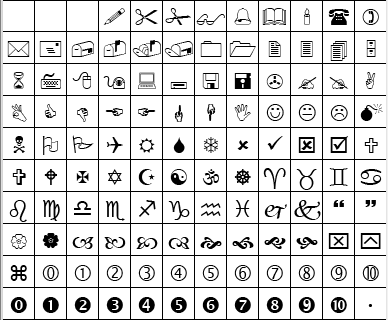
    One way I try to create designs that will work anywhere is to use icon fonts. You are probably already familiar with regular icon fonts on every machine, like Wingdings or Webdings, but icon fonts can do so much more on the web.

    Some of the icons in Wingdings, an icon font on most machinesSome of the icons in Wingdings, an icon font on most machines

    Because they are fonts and essentially vector information, these icons scale perfectly at any resolution—making them worry free when it comes to designs seen on retina displays. Designers don’t have to worry about 2x pixel sizes or spend extra time making separate images for different displays.

    Another advantage of using icon fonts is that you don’t have to make new images if you want to quickly change the color—it is all done in CSS. For a client site that allows the user to change the color of text, they are also able to change an icon’s color with no hassle.

    A List Apart discusses even more advantages to symbol fonts, from ligatures to increased accessibility. Roger mentions Stately in a previous Snack O’Clock post—an icon font of states you can use for an interactive map.

    The best part about icon fonts is that it is simple to make your own! I use Icomoon, which lets me upload an SVG and make a font of the glyphs I want to use.

    Some icons from Icomoon

    Here at Matrix, we have launched several sites using icon fonts: NECA‘s responsive site uses icons in the page headers, so they are perfect at every size. The American Counseling Association’s main site and conference site both use icon fonts for social media images and small icons. FMI2014‘s colorful site uses icon fonts not just for social media, but as an overall part of the branding in the headers.

    While icon fonts are becoming more popular because of design trends like “flat design“, this is just the beginning of uses for scalable images on the web.

    What are your favorite responsive design techniques and tools?