
Matrix Group International

Month: June 2017

  • When Redesigning Your Website, Don’t Confuse Goals with Requirements

    When Redesigning Your Website, Don’t Confuse Goals with Requirements

    I read a lot of RFPs and I attend a lot of website redesign kickoff meetings. The most important questions I ask are, “Why redesign? Why now?”

    I usually get answers like:

    • Our website needs to mobile-friendly
    • The website needs a faceted search
    • Our site search sucks
    • The website isn’t user-friendly

    While these are all perfectly good reasons, I think of these statements as requirements, not goals.

    When Matrix Group is working on a project, we strive to understand the measures of success. If we launch a site that is gorgeous, user-friendly, mobile-friendly and has a great search, will we have been successful? Sure… BUT is the new site generating membership leads, encouraging downloads of research, generating more revenue, raising awareness through better ranking in search, and ultimately bringing in more members and customers?

    Those are the goals we want to ferret out during kickoffs and discovery. How is the new site ultimately supporting the strategic and growth goals of your association?

    In my mind, we won’t know the answer for six to 12 months after launch. That’s scary. It’s so much easier to say the new site is a success because the board loves it and it’s easier to update. But after spending $50,000, $100,000, $150,000 or more and countless staff hours, don’t you want to be able to point to more quantitative results related to your mission and strategic plan?

  • How Google Docs and Google Slides Changed Biz Dev at Matrix Group

    How Google Docs and Google Slides Changed Biz Dev at Matrix Group

    A few years ago, Matrix Group Creative Director Alex Pineda suggested that we ditch PowerPoint and move to Google Slides. The reason? Collaborating on a PPT file is really hard. We used to pass around huge files via email or rely on the network share. Alex came up with a beautiful template and the rest is history.

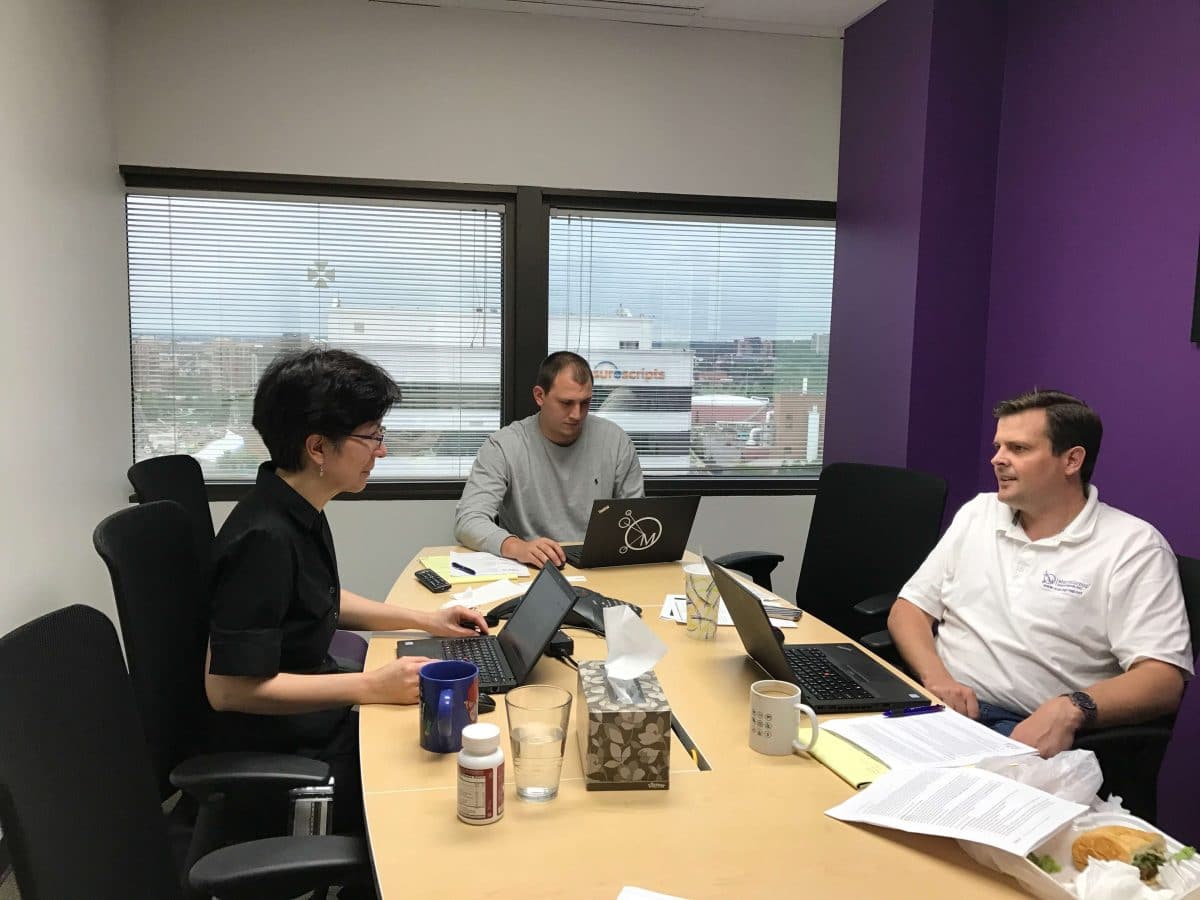
    Today, when the marketing or biz dev team is working on the slides for a webinar or pitch, we all gather in one room (the remote folks call in from home), get on a conference line, share the slides and get to work. It is mind-boggling how awesome this experience is. We’ll talk about a new slide, Leah will create it and Alex will make it beautiful. Or I’ll move slides around while Leah is proofreading. In real-time, at such a low cost – it’s ridiculous. No Sharepoint, no programming.

    18 months ago, we decided to give Google Docs a try for drafting proposals. It was fabulous except for one thing. The Google Docs Table of Contents didn’t have page numbers; I guess Google assumed everyone would be viewing documents online. Ugh, this was a dealbreaker because the new biz team creates PDF files of proposals and sends them on to clients, prospects and consultants.

    Then, about a month ago, we realized that Google Docs now has page numbers in the Table of Contents. We decided to give Docs another try. But when should we try? I don’t know about you, but there’s never really a good time in a busy agency to switch to a new system, especially one for authoring proposals.

    But then we had two weeks (a luxury!) on one proposal and we decided to give it a go. We migrated our proposal language and styles, then Alex got to work. He added more color, added editable graphic elements, updated the default font to be our official font, and created graceful table layouts.

    Last week, five of us worked on the proposal in real-time. I wrote up the solution. Nick updated the bios. Bryan checked to make sure all elements were in place and worked up the timeline and budget. Leah proofed and edited. Alex used his designer’s eye to make the proposal gorgeous. “Yay,” Alex said, “I can finally make our proposals look amazing!” Gosh, even the PDF of the proposal looked great.

    I can honestly say that switching to Google Docs has been life-changing.
    • We are no longer passing around large files.
    • We save so much time because we can work at once on the same document.
    • While there is always a document “owner,” everyone can make a contribution.
    • Slides and proposals are now viewable AND editable from my phone!!!

    I still use Word for contracts and tasks orders because clients and attorneys like to work in Word to track changes. Next week, I’ll talk about how Matrix Group uses Google Docs to write up and collaborate on spec documents. Maybe in the future, I’ll negotiate a contract in Google Docs!

    If you haven’t experienced the life-changing magic of collaborating on a Google Doc or Google Slides, now’s the time! And if you’re already on the bandwagon, please share your experiences!