Matrix Group International

Month: May 2013

  • What’s Your Membership Experience?

    I’ve blogged in the past about Vistage, the CEO membership organization that I’ve been a member of for five years. I was talking with a Vistage VP a few weeks ago and he summed up the Vistage experience quite succinctly: strong peer advisory group with well-run meetings, effective coaching and world-class speakers. In other words, the entire Vistage organization is focused on creating a membership experience that includes these 3 elements.

    I got to thinking. How many organizations have eloquently and succinctly described their ideal member or customer experience? Indeed, how many of us have architected how our customers interact with us and experience our services in an intentional way?  Alex Pineda, the Matrix Group Creative Director, talks often about how every interaction with a company IS the user experience, from the way the phones are answered, to how emails are responded to, how products are delivered, how invoices are sent, how conference calls are run, and how disputes are handled. As CEO, part of my job is to make sure that for every type of potential customer interaction, we’ve defined how we will respond.

    Here’s an example of a situation where the staff expectations were not well defined, so we kept falling down on the job. A couple of clients complained that after approving a proposal, we weren’t responding fast enough to kick off the project. Turns out that we hadn’t defined the turnaround time for creating the project in our system and kicking off the work. Depending on how busy a project manager was in any given week, it took between 1 – 7 days just to get a project entered into the system. So the project managers sat down and crafted a better process. Today, when a proposal is approved by a client, an email goes out the same day from the new business team to announce the project to the project manager and assigned team members. The admin team creates the project in the intranet within 24 hours of the approval, sends the link to the client and schedules the kickoff call. Doesn’t this sounds like a much better, more user-friendly, and more intentional customer experience?

    I think about how pleasant it is to call American Express. I’m never on hold for very long, I’m always referred to by name, I’m always thanked for being a cardmember for over 20 years, and if I’ve called the wrong number, I’m transferred directly and the person I’m speaking with stays on the phone until the next person come on. I have to believe that every little part of this whole experience has been carefully architected and tweaked over time.

    Turns out that architecting an amazing customer experience is really hard and requires paying attention to the big picture as well as the littlest of details. For me, the most important thing is realizing that every client interaction is part of the customer experience and we can, and should be, intentional about every single one of these interactions.

  • How Google Calendar and Evernote are Keeping Me Organized and Sane

    How Google Calendar and Evernote are Keeping Me Organized and Sane

    Like most busy working people and parents, I can get overwhelmed by the many people, tasks and appointments vying for my attention throughout the day. My calendar was killing me. My work calendar was fine; it was the school stuff that was out of hand. I was getting emails from the school, from my son’s room parents, and from the cubmaster about upcoming events and deadlines. My task list was even worse. I was trying to manage tasks in my email, voice mail, company IMs (instant messages), company intranet and regular mail. Something had to give and I needed a better system.

    Over the last year, I’ve been working to take back my calendar and task list. With help and nudging from my husband, Maki, here is what I’ve done.

    Google Calendar Is My Best Friend

    If you have a Gmail account, you have Google Calendar. Maki and I set up a Kato-Pineda calendar in Google calendar. We post every single family event and deadline in the Kato-Pineda calendar: playdates, birthday parties, dentist appointments, date night, dinner party at home, Maki’s parents’ trip to Japan, when my older son doesn’t have school, when the nanny is on vacation, yada, yada. We’ve shared this calendar to our entire family plus my assistant.

    Next, we got the cub scout troop to create a Google calendar. Here, we post all pack and den events (including event details and directions), monthly meetings, cub scout service opportunities, etc.

    Finally, by pure luck, the room parents for my son’s classroom had also set up a Google calendar. This calendar shows all school days off, class activities to which parents are invited, dress down days, short school days, etc.

    I use my iPhone to view a consolidated calendar that includes my work calendar and ALL of my Google calendars. My iPhone even magically brings in birthdays from Facebook and the US holidays from Google. So on any given day, I can see that: it’s John Smith’s birthday, it’s a dress down day at school, I have 3 work appointments, Maki has a ham radio meeting and there’s a cub scout pack meeting at night. Love, love, love what this consolidated calendar view has done for my sanity.

    Evernote For All Tasks and Details

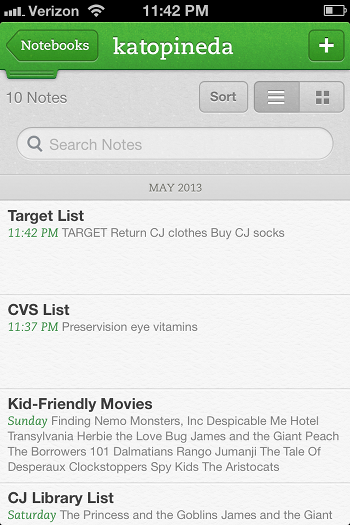
    Image of Evernote NotebookEvernote is the best note-taking, reminder app I’ve ever used.  I use Evernote by creating notebooks for the major buckets in my life: Matrix Group, Kato-Pineda and JP personal. I then create notes for to-do items, notes from a meeting, things I need to remember, etc. I then use tags to further categorize my notes.

    The Kato-Pineda notebook is where Maki and I have notes for all the thing we need to do at home and personally. We have a to do list for the house, a Target list, a Giant list, a CVS list, a list of books to check out from the library, etc. This notebook is shared between me and Maki and here’s how we use it. Say I find myself at Target. I usually have a list of things to buy but Maki might have things he needs as well. Since the Target list is a shared list, we both maintain it throughout the week. So I can go to the list and buy whatever is on the list. This way, no more going home to say “I went to Target” and Maki says “oh, shoot, I needed x, I wish I would have known you were going.”

    The Matrix Group notebook is where my new biz team manages tasks and priorities. We have notes for our proposal hot list, a JP call list, a Bryan call list, a list of potential blog posts, topics for the Matrix Missive newsletter, etc. Here’s the awesome part: since the notebook and notes are all shared, we keep these notes updated throughout the day and week without having to send email every time a list is updated. I might decide to update the list some evening and ask Bryan to make a bunch of cultivation calls the next day. If I find myself early for a meeting, I check the JP call list and make calls. It’s that easy.

    The JP personal notebook is where I store notes for gift lists, books I want to read, etc. I’ve even started a Recipes notebook where I’m posting recipes and tagging them by breakfast, lunch, dinner, dessert, chicken, pasta, etc. I even have a note for my weekly meals so I can easily remember what I made the past few weeks.

    What is perhaps the best thing about Evernote is this: I installed Evernote on my iPhone, Sony laptop, Mac laptop at home and iPad. Because Evernote is in the cloud, I have access to my notes from every device and the notes are always fully synched. Crazy how well this whole thing works.

    These systems are working for me because:

    • they are shared with the people I collaborate with (husband, assistant, new biz team)
    • they are in the cloud and therefore I have access from anywhere, on any device
    • they are inexpensive (Google calendar is free; Evernote is free but to share, you need Premium, which is $45 per year)
    • they are easy to use.

    How about you? What systems are you using to stay on top of your lists and calendar? What’s working?

  • Peapod

    Peapod

    During busy weeks, Peapod is a lifesaver. With a few clicks, my grocery shopping is done.

  • Time To Get Serious About Your Passwords

    Time To Get Serious About Your Passwords

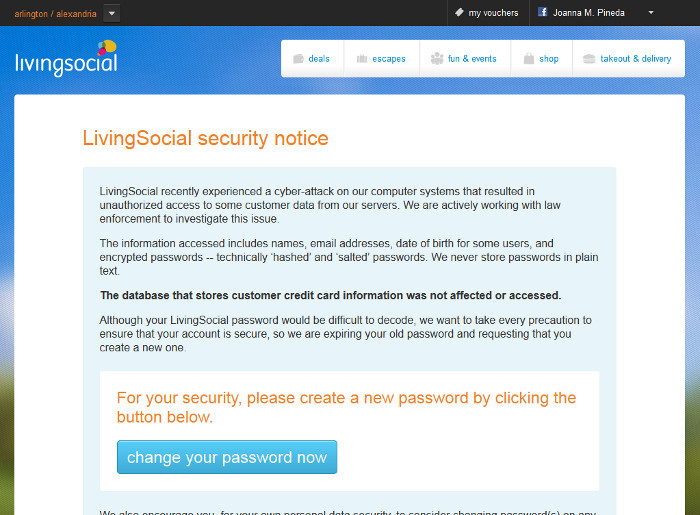
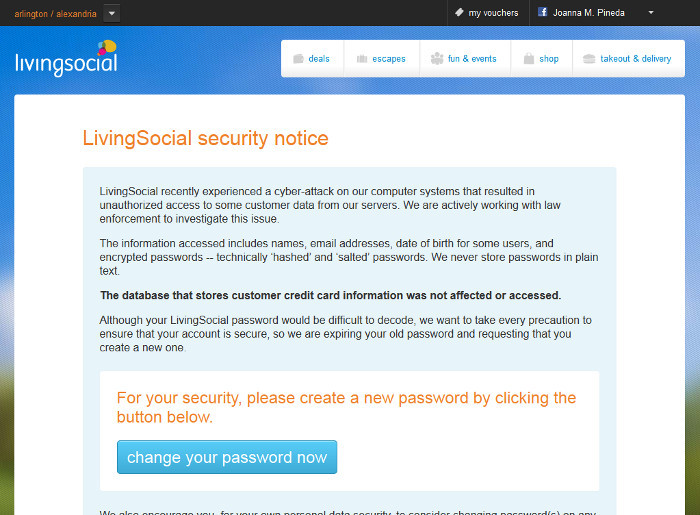
    A couple of weeks ago, the daily deal website LivingSocial reported a cyberattack that breached the accounts of some 50 million subscribers. The information breached included names, email addresses, date of birth, and encrypted passwords. Ugh. These system breaches are so common these days that we change passwords, shrug and move on. And yet most people aren’t learning the real lessons of password management.

    LivingSocial Security Notice

    I spoke at a conference recently where I asked the audience how many of them use the same passwords on multiple sites. About half the hands went up. I get it, it’s impossible to remember a different password for every site that requires one, but most people don’t realize is how one system breach makes you vulnerable to others, even if the other systems are not breached. Here’s how it works: Say you bought something from a retailer and you used the same username and password that you use on other sites. The retailer’s system is breached. You change your password and you’re done, right? Wrong. The hackers take the breached usernames and passwords and try them against major retailer and social networking sites because, let’s face it, who doesn’t have an Amazon, Google, Facebook, Twitter, Ebay, iTunes, Fidelity or Schwab account? For the person who used the same password on multiple systems, he just got ripped off across multiple platforms. Total disaster.

    Want to protect your information and assets? Here are some guidelines.

    Use one password per site. That’s right. Use a different password for Amazon, Google, iTunes, Facebook, eTrade, your child’s school website, The Washington Post, LivingSocial, Etsy, and on and on. This way, if one system is breached and the hackers manage to unencrypt your account information, they can’t use it on other sites.

    Use a secure password manager. It’s going to do you no good to have dozens of different passwords if you don’t have a good system for managing them. I have a friend who says she has an Excel file on her computer that contains her passwords. Trust me, if you computer got lost, stolen or otherwise breached, that Excel file is toast. The net admins at Matrix Group like KeePass and LastPass. I use KeePass to store all of my passwords. I have one, really strong password to my KeePass account that I have committed to memory; KeePass handles everything else. Okay, that’s not exactly true. I’m paranoid enough that the passwords to my email, laptop and work network are committed to memory, never written down and not stored in KeePass.

    Use really strong passwords. A really strong password is long, contains a combination of letters, numbers and characters, and has an element of randomness to it. I really like this article by Thomas Baekdal on the Usability of Passwords. He argues that users should create long, memorable passwords that combine words and characters. If a password is memorable, you’re more likely to remember it and you won’t write it down on a Post It note. An example would be: 99BlueBellagioBalls. This password is easy to remember but it’s long, it’s got upper and lower case letters and it’s got numbers. A more recent article by Dan Goodin (Why passwords have never been weaker — and crackers have never been stronger in) says the hacking landscape has changed dramatically because of supercomputers and password breaches that have exposed common passwords and password patterns that people use over and over again. The solution? Use an even longer, complex password: 99BlueBellagioBalls might become Blue99beLLagioBalls. This is a 19-character password that you could more easily remember than 98zefswr))*je. But then again, if you’re using a password manager, you won’t need to memorize your long passwords.

    If a system allows two-factor authentication, opt for it. Two factor authentication means you need two factors to get in. To access Facebook from a new computer, you would need your username and password AND the code that Facebook sends to your phone. Presumably, a hacker would not have access to your phone.

    Don’t use weak security questions. Personally, I’m appalled that a woman’s maiden name is still used as a security question. Since I didn’t change my last name when I got married, the whole world knows my maiden name. The lesson here is this: don’t select a security question where the answer can be easily obtained by a casual acquaintance, doing Google searches or checking out your profile on Facebook.

    I guess I could decide to live in a treehouse, go off the grid and use only cash but who am I kidding? There are myriad government and corporate systems that have information on me and those systems can be breached. The best I can do is protect my accounts with strong passwords that I manage securely. I hope you all will do the same.


  • Fooducate App

    Fooducate App

    Scan a product’s barcode with your phone and Fooducate will give you the food’s nutritional “grade.” It will even offer healthier alternatives if the product you chose is a nutritional dud.

  • Catholic Health Association of the United States Website Redesign

    Catholic Health Association of the United States Website Redesign

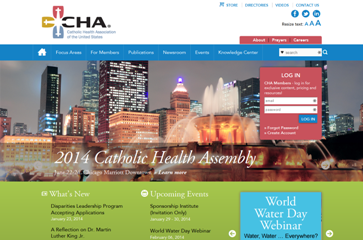
    The Catholic Health Association of the United States (CHA) supports the Catholic health ministry’s commitment to improve the health status of communities and create quality and compassionate health care that works for everyone. The Catholic health ministry is the nation’s largest group of not-for-profit health systems and facilities that, along with their sponsoring organizations, employ more than 750,000 women and men who deliver services combining advanced technology with the Catholic caring tradition.

    CHA needed to redesign its current website to showcase its broad scope of efforts for other healthcare organizations and patients through education, outreach and administrative support. The organization also wanted to be a vital source of support and information for Catholic health care.

    To meet the needs of CHA, Matrix Group:

    • Designed a website that reflected the association’s warm brand
    • Built the website in the Sitefinity content management system
    • Created a mobile and tablet friendly design

    Visit the CHA website.